Best Free AI Tools for Marketing in 2026 (Organized by Job)
A no-fluff roundup of the best free AI tools for marketing, organized by the job you're actually doing — from copywriting to competitive research.
Every marketing team has been told the same thing for two years: "use AI." So you signed up for ChatGPT, then a separate tool for images, then something for research, then a "social AI" tool with its own credits. Now you've got eight tabs, five logins, and a stack of $20 charges — most of them idle most of the month.
Here's the part nobody says out loud: the most powerful free AI tools for marketing aren't the point tools built on top of the models — they're the models themselves. A huge share of "AI marketing tools" are thin wrappers that charge you credits to call ChatGPT or an image model you could use directly. Go to the source and most of the work is free.
The trick is to stop shopping by tool and start sorting by job. Below is the practical stack — organized by what you're actually trying to get done, with the model that wins each job and the honest watch-out for each. Then I'll show how to run the whole thing in one place instead of eight.
The Short Answer: Best Free AI Tools for Marketing by Job
If you only read one section, read this. Here's which AI to reach for by the marketing job in front of you, and why it wins.
| Marketing job | Best free AI to use | What it does for you |
|---|---|---|
| Ad, email & social copy | ChatGPT | Fast drafts, hooks, and dozens of variations |
| Editing & brand voice | Claude | Tightens copy, cuts filler, matches your tone |
| Research & competitive analysis | Perplexity Sonar | Searches the live web and cites every source |
| Images & creative | Gemini Image, GPT Image, Seedream, FLUX | On-brand visuals and quick edits, no designer |
| Repurposing content | Any model, switched mid-thread | Turns one asset into ten formats |
| Recurring work (monitoring, briefs) | Automations | Runs the weekly report while you sleep |
| Reporting & data | Charts + Agent mode | Turns numbers into charts, docs, and decks |
Notice that no single model wins every row — and notice that every one of them has a free tier. That's the whole point of this guide: the best free AI tools for marketing aren't one tool, they're the right model for each job, and the only real problem is wrangling them.
Copywriting: Drafts, Hooks, and Endless Variations
Copy is where most marketing time goes — ad variants, subject lines, captions, landing-page sections, nurture emails — and it's where free AI earns its keep fastest.
ChatGPT is the generalist you start with. Give it the offer, the audience, and the format, and it will spit out ten headline options or five ad variations faster than you can write one. It's ideal for the volume game: A/B test fodder, first-draft landing copy, and "give me this in a punchier tone."
Claude is the editor. Once you have a draft, Claude is better at following detailed instructions — "tighten this to 40 words, keep the second sentence, lose the corporate tone, and make it sound like our founder." It holds a brand voice more consistently across a long document, which matters when you're drafting a whole email sequence, not a single line.
Grok is worth a look for punchy, current, or slightly irreverent social copy, and for topics tied to what's happening this week.
That split — one model for options, another for the final version — holds well beyond marketing copy. The best AI for writing ranks every model by the kind of writing you're doing, and covers the fixes that stop a draft sounding machine-made.
Watch-out: every model's default is "AI marketing voice" — competent, confident, and completely generic. Free AI gets you to a draft in seconds; the value you add is the edit, the specificity, and the brand personality. Treat the output as a starting point, never a publish-ready asset. (This is the same lesson from testing models across a writing task: draft with one, edit with another.)
Design and Images: Visuals Without a Designer in the Loop
You don't need a paid design suite to get usable marketing creative anymore. The frontier image models handle a surprising amount of the day-to-day:
- Gemini Image and GPT Image for generating concepts, social graphics, blog headers, and ad backgrounds from a text prompt.
- Seedream for strong composition when layout and scene matter.
- FLUX Kontext for text-based image editing — describe the change ("swap the headline text, warm up the lighting, remove the background") and edit an existing visual instead of starting over.
For a marketer, that combination covers a lot: mockups for a campaign pitch, quick variations of a social tile, hero images for a landing page, and edits to product shots — all from a prompt, all on free tiers.
Watch-out: image AI still gets hands, small text, and precise brand logos wrong, and you're responsible for the licensing and brand-safety of anything you publish. Use it for concepts, backgrounds, and drafts; keep a human eye on anything that goes live.
Research and Competitive Analysis (Especially for B2B)
This is the category where free AI quietly beats the paid point tools — and it's the backbone of AI tools for B2B marketing, where everything starts with understanding the market.
Perplexity Sonar is built for research: it searches the live web and links the source behind every claim, instead of writing a plausible-looking statistic from memory. Ask it for a competitor's positioning, recent pricing changes, the top objections in a category, or the state of a market, and you get an answer with citations you can actually open. For that reason it's the model I'd reach for first on any research task — more on when it beats a general chatbot in Perplexity vs ChatGPT.
Two more capabilities turn research into something you can act on:
- Internet search with full-page extraction pulls the actual content of a page, not just a snippet — useful for tearing down a competitor's landing page or reading a long report.
- A knowledge base lets you drop in your own material — competitor decks, analyst PDFs, past campaign results, customer interviews — and ask questions across all of it. Your research stops living in 30 open tabs and becomes something you can query.
Watch-out: AI finds sources; it doesn't vouch for them. Open each cited link and confirm it says what the model claims before you build a strategy — or a board slide — on it. Verifying is exactly where a second model earns its keep: ask two, and the disagreement between them is your signal to dig deeper.
Repurposing and Automation: More Output From What You Already Have
The highest-leverage marketing move with AI isn't creating more — it's repurposing. One webinar becomes a blog post, five LinkedIn posts, a newsletter section, and a dozen quote graphics. One case study becomes an email, a thread, and a sales one-pager.
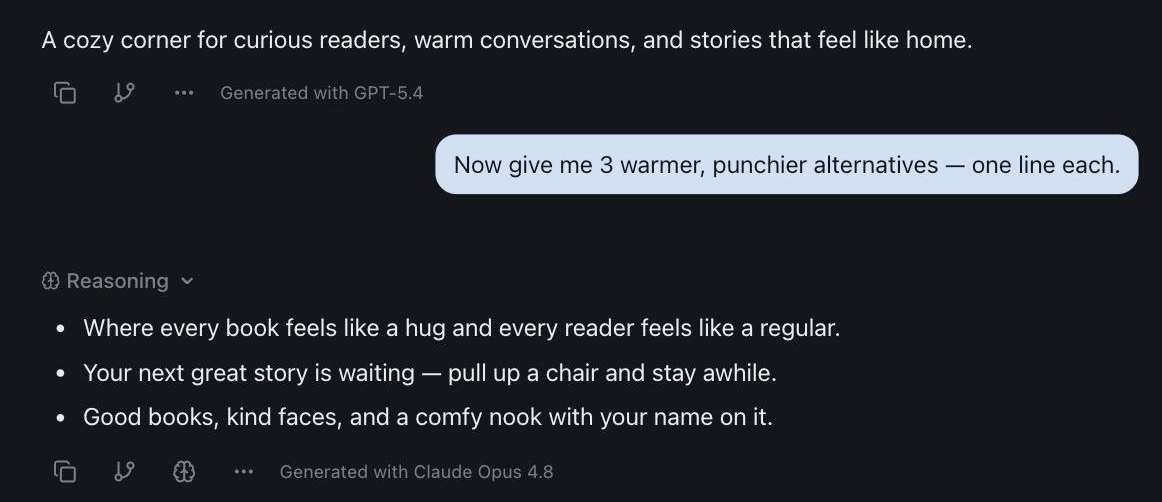
This is where switching models mid-task pays off: draft the long-form piece with one model, then ask a second to reshape it into a punchy social version with a different voice. You keep the source material in front of both, so nothing gets lost in translation between formats.
If your marketing is performance-based, repurposing needs one extra step in front of it — verify before you multiply, or a wrong figure ends up in eight places. The AI tools for affiliate marketing guide sets out that check and the rest of the review workflow.
Then there's the work you'd rather not do by hand every week. Automations run a saved prompt on a schedule — hourly, daily, weekly, or weekdays — with the model and integrations you choose. A few that pull their weight in marketing:
- A Monday content brief that pulls the week's themes and drafts starting angles.
- A weekly competitor scan that checks for pricing or messaging changes and summarizes what moved.
- A recurring performance summary that reads a connected sheet and writes the plain-English recap.
Because those tasks connect through 50+ integrations — Notion, Google Drive, Google Sheets, Gmail, Google Calendar and more — the AI can read from and write to the tools your team already lives in. And when you need a deliverable, Agent mode generates the actual file: a chart from your numbers, a one-pager in Word, a deck in PowerPoint, a report in PDF.
There are also dedicated marketing AI platforms that ship these workflows pre-built rather than asking you to write them. They're worth a look — just price them carefully, because most charge from a credit balance shared across the whole team rather than per person. How the marketing platforms actually meter usage walks through that arithmetic.
Putting the Free Stack Into One Workflow
By now you've spotted the catch. Doing marketing "right" with free AI means a model for copy, a model for editing, a model for research, a few image models, plus automations and file exports. Done the usual way, that's five or six separate tools, five or six logins, and five or six free tiers you keep hitting the ceiling on — and every time you switch, you start from zero: re-paste the brief, re-explain the campaign, re-upload the research. The context never follows you.
The fix isn't to give up the multi-model approach — it's to put every model in one place. In izzedo chat, all the models above live in a single conversation, and switching from a copy model to a research model to an image model is one click, not a new tab and a new account.
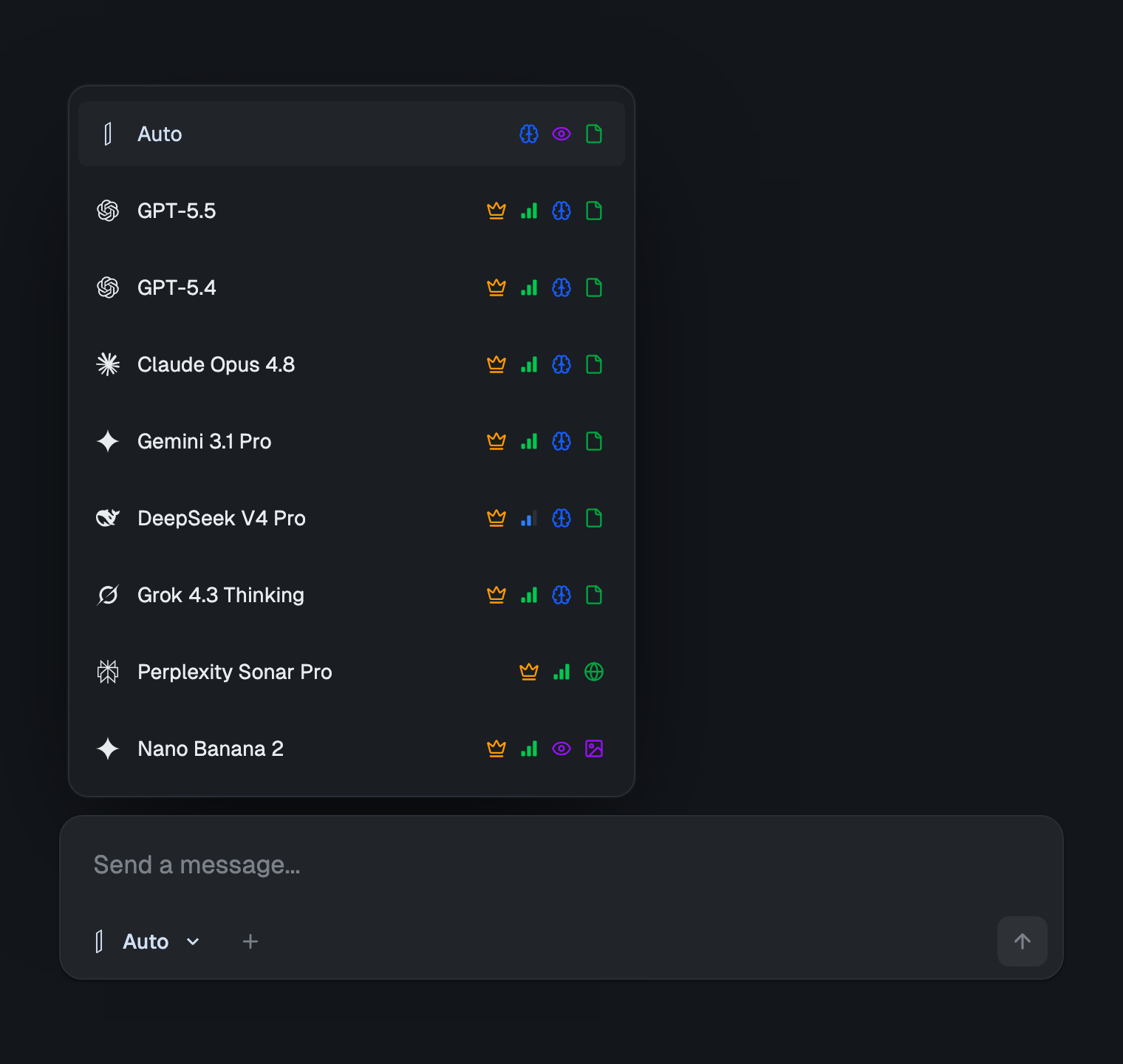
Because everything shares one thread, you can research a competitor with Perplexity, draft the campaign with ChatGPT, and edit it to your brand voice with Claude without re-pasting anything — each model sees the whole project. You can upload your brand guide and last quarter's results once and every model can use them, ask several models the same question side by side to catch a weak claim, and export the finished plan straight to Word, PowerPoint, or PDF. It's the one-workspace version of running multiple models at once, and there are copy-pasteable multi-model workflows here to steal. (Marketing is just one function — the best AI for business maps the same by-model approach across every department.)
The pricing follows the same "stop paying six times" logic. Running ChatGPT, Claude, Gemini, Perplexity and Grok separately is around $110/month, with DeepSeek free. izzedo has a free plan with no credit card — enough to actually try this — and every model unlocks at $6/month, roughly what you'd waste on one idle subscription. It's a flat bill with fair use running quietly underneath — a short rolling window, plus a weekly pool a punishing campaign week can reach — and no credit meter to babysit between campaigns, which is exactly the failure mode of most "free" marketing point tools. The current plan details are on the pricing page.
One more thing that matters when you're feeding it real marketing data: izzedo is GDPR compliant, doesn't train on your inputs, and passes prompts through with zero data retention, with full control to delete your history. Campaign plans and customer lists aren't training fuel.
The Bottom Line
The best free AI tools for marketing in 2026 aren't a pile of point tools with their own credit meters — they're the frontier models themselves, matched to the job: ChatGPT and Claude for copy, Perplexity for research, the image models for creative, and automations to run the recurring work. The only thing that ever made that hard was the tooling: too many tabs, logins, and free tiers to juggle.
Put every model in one conversation and the whole stack gets simple — which is the entire reason izzedo chat exists. Match the model to the marketing job, keep your context in one place, and let the free models do the heavy lifting.
Want to run every leading AI model — for copy, research, and images — in one workspace? Start using izzedo chat for free — no credit card required.
Frequently asked questions
What are the best free AI tools for marketing?
There's no single winner — the best free AI tools for marketing are the frontier models themselves, matched to the job: ChatGPT for fast copy and variations, Claude for editing and brand voice, Perplexity Sonar for cited web research, and image models like Gemini Image, GPT Image, Seedream, and FLUX for creative. Most have a free tier, so you can do real work without paying for a single subscription.
Are there free AI tools for B2B marketing?
Yes. B2B marketing leans on research and long-form content, which is exactly where free AI shines: use a web-research model like Perplexity Sonar for competitor and market analysis, drop prospect decks or reports into a knowledge base and query them, and use a strong reasoning model to turn findings into positioning, one-pagers, and sales enablement. The same free models cover the copy, the research, and the reporting.
Can I really do marketing with AI for free, or is there a catch?
You can get a long way for free, but each tool's free tier has limits — a monthly message cap, slower models, or watermarked images — so a real marketing workflow usually bumps into several ceilings across several tools. The practical fix is to keep the free approach but consolidate: run the models in one workspace instead of maintaining a separate free account, tab, and login for each.
What's the best free AI tool for marketing copy?
For a first draft and lots of variations, ChatGPT is the fastest generalist. For editing that draft into a specific brand voice — tightening, cutting filler, matching tone — Claude is stronger. The best results come from drafting with one and editing with the other, rather than expecting a single model to nail both.
Do I need separate AI tools for copy, images, and research?
You need different models, not necessarily different tools. Copywriting, image generation, and web research each have a model that's best at them, but you don't have to manage a separate subscription for each. A multi-model workspace like izzedo chat puts every model in one place, so you switch from a copy model to an image model to a research model inside the same project.
Is it safe to put marketing data into AI tools?
It depends on the tool's policy. Look for no training on your inputs, zero data retention, and GDPR compliance before you paste customer lists, campaign results, or unreleased plans. izzedo chat is GDPR compliant, doesn't train on user inputs, and passes prompts through with zero data retention, with full control to delete your history — but always confirm the current terms for any tool before using real data.
Ready to try multi-model AI workflows?
Access GPT, Claude, Gemini, Perplexity, and more — all in one place.
Start for Free →