How to Finish Any Task Faster by Asking 3 AI Models Instead of 1
Stop spending 20 minutes crafting the perfect prompt. Ask 3 AI models the same question, pick the one that gets you, and finish in 2 minutes. Here's the method.
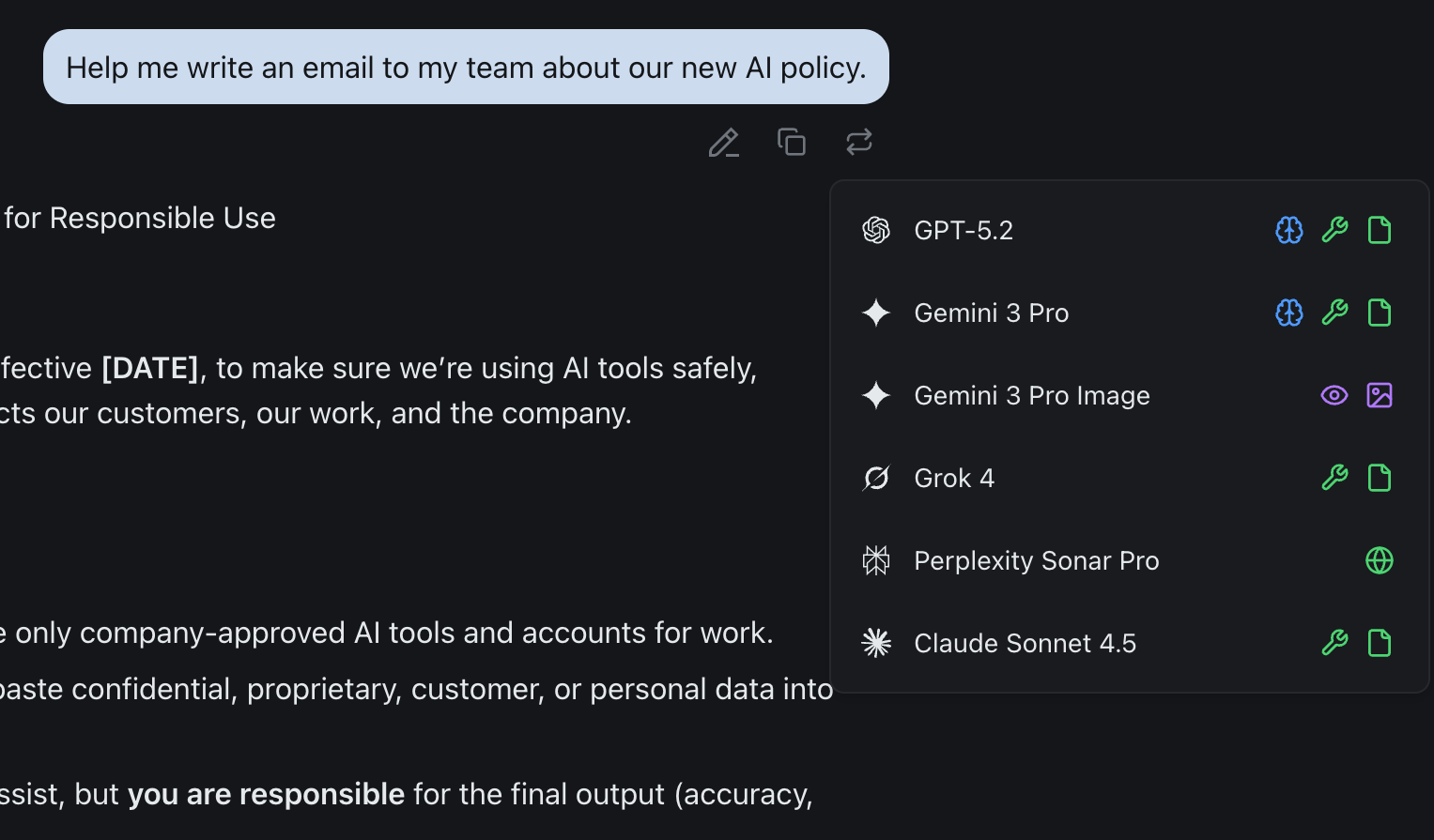
You open ChatGPT. You type a prompt. The answer is... okay. Not bad. Not what you wanted. So you rewrite the prompt. And again. And again. Twenty minutes later, you've settled for "good enough."
Here's the thing: the problem was never your prompt. It was the model.
Every AI model interprets your question differently. ChatGPT might give you structure but miss nuance. Claude might nail the reasoning but feel too formal. Gemini might surface a perspective the others missed entirely. Each one has a "personality" — a way it processes your intent.
The best AI users aren't spending 20 minutes crafting the perfect prompt. They're spending 60 seconds asking the right model. This guide shows you how.
If you're not sure which model is best for which task type, start with our companion guide: The Multi-Model AI Workflow Playbook. This post assumes you're ready to put multi-model thinking into practice.
The Reprompting Method
The core idea is simple: instead of refining one prompt endlessly for one model, send your raw question to multiple models at once and pick the winner.
The old way:
- Pick one model
- Spend 20 minutes rewriting your prompt
- Settle for "good enough"
The reprompting method:
- Ask the same question to 3 models simultaneously
- Scan the outputs in 60 seconds
- Pick the one that clicked
- Refine with 1–2 follow-ups
- Done
That's it. No elaborate prompt templates. No system instructions. Just your natural language, aimed at multiple models.
Step 1: Send Your Raw Question to 3 Models
Don't overthink the prompt. Use your natural language — the way you'd ask a coworker. Then send the exact same question to three models at once:
- ChatGPT — strong generalist, fast drafts
- Claude — precise reasoning, instruction follower
- Gemini — divergent thinker, massive context
You're not comparing perfection. You're looking for the model that's on your wavelength.
Step 2: The 60-Second Scan
Once you have three outputs, don't read them all word for word. Scan for these signals:
| Signal | What It Means |
|---|---|
| It answered the question you meant to ask | This model inferred your intent, not just your words |
| The structure feels immediately usable | You can see how to use this output right away |
| It raised a point you hadn't considered | This model is thinking with you, not just for you |
| The tone matches your context | Business formal? Creative brainstorm? Technical deep-dive? |
You're not judging which answer is "better" in the abstract. You're finding the model that understood the assignment.
Example: Writing a Team Email
Your prompt:
"Help me write an email to my team about our new AI policy."
ChatGPT gives you a polished, complete email draft. Professional tone. Ready to send.
Claude asks clarifying questions first: "What's the primary concern — compliance or productivity? Should this be directive or collaborative?"
Gemini provides 3 different tonal approaches (formal, friendly, hybrid) with brief examples of each.
Which one clicked?
- If you just needed a draft to send now — ChatGPT won.
- If you needed to think through strategy first — Claude won.
- If you wanted options to choose from — Gemini won.
There's no universal "best." There's the model that met you where you are, right now, for this specific task.
Step 3: Refine in 1–2 Follow-Ups
Here's where the reprompting method pays off. Because you started with the model that already understood you, refinement is fast — not a battle.
First follow-up: Add specificity or direction.
- "Make it more conversational"
- "Add a section on data security"
- "Focus on the compliance angle"
Second follow-up (if needed): Fine-tune format or tone.
- "Shorten to 3 paragraphs"
- "Add bullet points for the action items"
- "Make the tone warmer"
That's it. Two prompts at most. You're done.
Why this works:
- You're not fighting the model's interpretation — you already picked the one that aligned with you.
- The foundation is solid, so edits are incremental, not structural.
- You stay in flow state instead of prompt-wrestling frustration.
4 Real Scenarios Where Reprompting Gets You There Faster
Scenario 1: Competitive Research
You're preparing for a pitch and need a competitive landscape fast.
- Ask all 3 models: "Summarize the competitive landscape for AI-powered project management tools"
- Pick the winner: Gemini — surfaced recent data and organized competitors by category
- Refine: "Add a comparison table with pricing, key features, and target audience"
- Result: Went from raw question to investor-ready competitive analysis in 3 prompts — instead of 45 minutes of Googling and formatting
Scenario 2: Client Proposal
A consultant needs a polished scope document for a new engagement.
- Ask all 3 models: "Draft a consulting proposal for a company that wants to implement AI in their customer support workflow"
- Pick the winner: Claude — nailed the professional tone and included a phased implementation approach without being asked
- Refine: "Add a timeline, budget range, and expected ROI section"
- Result: A complete, client-ready proposal in under 5 minutes that would have taken an hour to write from scratch
Scenario 3: Content Repurposing
You wrote a blog post and need to turn it into a week's worth of social media content.
- Ask all 3 models: Paste the blog post and ask "Turn this into 5 LinkedIn posts, 5 tweets, and an email newsletter intro"
- Pick the winner: ChatGPT — best variety in tone across formats, each piece felt native to its platform
- Refine: "Make the LinkedIn posts more personal and storytelling-driven"
- Result: A full week of content in 3 minutes — instead of context-switching between formats for an hour
Scenario 4: Brainstorming a Go-to-Market Strategy
You're launching a new feature and need creative marketing angles.
- Ask all 3 models: "Give me 7 creative ways to announce a new AI-powered second opinion feature to existing users"
- Pick the winner: Gemini — most unexpected angles, including a "challenge your AI" campaign idea no one on the team had considered
- Refine: "Expand on ideas #2 and #5 with a tactical execution plan, timeline, and budget estimate"
- Result: Creative strategy and tactical plan in 3 total prompts — skipped the two-hour brainstorm meeting
The Mindset Shift: From Prompt Engineer to Model Conductor
The AI industry has spent the last two years telling you to become a better prompt engineer. Learn templates. Use system prompts. Master chain-of-thought formatting.
That advice isn't wrong. But it's solving the wrong bottleneck.
The bottleneck isn't your prompt. It's your assumption that one model should handle everything. When you stop trying to force one AI to understand you and start choosing the AI that already does, everything gets faster.
Old mindset:
- "I need to craft the perfect prompt for ChatGPT."
- Spend 10 minutes tweaking wording.
- Get frustrated when it doesn't work.
- Settle for mediocre output.
New mindset:
- "I'll ask 3 models and pick the one that vibes with my question."
- Spend 60 seconds scanning outputs.
- Feel confident you're working with the right AI.
- Get great output in 1–2 follow-ups.
Your superpower isn't writing prompts. It's knowing which model to ask.
Why This Workflow Needs a Unified Interface
There's a reason most people don't work this way yet. Trying to reprompt across separate tabs is painful:
- Open ChatGPT tab — paste question — wait
- Open Claude tab — paste question — wait
- Open Gemini tab — paste question — wait
- Copy outputs into a doc to compare — lose context
- Pick winner — switch back to that tab — paste follow-up
That's 10 minutes of tab-switching and copy-pasting. Context is lost. Momentum is killed. The method works in theory but the friction kills it in practice.
With izzedo chat, the friction disappears:
- Type your question once.
- Send it to ChatGPT, Claude, and Gemini simultaneously (or use "Second Opinion").
- Compare outputs side-by-side in the same window.
- Continue the conversation with the winner — full context intact.
- Total time: 2 minutes. Flow state maintained.
This is what makes the reprompting method practical as a daily habit, not just a neat idea. One interface, all models, instant comparison.
Try the Reprompting Method Right Now
Pick a real task you're working on today. Something you'd normally ask one AI model.
- Ask the same question to ChatGPT, Claude, and Gemini.
- Spend 60 seconds scanning the outputs.
- Pick the one that clicked.
- Refine with 1–2 follow-ups.
- Notice how much faster you got to a great result.
Once you experience the difference, you won't go back to prompt wrestling.
Want to go deeper? See 4 Tasks That Take 3 Hours With One AI — and 20 Minutes With Three — full step-by-step tutorials with exact prompts for writing PRDs, proposals, case studies, and workshop outlines using the 3-model chain.
Want to make multi-model reprompting your daily workflow? Try izzedo chat free — all leading AI models in one interface, no credit card required.
Frequently asked questions
Can I ask multiple AI models the same question at once?
Yes. Tools like izzedo chat let you send one prompt to ChatGPT, Claude, Gemini, and others at the same time and compare the answers side by side.
Why do AI models give different answers?
Each model is trained differently and interprets your intent its own way, so the same prompt produces different structure, tone, and detail. Comparing them helps you spot the best response and catch mistakes.
Is it better to refine one prompt or ask several models?
For most tasks, asking several models the same question and picking the best answer is faster than endlessly refining one prompt for a single model.
How do I compare AI answers efficiently?
Send the same question to two or three models, scan for the one that understood your intent, then refine it with one or two follow-ups.
Ready to try multi-model AI workflows?
Access GPT, Claude, Gemini, Perplexity, and more — all in one place.
Start for Free →