4 Tasks That Take 3 Hours With One AI — and 20 Minutes With Three
Stop doing everything with one AI model. These 4 step-by-step tutorials show you exactly how to chain ChatGPT, Claude, Gemini, and Perplexity together to write PRDs, proposals, case studies, and course outlines in a fraction of the time.
Most AI advice tells you to write better prompts. This guide is different. Instead of perfecting one prompt for one model, you'll learn how to chain multiple AI models together — each one handling the step it's best at.
The result? Work that used to take hours gets done in minutes. Not because the AI is doing your thinking for you, but because you've assigned a research assistant, a strategist, and an executor to your team — all at once.
Below are 4 complete tutorials with the exact prompts, the reasoning behind each model choice, and what the output looks like at every step. Pick the one closest to your work and try it today.
New to multi-model workflows? Start with The Multi-Model AI Workflow Playbook to understand which model is best for which type of task. Want the quick version? Read how to finish any task faster by asking 3 AI models instead of 1.
Tutorial 1: Write a PRD in 20 Minutes
Who this is for: Product managers, founders, anyone scoping a new feature.
The old way: Open ChatGPT, spend 30 minutes prompting and reprompting, end up with a generic PRD that needs another 2 hours of manual research and rewriting. Total: ~3 hours.
The 3-model way: 20 minutes, better research, sharper reasoning, cleaner output.
Step 1: Research with Perplexity
Prompt:
"Find the top 5 competitor features for [your product category]. For each competitor, list the feature name, what it does, pricing tier, and any user complaints or gaps mentioned in reviews."
Why Perplexity? It searches the web in real time and cites its sources. For a PRD, you need real competitive data — not hallucinated feature lists. Perplexity gives you receipts.
What you get: A sourced list of competitor features with links to the original reviews, product pages, and comparison articles. You can verify every claim.
Step 2: Synthesize with Claude
Prompt: Paste Perplexity's full output, then:
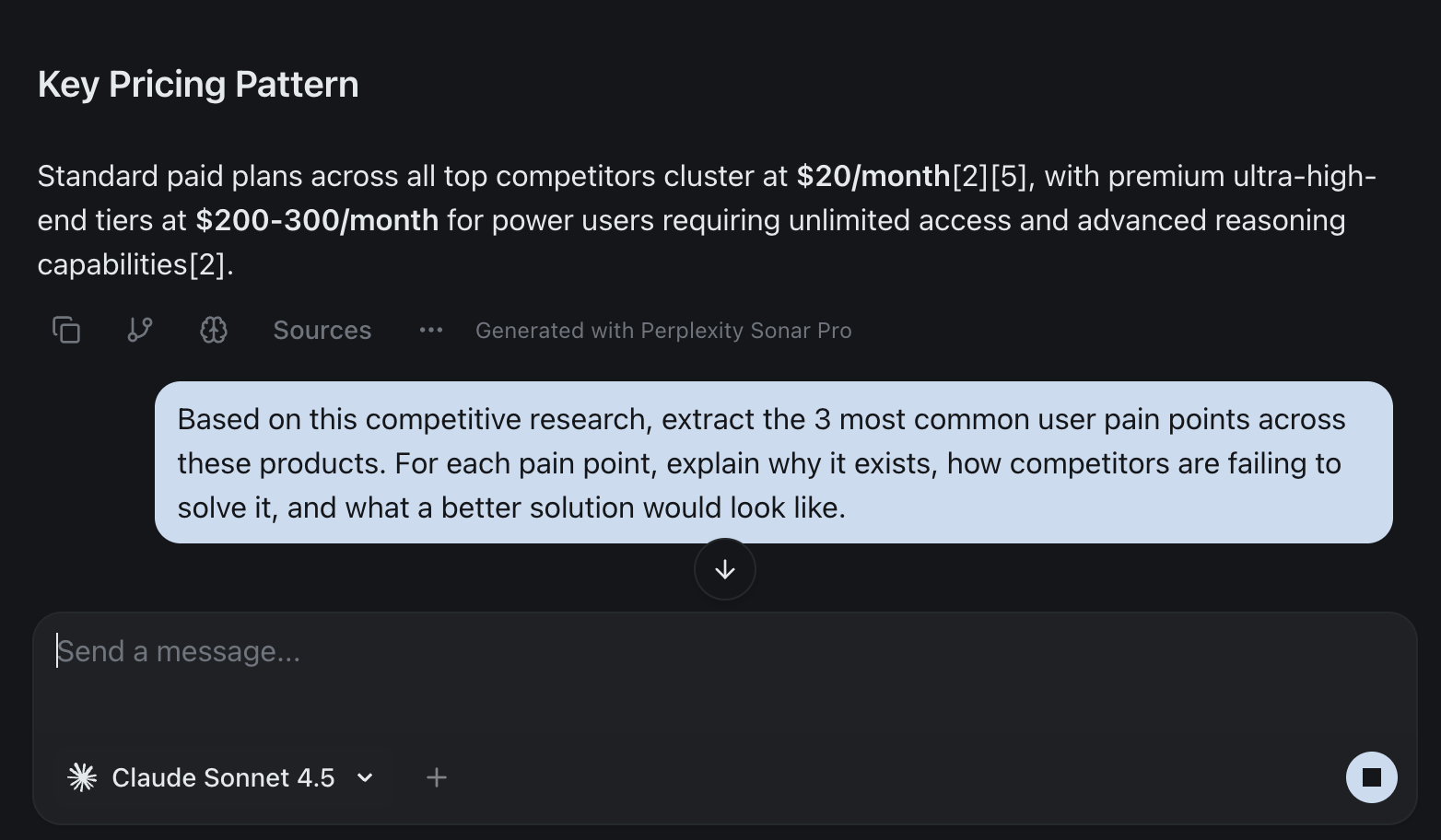
"Based on this competitive research, extract the 3 most common user pain points across these products. For each pain point, explain why it exists, how competitors are failing to solve it, and what a better solution would look like."
Why Claude? It handles large context without losing coherence, and its reasoning catches patterns that a quick skim would miss. Claude doesn't just summarize — it analyzes.
What you get: Three clearly articulated pain points with strategic reasoning behind each one. This becomes the "Problem" section of your PRD — grounded in real data, not assumptions.
Step 3: Structure with ChatGPT
Prompt: Paste Claude's analysis, then:
"Turn these pain points into a PRD with the following sections: Problem Statement, User Stories (with acceptance criteria), Success Metrics, and Out of Scope. Use a clean, professional format."
Why ChatGPT? It's the best at structured, repeatable output formats. When you need user stories in a specific format with consistent acceptance criteria, ChatGPT delivers clean, copy-paste-ready output every time.
What you get: A complete PRD with properly formatted user stories, measurable success metrics, and clear scope boundaries. Ready for stakeholder review.
The result
- 20 minutes instead of 3 hours
- Cited competitive research instead of guesswork
- Reasoned analysis instead of surface-level summaries
- Clean, structured output instead of a wall of text you need to reformat
Tutorial 2: Write a Consulting Proposal in 15 Minutes
Who this is for: Consultants, freelancers, agency founders who write proposals regularly.
The old way: Research the client's industry for 30 minutes, draft the proposal for an hour, format and price it for another 30 minutes. Copy-paste from old proposals and hope you didn't leave the last client's name in there. Total: ~2 hours.
The 3-model way: 15 minutes, better tailored, more polished.
Step 1: Research with Perplexity
Prompt:
"Research [client's industry]. What are the top 3 challenges companies in this space face right now? Include any recent trends, regulatory changes, or market shifts that a consultant should know about. Cite sources."
Why Perplexity? Your proposal needs to show the client you understand their world. Perplexity gives you current, sourced industry intelligence that makes your proposal feel custom — not templated.
What you get: A briefing on the client's industry landscape with recent data points, trends, and challenges you can reference in your proposal. Each claim has a source.
Step 2: Draft with Claude
Prompt: Paste Perplexity's research, then:
"Write a consulting proposal for a [client type] company that wants to [project goal]. Include these sections: Executive Summary, Understanding of the Challenge (reference the industry research), Proposed Approach (phased), Deliverables, and Team Qualifications. Use a professional but warm tone — authoritative without being stiff."
Why Claude? It's the best at following detailed structural instructions while maintaining a natural, professional tone. Claude nails the balance between "we're experts" and "we're easy to work with" — which is exactly what a proposal needs.
What you get: A complete proposal draft with a phased approach, clear deliverables, and language that sounds like a senior consultant wrote it. The industry research is woven in naturally, not bolted on.
Step 3: Format and price with ChatGPT
Prompt: Paste Claude's draft, then:
"Add a Timeline section (table format with phases, durations, and milestones), a Pricing section (table with line items, rates, and totals for two tiers: Standard and Premium), and Terms & Conditions (net 30, revision policy, IP ownership). Format the entire proposal with clean headings and consistent styling."
Why ChatGPT? Tables, pricing structures, and formatted documents are ChatGPT's sweet spot. It produces clean, consistent layouts that look professional without manual formatting.
What you get: A send-ready proposal with properly formatted tables, two pricing tiers, and professional terms. Export it, add your logo, and it's done.
The result
- 15 minutes instead of 2 hours
- Industry-specific research that shows you did your homework
- Professional tone that doesn't sound like a template
- Clean formatting with pricing tables ready to go
Tutorial 3: Write a Customer Case Study in 15 Minutes
Who this is for: Marketers, content teams, founders who need social proof for their website or sales deck.
The old way: Interview the customer, transcribe the notes, stare at a blank document for 20 minutes, write a draft that reads like a press release, spend another hour trying to make it sound human. Total: ~2-3 hours.
The 3-model way: 15 minutes from raw notes to a publishable case study.
Step 1: Extract the narrative with Claude
Prompt: Paste your raw customer interview notes, feedback emails, or testimonial text, then:
"From these raw customer notes, extract the narrative arc for a case study. Identify: (1) The customer's situation before our product — what was their challenge? (2) Why they chose us — what was the deciding factor? (3) How they use the product — specific workflows or features. (4) The measurable results — numbers, time saved, revenue impact. (5) A direct quote that captures their sentiment. Flag anything that's unclear or needs the customer to confirm."
Why Claude? Raw interview notes are messy — half-sentences, tangents, repeated points. Claude is the best at parsing unstructured text and extracting a coherent story from it. It also flags gaps instead of filling them with hallucinations, which is critical when you're putting words next to a customer's name.
What you get: A clean narrative arc with the challenge, solution, and results clearly separated. Plus a flagged list of anything that needs verification — so you don't publish claims the customer didn't actually make.
Step 2: Write the case study with ChatGPT
Prompt: Paste Claude's extracted narrative, then:
"Write a customer case study using this narrative. Structure it as: Headline (results-focused), Customer Overview (2 sentences), The Challenge, The Solution, The Results (with a metrics callout box), and a closing quote. Keep it under 600 words. Tone: confident and specific, not salesy. Use the customer's actual quote."
Why ChatGPT? It's the best at producing polished, publication-ready content in a specific format. The case study structure is a well-known format, and ChatGPT executes it cleanly with the right balance of storytelling and data.
What you get: A complete case study that reads like a professional content team wrote it. Results-focused headline, clear problem/solution narrative, metrics highlighted, and a genuine customer quote.
Step 3: Strengthen with Gemini
Prompt: Paste the full case study, then:
"Review this customer case study. (1) Are there any claims that feel vague or unsupported? Suggest where we could add more specific numbers or proof points. (2) Is the headline as compelling as it could be? Suggest 3 alternatives. (3) Flag any language that sounds too generic or 'AI-written.' Suggest more natural phrasing."
Why Gemini? It's excellent at critical review and spotting weak points. Using a different model to review what another model wrote catches the blind spots that self-editing misses. Gemini is particularly good at suggesting fresh angles and flagging generic-sounding language.
What you get: A punch list of improvements: stronger headline options, places to add specifics, and language fixes that make the case study sound less like AI and more like your brand.
The result
- 15 minutes instead of 2-3 hours
- Clean narrative extracted from messy notes
- Publication-ready format without manual restructuring
- Quality-checked by a different model to catch blind spots
Tutorial 4: Build a Workshop Outline in 20 Minutes
Who this is for: Consultants, trainers, educators, anyone who designs workshops, courses, or training sessions.
The old way: Google what's already out there for an hour, outline the curriculum in a doc, go back and forth between tabs to check if you're covering the right topics, write the session descriptions. Total: ~3-4 hours.
The 3-model way: 20 minutes, better researched, more structured.
Step 1: Research with Perplexity
Prompt:
"Find the top 5 existing workshops, courses, or training programs on [your topic]. For each, list: the curriculum structure, key topics covered, duration, target audience, and price point. Also note any common complaints or gaps mentioned in reviews."
Why Perplexity? Before designing your workshop, you need to know what already exists. Perplexity gives you a sourced competitive scan so you can position yours differently — not accidentally recreate what's already out there.
What you get: A landscape of existing offerings with their structures, pricing, and weaknesses. You now know exactly where the gaps are — and that's where your workshop should live.
Step 2: Design the curriculum with Claude
Prompt: Paste Perplexity's research, then:
"Design a [half-day / full-day / 4-week] workshop curriculum on [topic] for [target audience]. Based on the competitive research, focus on the gaps and underserved areas. For each session, include: session title, learning objective (one sentence), key topics covered, one hands-on exercise or activity, and estimated duration. Include an opening and closing session."
Why Claude? Curriculum design requires logical sequencing — each session should build on the previous one, exercises should reinforce concepts, and the overall arc should feel intentional. Claude is the best at this kind of structured, logical reasoning with a human touch.
What you get: A complete curriculum with sessions that build on each other, clear learning objectives, and practical exercises. It's differentiated from competitors because it targets the gaps Perplexity identified.
Step 3: Write the promotional copy with ChatGPT
Prompt: Paste Claude's curriculum, then:
"Using this curriculum, write: (1) A workshop title and subtitle (compelling, not academic). (2) A 150-word description for a landing page or event listing. (3) A 'What You'll Learn' section with 5-6 bullet points. (4) A session-by-session agenda formatted as a clean schedule. (5) A 'Who This Is For' section with 3-4 audience personas."
Why ChatGPT? You need the curriculum translated into marketing language. ChatGPT excels at writing promotional copy that's clear, benefit-focused, and formatted for the web. It takes Claude's thoughtful curriculum and turns it into something people actually sign up for.
What you get: Everything you need to publish the workshop — landing page copy, agenda, audience description, and benefit bullets. Ready to drop into your website or event platform.
The result
- 20 minutes instead of 3-4 hours
- Competitively researched so you're filling a real gap
- Logically structured with sessions that build on each other
- Promotion-ready with copy you can publish immediately
Why These Tutorials Work
Notice the pattern across all four tutorials:
- Research model first (usually Perplexity) — gather real, sourced data
- Reasoning model second (usually Claude) — analyze, synthesize, and structure
- Output model third (usually ChatGPT or Gemini) — format, polish, and make it ready to use
Each model handles the step it's best at. You're not asking one AI to be a researcher, strategist, and executor. You're building a team.
The other thing to notice: you're still doing the thinking. You choose the topic, evaluate the outputs, decide what to keep, and make the final call. The AI models handle the grunt work — the research, the first drafts, the formatting — so you can focus on the decisions that actually matter.
Try It Without the Tab-Switching Pain
These tutorials work with any AI tools. But if you've tried copy-pasting between ChatGPT, Claude, Perplexity, and Gemini in separate tabs, you know the friction is real. By the third paste, you've lost context, broken your flow, and spent more time managing tabs than doing actual work.
With izzedo chat, the whole chain happens in one conversation. Type your question, switch models with one click, and the full context carries forward. No copy-pasting. No lost threads. No separate logins.
It's the difference between knowing this method works and actually using it every day.
Ready to chain AI models like a pro? Try izzedo chat free — all leading AI models in one conversation, no credit card required.
Frequently asked questions
How do I use ChatGPT, Claude, and Gemini together?
Assign each model the step it does best — research with Perplexity, analysis with Claude, formatting with ChatGPT — and pass the output from one to the next. izzedo chat lets you do this in a single conversation.
What is the 3-model method?
It is chaining three AI models in sequence — typically a research model, a reasoning model, and an output model — so each one handles the part it is best at.
Can I chain AI models without copying between tabs?
Yes. In a multi-model workspace you switch models mid-conversation and the context carries over, so there is no copy-pasting between separate tabs.
Ready to try multi-model AI workflows?
Access GPT, Claude, Gemini, Perplexity, and more — all in one place.
Start for Free →