ChatGPT Limits in 2026: Every Cap, and Every Error That Isn't One
ChatGPT stopped publishing the numbers you used to plan around. Here's what is still capped, which error messages are real limits and which are something else entirely, and the one workaround OpenAI's own support pages recommend.
There is a specific kind of annoyance in hitting a wall you were never shown. You are mid-task, the answer is half written, and ChatGPT stops. Somewhere between the message you sent and the one that failed, you crossed a line nobody drew for you.
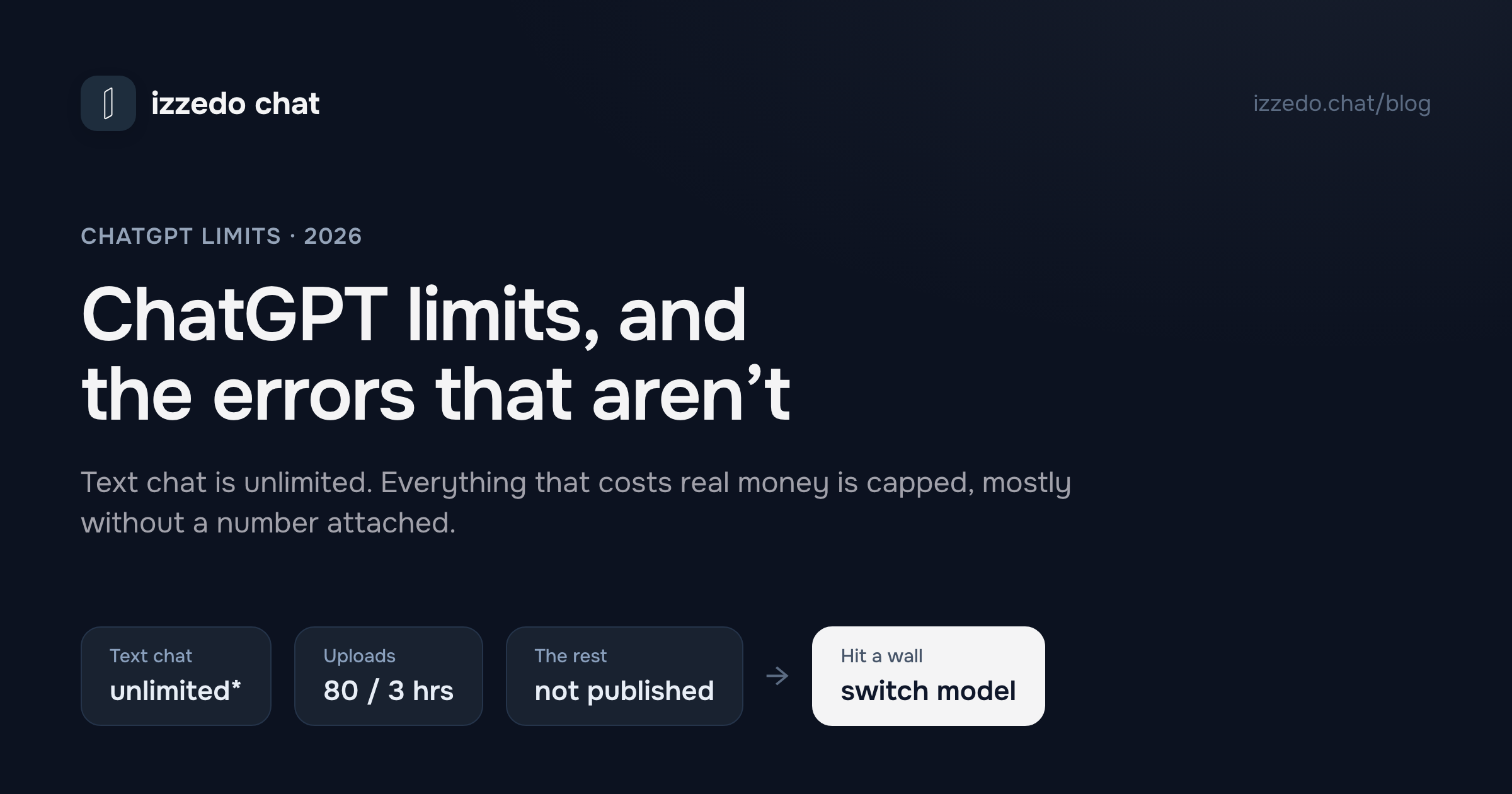
That is the honest state of ChatGPT limits in 2026. The old advice, 40 messages every 3 hours, was at least something you could plan around. It is gone. OpenAI now lists everyday text chat as unlimited on every tier including the free one, moves the real caps onto tools rather than messages, and declines to publish most of the numbers. What is left is a system you meet by surprise.
So this post is organised around the moment you actually search for it. Not "what is my quota", which mostly has no answer, but "what just happened, and what do I do now". I read OpenAI's pricing page and its help articles on 31 August 2026 for every figure below, because most of what circulates about ChatGPT limits is a message count that stopped being true a while ago.
The first useful thing to know is that roughly half the errors people call limits are not limits at all.
ChatGPT Limits in 2026: The Short Answer
| What | Capped? | The published number |
|---|---|---|
| Everyday text chat | No* | "Unlimited" on Free, Go, Plus and Pro |
| Messages that use tools | Yes | Not published |
| File uploads | Yes | 80 files / 3 hours paid, 3 per day Free |
| Image generation | Yes | Not published, "unlimited" on Pro |
| Deep research | Yes | Not published, tiered Limited to Maximum |
| Voice | Yes | Not published |
| Memory | Yes | Not published, tiered Limited to Expanded |
| Context window | Yes | 27K to 400K tokens depending on tier and model |
| Chat history | No | "Unlimited" on every tier |
*The asterisk is OpenAI's, and it carries weight. Every "unlimited" on the pricing page is footnoted "Usage must be reasonable and comply with our policies." Free-tier documentation words it as unlimited text chats "subject to abuse-prevention safeguards."
Two things follow from this table, and they are the whole post in miniature.
The caps moved off messages and onto everything that costs OpenAI real money to run. Pressing enter on a plain question is effectively free now. Attaching a spreadsheet, generating an image or starting a research run draws on a separate and much shallower allowance. This is why "I've barely used it today" and "you've reached your limit" are both true at the same time, and it is the single most common confusion I see about this. What the free plan includes beyond text, and the ads and training settings that come with it, is in Is ChatGPT free?
And the numbers are gone by design. OpenAI's Plus page says only that subscriptions "may include usage limits such as message caps, especially during high demand," and that these "may vary based on system conditions." A limit that varies with system conditions cannot be published, because it is not a constant. That is defensible engineering. It is also a product you cannot plan a workday around.
Which Wall Did You Just Hit?
Before you go looking for the fix, work out which of three completely different things happened. The error text is usually enough to tell.
| What you see | What it actually is | What works |
|---|---|---|
| "You've reached our limit of messages" | A real usage cap | Wait for the reset, or switch models |
| A named model greyed out or unavailable | A per-model allowance | Use a different model, it is a per-model clock |
| "Upload limit reached" | The rolling file-upload cap | Wait, it is 80 files per 3 hours |
| "Too many concurrent requests" or "reached our concurrency limit" | A throttle on work running at once, not a cap | Stop sending, close other tabs, wait a minute. Full explainer |
| "Error in message stream" | A broken connection | Regenerate, then check VPN and extensions |
| "A network error occurred" | A connection fault | Disable VPN or proxy, change network |
| "Something went wrong" | A general fault, often server-side | Check status.openai.com, refresh, new chat |
| "Unusual activity detected" | An abuse guardrail | Turn off the VPN, stop sharing the account |
| "Conversation not found" | A loading or sync failure | Hard refresh, check the account you're in |
| "File not found" on a download | The file expired | Ask ChatGPT to regenerate it |
Only the first three rows are limits. The fourth is a limit of a different kind, on how many things run at the same instant rather than on how much you use, and it clears in seconds. The rest are network problems, security guardrails and ordinary bugs that people reasonably mistake for rationing, because they arrive at exactly the moment heavy use makes rationing plausible.
That distinction saves you real time. Waiting three hours for a reset that was never going to come, because the actual problem was a VPN, is a genuinely miserable way to spend an afternoon.
Two of the fixes in that table are "switch models". Inside ChatGPT that means another GPT. izzedo chat widens the choice to Claude, Gemini and Grok in the same thread, and the model you switch to reads everything before it. Usage there is one allowance across all of them, so switching stretches what's left rather than resetting it. It's $6 a month, and the free plan needs no card.
"You've Reached Our Limit of Messages": The Real Cap
This is the one that is what it says it is. You have used up an allowance and it will come back.
What OpenAI documents about it is thin but useful. ChatGPT notifies you when you reach an applicable limit, and it shows the reset timing in the product. On Pro specifically, the help page says that when you reach a model's allowance "that model may be temporarily unavailable until the allowance resets," and that ChatGPT displays the reset time when available.
Three details do more work than any number would.
On Pro, allowances are per model, not per account. Hitting the ceiling on one model does not lock you out of ChatGPT. It locks you out of that model. The others keep working, which is why a greyed-out model in the picker is a different event from a blanket message cap even though both feel identical. Worth noting that OpenAI documents this structure on the Pro page only — the Plus page says nothing about per-model allowances, just that subscriptions "may include usage limits such as message caps." So on Plus you cannot actually tell which of the two you have hit.
Reaching a limit is not a suspension. OpenAI spells this out, presumably because people panic: hitting an allowance "does not by itself mean that your account was restricted or that your subscription ended."
There is no way to buy your way out of the current window. Two sentences from OpenAI's Pro documentation are worth quoting exactly, because they close off the two things everyone tries. First: "There is no setting to increase or bypass a model's usage allowance." Second: "OpenAI Support does not reset ChatGPT or Codex usage limits."
Upgrading does reset the clock, though. Free-tier documentation confirms that if you hit a rate limit on Free, your usage rates reset when you move to Plus, Pro or Business. Whether being nudged into a $20 subscription by a wall you hit on a Tuesday afternoon is a good reason to subscribe is a separate question, and I've been through the maths of it in is ChatGPT Plus worth it.
The Errors That Look Like Limits and Aren't
Here is something I did not expect to find. "Error in message stream" is the single most-searched ChatGPT error string, and it does not appear anywhere in OpenAI's troubleshooting article. The documented neighbours are "There was an error generating a response" and "An error occurred while connecting to the websocket."
The mechanism is the same in all three cases. ChatGPT streams an answer to your browser token by token over a live connection. When that connection drops mid-answer, you get the fragment plus an error. It has nothing to do with how much you have used, which is why waiting does nothing and regenerating usually works immediately.
OpenAI's fixes for the connection-shaped errors are all variations on one theme: something between you and the server is interfering. Turn off VPNs, proxies and secure DNS tools. Disable browser extensions, especially privacy and security ones. Try an incognito window, a different browser, or another network. For streaming specifically, OpenAI notes that some ChatGPT features use WebSocket connections, and that if those are blocked the features "may stall, disconnect, or fail to stream correctly." Corporate networks block WebSockets more often than people expect.
"Something went wrong" is the vaguest of them and gets the widest fix list: refresh or start a new chat, check status.openai.com for a known outage, clear cache and cookies, try incognito, disable extensions, turn off the VPN, switch networks. Check the status page first. If OpenAI is having an incident, everything else on that list is wasted effort.
"Unusual activity detected" deserves its own paragraph, because the fix is unintuitive. OpenAI shows it "when our systems detect traffic that may resemble automated or unusual behavior." In practice the two ordinary causes are a VPN routing you through an IP that someone else got flagged, and account sharing. If you have handed your login to two colleagues to save $40 a month, this error is the bill arriving. OpenAI's guidance is to disable the VPN, start a fresh private session, change your password, and get in touch if you genuinely are not automating anything.
"Conversation not found" is the one where I have to be straight with you: OpenAI does not document it. Based on the shape of the failure it is a chat that failed to load rather than a chat that was rationed, so the useful checks are a hard refresh, confirming you are signed into the account that owns the thread, and the general blank-screen list of extensions, cache and network. Not a limit, at any rate.
"File not found" on a download has a genuinely satisfying explanation. Files ChatGPT generates for you "expire quickly," per OpenAI's own wording. The link rotted. Ask for the file again and download it promptly this time.
ChatGPT File Upload Limits: The Only Hard Numbers Left
If the rest of this post is frustratingly vague, this section is the antidote. File uploads are the one place OpenAI still publishes specifics, and there are more of them than most people realise.
| Limit | Number |
|---|---|
| Upload rate, paid plans | 80 files every 3 hours |
| Upload rate, Free | 3 files per day |
| Any single file | 512MB |
| Text and document files | 2 million tokens |
| Spreadsheets and CSVs | About 50MB |
| Images | 20MB each |
| Total storage, per user | 25GB |
| Total storage, per organisation | 100GB |
| Files per project, Free | 5 |
| Files per project, Go and Plus | 25 |
| Files per project, Pro, Business, Education, Enterprise | 40 |
| Files per custom GPT | 10, for the lifetime of that GPT |
Four caveats, and they are the parts that actually catch people.
The 2 million token cap on documents does not apply to spreadsheets, which is why a 30MB CSV sails through while a much smaller PDF gets refused.
Failed uploads can count against you. OpenAI says failed attempts "can sometimes count toward the upload-rate cap," so retrying a file that keeps erroring digs the hole deeper. Stop after two.
Peak hours can shrink the numbers. The 80-per-3-hours figure carries an explicit warning that OpenAI may lower these limits during busy periods.
And the one that guarantees you will be surprised: ChatGPT does not show you how much of the upload quota you have used. OpenAI states plainly that it "does not currently show how much of your rolling upload-rate quota has been used or how much remains." Settings shows your Library storage. The rate limit, the one you will actually hit, is invisible until you cross it.
ChatGPT Image Limits, and How to Get Past Them
There is no published number here for consumer plans. The help article titled "What are the rate limits for Image Generation?" turns out to cover the API only, and points developers at per-model pages.
What the pricing page gives you is a ladder rather than a figure. Free gets "limited image creation." Go gets "more image creation." Plus gets "more complex and accurate image creation." Pro gets "unlimited and faster image creation," with the same reasonable-use asterisk attached to every other unlimited on that page.
So the honest answer to how to get past the ChatGPT image limit is that there are three ways, and only one of them is free. Wait for the reset. Pay $100 or more for the Pro tier where image generation is uncapped. Or generate the image on a different image model somewhere your allowance is untouched, which is the same move as the model switch below and costs nothing extra if the model is already sitting in front of you.
What does not work: asking support, hunting for a settings toggle, or opening a second account. The first two do not exist, and the third is the fastest route to the unusual-activity error.
Plus and Pro also have a second place to make images. ChatGPT Work runs on its own allowance, separate from chat, and it is the one part of ChatGPT where credits buy more images. I've laid out the whole picture, plan by plan, in how to get past the ChatGPT image limit.
Deep Research, Memory and Context
Deep research is rationed hardest, because it is the most expensive thing on the menu. The pricing page runs it Limited on Free, Limited again on Go, Expanded on Plus, Maximum on Pro. No counts. The step from Free to Go is worth flagging for anyone shopping on price: paying $6 does not improve deep research at all, it stays at the free level, which surprises people who upgrade specifically for it. The Go versus Plus versus Pro breakdown goes into which tier is really buying you what.
Agent runs are rationed harder still, and they are the one place OpenAI still publishes exact counts. The help article for the old agent mode lists 40 messages a month on Plus and 400 on Pro, with Business and Enterprise also on 40. Only the request that starts a task counts, so the clarifications in the middle are free, but every run of a scheduled task counts as its own. One daily schedule therefore eats 30 of a Plus user's 40 before you type anything by hand. That feature has since been folded into ChatGPT Work, which is why the button vanished from a lot of accounts; I traced what happened to agent mode and who still has one separately.
Memory follows the same Limited to Expanded pattern with no capacity published. If you are searching because ChatGPT said your memory is full, the practical fix is to open the memory page and delete entries rather than to look for a plan that holds more.
Context is where the numbers reappear, and they are stark:
| Tier | Everyday model context | Reasoning model context |
|---|---|---|
| Free | 27K tokens, roughly 12 pages of input | Varies |
| Go | 54K tokens, roughly 40 pages | 256K tokens, roughly 320 pages |
| Plus | 54K tokens, roughly 40 pages | 256K tokens, roughly 320 pages |
| Pro | 128K tokens, roughly 250 pages | 400K tokens, roughly 680 pages |
Look at the Go and Plus rows. They are identical. The extra $14 a month buys a better model and more headroom on tools, but not one additional page of room to think in. And the free tier's 12 pages of everyday-model input is the quiet reason long conversations start losing the plot: the thread outgrew the window, and nothing announced it.
What Happens When You Hit a ChatGPT Limit
You get three options, and OpenAI ranks them in a revealing order.
Wait. The reset time appears in the product when it is available. For the file-upload cap it is a rolling 3 hours. For model allowances OpenAI does not publish a window at all.
Buy credits, sometimes. This is new and worth understanding before it is offered to you mid-task. OpenAI now sells pay-as-you-go credits that extend usage past your included plan limits. As of the end of August 2026 they only work with a narrow set of features, Codex, ChatGPT Work and ChatGPT for Excel, and the terms are strict. Credits expire 12 months after purchase and do not roll over. They are non-refundable except where required by law, and non-transferable. There is an automatic reload setting that tops your balance back up from your card when it runs low. Your balance can even go negative if a task finishes after concurrent usage has drained it.
Buying credits also does not raise your plan's limits. OpenAI is explicit that for Free and Go users, purchasing credits "does not change your Free or Go plan or increase your included usage limit."
I want to be fair about this: a metered top-up is a reasonable thing to offer someone who occasionally needs more, and it beats forcing a $100 upgrade for one busy week. But it does change what you are buying. A subscription with a credit balance attached is a bill you have to watch, and anyone who has run a points ledger on a bundled AI product knows how that goes. The Poe alternatives post covers what living inside a credit meter actually feels like month to month.
Upgrade. Pro is sold on exactly this. The $100 tier gives 5x more usage than Plus and the $200 tier gives 20x, with both offering the same capabilities. That is unusually honest positioning from OpenAI, and it is also the tell: the top of the ladder sells volume, not intelligence. If Plus already answers your questions well and simply runs out, Pro fixes that. If the answers themselves are the problem, spending five times more will not touch it.
OpenAI's Own Advice Is to Use a Different Model
Here is the part that surprised me most while reading these pages, and it is the reason this post ends where it does.
Asked what to do when you hit a wall, OpenAI's support documentation does not lead with upgrading. It says: "You can use another available model or wait until the displayed reset time." And on support resets: "If you reach a limit, wait until it resets or use another available option shown in your account."
The recommended fix for a full allowance is to switch models. That is the vendor's answer, not a pitch.
It is also good advice on Pro, where allowances are metered per model and a model you have not touched today has a full clock. The catch is arithmetic: inside ChatGPT, "another available model" means another OpenAI model. Every one of them draws on the same subscription and, at the tier where limits actually bite, on allowances that tighten together during high demand. You are switching lanes on the same road.
Widen what counts as another model and the advice gets much better.
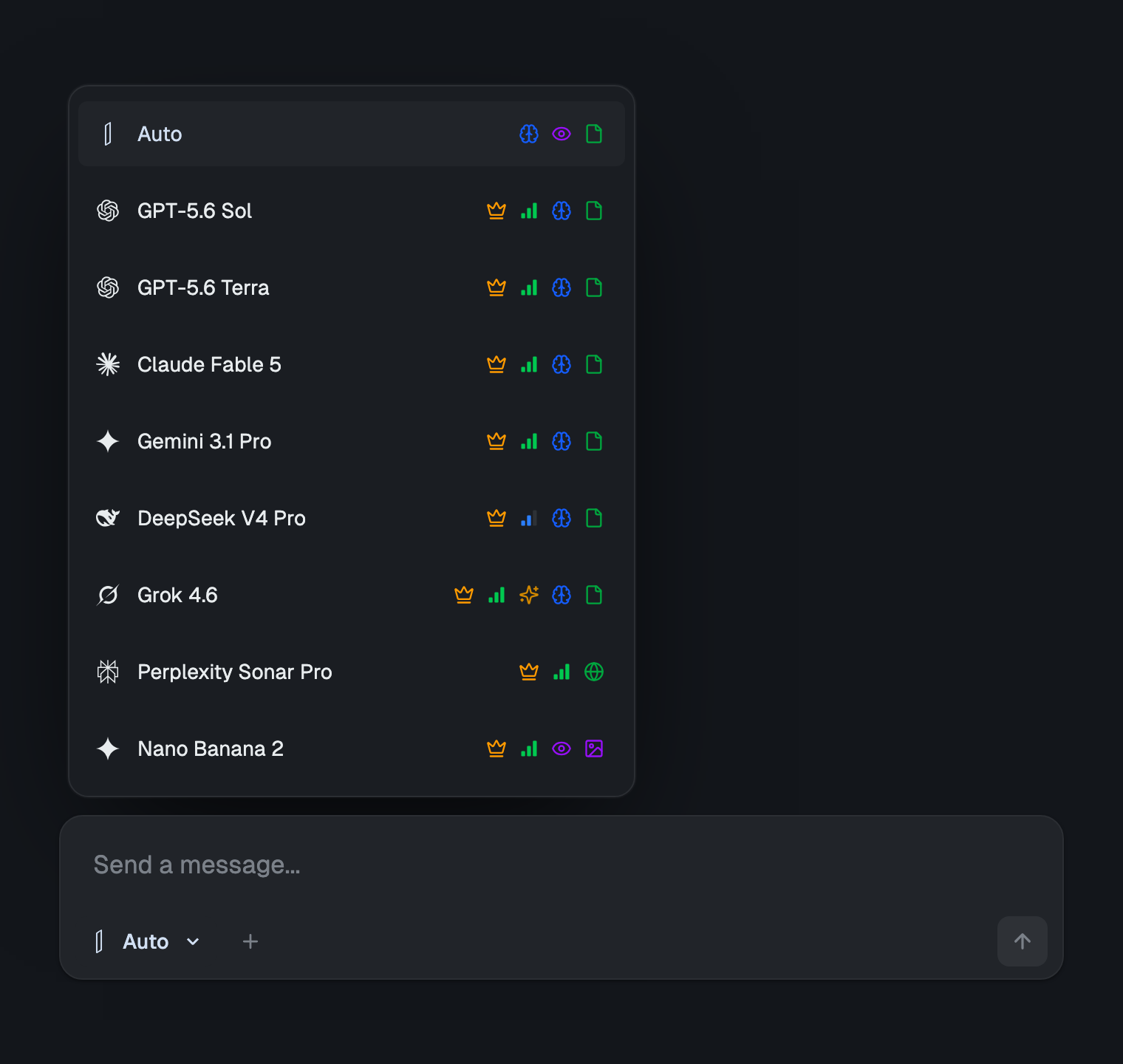
izzedo chat runs ChatGPT alongside Claude, Gemini, Grok, Perplexity Sonar, DeepSeek and around twenty more models in one workspace for $6/month, with a free plan that needs no card. Buying that lineup separately runs about $110/month across six accounts.
The part that matters here is not the price. It is that you are not rationed model by model. On Pro, reaching one model's allowance takes that model off the table while you wait for its clock. Here there is a single allowance and you decide where it goes — and because it is metered by what a model actually costs to run rather than by message count, moving a task onto a lighter model makes what is left go three to five times further.
Models also switch inside the same conversation and inherit everything above them, so changing your mind mid-task costs you nothing: no re-pasting, no lost thread, no starting over somewhere else. I should be straight about the limit that is real, though. One allowance means one allowance. Spend it and you wait, the same as anywhere — switching models stretches it, it does not refill it.
There's no prepaid balance to watch here. Fair-use limits exist, as they do everywhere in AI, because frontier models genuinely cost money to run, and izzedo handles them in the background on a short rolling window with a weekly pool behind it, rather than a credit balance you have to top up. There is an optional usage-based setting in Settings too, off by default and built unlike a credit ledger: nothing to prepay, and anything past the pool lands on your invoice for what you actually used, under a cap you set. Leave it off and the bill is flat. The current allowances live on the pricing page.
Running more than one model turns out to fix a second problem too, one that has nothing to do with limits. When an answer matters, asking a second model the same question takes about a minute and catches the confident wrong answer that a single model will never flag for you. That habit is worth more than any amount of limit arithmetic, and it is the one-minute routine behind most of the argument for not running everything through one model.
The Bottom Line
ChatGPT's limits in 2026 are real, mostly unpublished, and attached to tools rather than to messages. The numbers that survive are the file-upload ones, and even those come with an invisible counter and a warning that they shrink at busy times.
Before you assume you have been rationed, read the error text. If it mentions the network, a websocket, a stream or something going wrong, it is a connection problem and waiting will not help. If it mentions unusual activity, turn off the VPN. Only "you've reached our limit" and a greyed-out model are genuinely limits.
And when you have genuinely hit one, take OpenAI's advice and use a different model. It is the right instinct. It just works considerably better when the other model is not owned by the company that rate-limited you in the first place. If the model you reach for is Claude, know its walls too: it runs on a five-hour session and a weekly cap of its own, and I have mapped every Claude limit, error message and reset time the same way. Grok is the odd one out: its entire ceiling is a single weekly pool it never puts a number on.
Tired of losing an afternoon to a cap you never saw coming? Try izzedo chat free with no card required, and switch models mid-conversation without losing the thread.
Topics
- chatgpt limits
- chatgpt message limit
- chatgpt error
- chatgpt file upload limit
Start on the free plan. Pay when you want the premium models.
Free
$0
Claude Haiku, Gemini Flash, Grok and more, with agent mode and 50+ connectors
Hobby
$6/mo
Every chat and image model
Pro
$12/mo
Higher limits, 400k context and more video models
Max
from $50/mo
5x or 10x Pro's usage, and every video model
Frequently asked questions
What are ChatGPT's message limits in 2026?
There is no published message number any more. OpenAI's pricing page lists everyday text chats as unlimited on every tier including Free, footnoted only with the requirement that usage be reasonable and comply with its policies. The Plus help page says subscriptions 'may include usage limits such as message caps, especially during high demand' and that these 'may vary based on system conditions.' So the cap is real but undisclosed and it moves with demand, which is why two people on the same plan hit it at different points.
How many files can I upload to ChatGPT?
This is the one area with hard published numbers. Up to 80 files every 3 hours on paid plans, and 3 file uploads per day on Free. Each file is capped at 512MB, text and document files at 2 million tokens, spreadsheets at roughly 50MB, and images at 20MB. Storage caps at 25GB per user. Projects allow 5 files on Free, 25 on Go and Plus, and 40 on Pro, Business, Education and Enterprise. OpenAI notes it may lower these during peak hours.
Why does ChatGPT say I've reached the limit of messages when I've barely used it?
Three common causes. Tool use burns a separate allowance from plain chat, so a handful of file uploads, image generations or research runs can exhaust a cap that ordinary messages would not. Failed attempts can count against you, since OpenAI says failed uploads sometimes count toward the upload-rate cap. And limits tighten during high demand, so the same usage that was fine yesterday can trip a cap today.
What does 'error in message stream' mean in ChatGPT?
It means the connection carrying the answer broke before the answer finished, not that you hit a usage cap. It is worth knowing that this exact string does not appear in OpenAI's troubleshooting article at all. The closest documented errors are 'There was an error generating a response' and 'An error occurred while connecting to the websocket,' and the fixes OpenAI lists are the same: regenerate, then disable VPNs, proxies and browser extensions, then try another network or device.
Can OpenAI support reset my ChatGPT usage limit?
No, and OpenAI states this directly. Its Pro help page says support does not reset ChatGPT or Codex usage limits, and that there is no setting to increase or bypass a model's usage allowance. The documented options are to wait for the reset time shown in the product, or to use another available model.
What is the cheapest way to keep working after hitting a ChatGPT limit?
Switching to a different model rather than buying a bigger plan. That is what OpenAI itself recommends when an allowance runs out. izzedo chat runs ChatGPT alongside Claude, Gemini, Grok, Perplexity, DeepSeek and around twenty more behind one login for $6/month, with model switching inside the same conversation, and a free plan that asks for no card. Usage there is one pooled allowance rather than a clock per model, so switching stretches what is left rather than resetting it. There is no prepaid credit balance to watch. The bill is a flat monthly price unless you switch on usage-based billing, which is off by default.