ChatGPT "Too Many Concurrent Requests": What the Concurrency Limit Is and How to Clear It
The concurrency error is the one ChatGPT message that has nothing to do with how much you have used. It counts how many things are running at once, it resets in seconds, and OpenAI does not document it anywhere. Here is what trips it, what clears it, and the one case where nothing on your side will help.
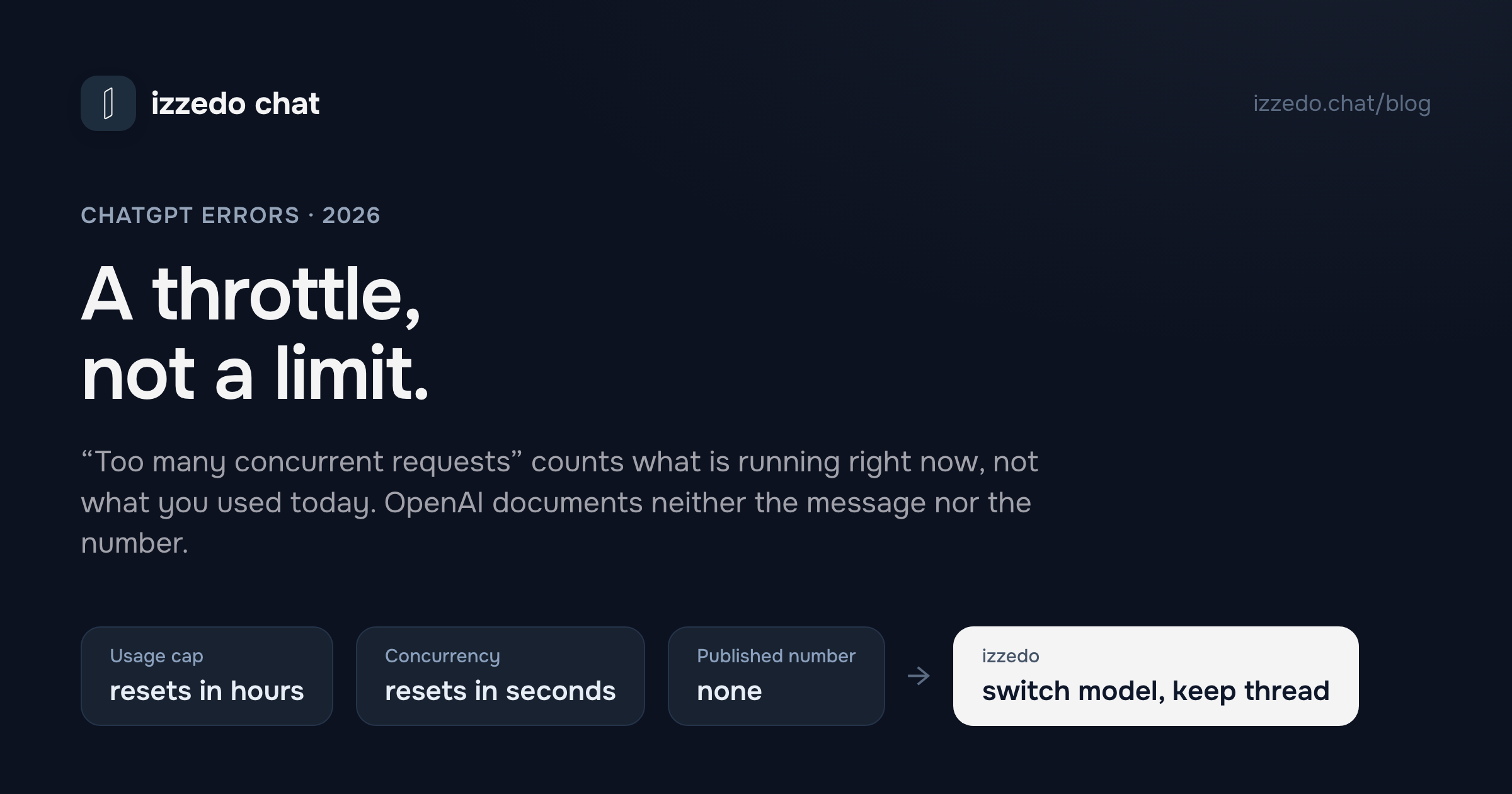
There are two ChatGPT messages that sound like the same thing and are not. One says you have reached your limit of messages. The other says there are too many concurrent requests, or that you have reached the concurrency limit. People search for both as if they were rationing, and the first one is. The second is a queue.
That distinction is worth the two minutes this post takes, because the wrong diagnosis costs an afternoon. Treat the concurrency error as a usage cap and you wait for a reset that was never coming. Treat it as what it is, a throttle on how many things your account is running at the same instant, and it usually clears before you have finished reading the sentence.
I went looking for OpenAI's own documentation of this error on 22 September 2026 and found none. The help centre has no article for either wording. The word "concurrent" appears in exactly one ChatGPT article, the one about agent mode, in a single sentence: agent use "is subject to reasonable rate limits (such as limits on the number of concurrent tasks) in order to ensure the product works well for all users." That sentence is the whole public record, so the rest of this post is the mechanism, the fixes that work, and a straight answer about the one case where nothing you do will help.
What "Too Many Concurrent Requests" Actually Means
Concurrent means at the same time. A request is anything that asks OpenAI's servers to do work on your behalf. So the error is a count of in-flight work on your account at one moment, and it fires when that count crosses a threshold OpenAI has not published.
What counts as in-flight is broader than most people assume:
- A message you send while the previous answer is still streaming. ChatGPT writes its reply token by token over a live connection, and until the last token lands, that connection is a running request.
- A second browser tab, or the desktop app alongside the browser, each with its own answer generating. They share one account, so they share one count.
- A file that is still being processed after you attached it. Large PDFs and spreadsheets take a moment to ingest, and that moment is a request.
- A background task. ChatGPT Work and agent-style tasks run for minutes, and they are running whether or not you are looking at them.
- A browser extension that talks to ChatGPT on your behalf. Some of the productivity add-ons fire their own calls in the background.
- Another person on your login. If you share the account with a colleague or a family member, their work is your concurrency, and you cannot see it.
The useful mental model is a small number of lanes. A usage limit is about how far you can drive this week. A concurrency limit is about how many cars you can put on the road at once. Buy a bigger fuel budget and you still have the same number of lanes.
Why It Feels Like a Usage Limit and Isn't
The two errors arrive at the same moment in the same kind of day, which is why they get confused. You are working hard, you have three chats open, you have sent a follow-up before the first answer finished, and ChatGPT stops. Heavy use makes rationing plausible, so rationing is what people assume.
The tells are timing and text. A genuine usage cap names a wait ("try again in 2 hours") or a reset, and it stays put when you retry. The concurrency error names nothing and goes away on its own once the overlapping work finishes, often in under a minute. If you have ever seen it vanish before you worked out what to do about it, that was the queue draining.
I mapped every ChatGPT limit that does exist, with the published numbers and the errors that only look like limits, in the ChatGPT limits guide. The short version is that everyday text chat is "unlimited" with an asterisk on every plan, and the real caps sit on uploads, images, research runs and tools. Concurrency is not in that list because it is not a budget of any kind. It is a traffic rule.
The Fix, in the Order That Works
Do these in sequence and stop at the first one that clears it. Most people never get past the second.
1. Stop sending. The reflex is to hit retry, and retry is the one thing that makes it worse. Each retry is another request while the earlier ones are still open. OpenAI's advice to developers on the equivalent API error is to space requests out rather than fire them in bursts, and its own SDKs wait for the interval the server asks for before trying again. The consumer app gives you no such interval, so give it thirty to sixty seconds yourself.
2. Close everything else that is ChatGPT. Every other tab. The desktop app if it is open. The mobile app if you left a generation running on your phone. Then look at the chat you are in and press the stop button on anything still writing. You want the count of in-flight work on the account to be zero before you send again.
3. Let background tasks finish, or cancel them. If you started a long Work task or an agent run, it is still consuming a lane. Either wait for it or stop it. This is the one that catches people who think they have closed everything, because the task does not live in a tab.
4. Detach the file and re-send. If the error appeared right after you attached a document, the upload may still be processing. Remove it, send the message without it, then attach it again once the answer arrives.
5. Check for another person. If someone else has your login, ask them to pause. If you are not sure whether someone else has it, the "unusual activity" guardrail is the error that usually tells you, and sharing is the ordinary reason for both. ChatGPT's security settings include a log-out-of-all-devices option, which resets the count from every session at once.
6. Disable extensions and try a private window. The same short list OpenAI gives for every connection-shaped error. Privacy and AI helper extensions are the usual offenders, and a private window loads without them.
7. Open status.openai.com. If the error survives all six steps with nothing running on your side, the problem is not on your side. Which brings us to the honest part.
When It Is OpenAI's Outage, Not Your Tabs
The concurrency message is also what ChatGPT shows when the service itself is overloaded, and September 2026 is a fair sample of how often that happens. OpenAI's status history lists "Elevated errors across ChatGPT and Codex" on 3 September, "Elevated errors affecting ChatGPT Work" on 10 September, "Elevated errors for ChatGPT users in Europe" on 11 and 13 September, "Elevated errors from GPT-5.6 and GPT-5.6 Instant on paid plans" on 15 September, and "Increased error rate for Plus and Pro users" on 22 September. Those are the ones with ChatGPT in the title. There were more.
On an incident day the error is not about your behaviour at all. Capacity is short, the threshold drops, and ordinary single-tab use trips it. Closing tabs does nothing because you have nothing open. Waiting works eventually, but "eventually" is measured by OpenAI's engineers rather than by you, and the status page rarely tells you how long.
Two things follow. Check the status page before you spend ten minutes on the list above, because a listed incident makes the list irrelevant. And decide in advance what you will do with the next hour when the answer is "wait", because that is the decision the error is really putting to you.
What Upgrading Does and Does Not Buy
Plus and Pro are the answer to the usage limit. They are not documented as an answer to this one.
OpenAI publishes no per-plan concurrency figure for the chat app. The pricing page describes Plus and Pro in terms of usage over time, and the only concurrency language anywhere in the consumer documentation is the agent-mode sentence quoted above, which applies to every paid plan alike. So I cannot tell you that paying $20 or $200 a month raises the number of lanes, because OpenAI has not said so, and I would not spend the money on a guess.
The developer side is more candid, which is worth knowing even if you never touch the API. OpenAI's troubleshooting article for 429 errors, updated in late August 2026, says a 429 "can indicate a temporary rate limit, an exhausted prepaid balance, or a spending or usage limit," and it gives developers a distinct error code for each case: a rate-limit message for requests or tokens, credit_balance_exhausted, organization_usage_limit_exceeded, organization_spend_limit_exceeded. A developer knows which wall they hit. A ChatGPT subscriber gets one sentence for all of them and has to infer. That asymmetry is the reason this post exists.
The Workaround: Stop Waiting on One Vendor
Every fix above assumes ChatGPT is the only model you have. Once it is not, the concurrency error becomes a thirty-second inconvenience rather than a stall.
That is the setup I moved to, and it is the reason I built izzedo chat. ChatGPT, Claude, Gemini, Grok, Perplexity, DeepSeek and more than twenty other models sit behind one login, and they switch inside the same conversation. When ChatGPT throws the concurrency error, or the status page says it is having a bad afternoon, you pick Claude or Gemini from the model menu and send the same message. The thread, the files and the earlier turns come along, so you are not re-explaining anything.
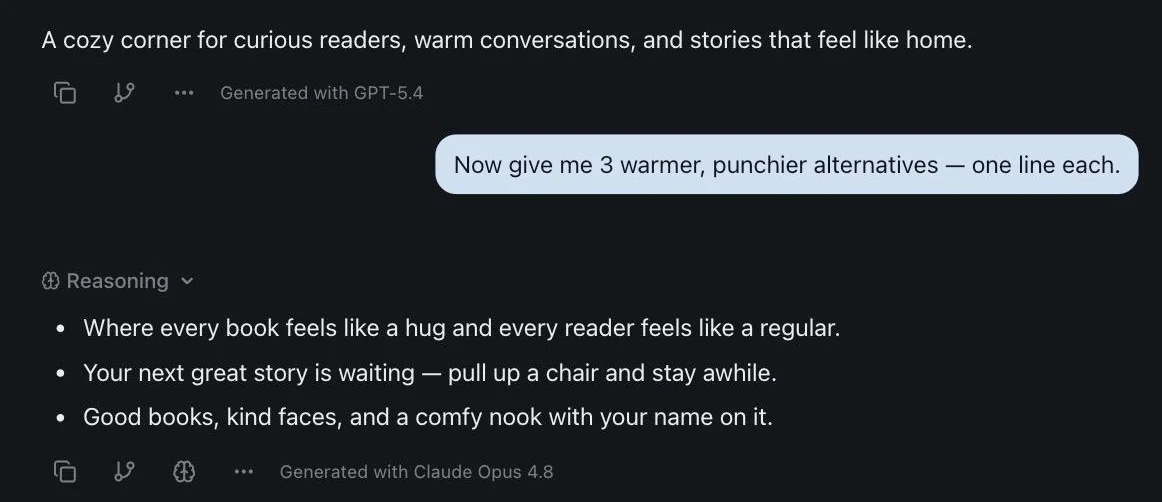
One honest footnote. An incident at OpenAI still affects the ChatGPT models here, because they are the same models. The difference is that OpenAI's bad afternoon is no longer your bad afternoon, because five other vendors are one click away in the same thread.
There is a free plan that needs no card, and the paid plan is $6 a month. Buying the same lineup as separate subscriptions is about $110. If you were only ever going to use it on the days ChatGPT stalls, the free plan covers that.
The habit that makes this pay is the one I describe in how to use multiple AI models at once: when a vendor is throttling you, hand the thread to a second model rather than waiting on the first. It is also the single best way to catch a confidently wrong answer, which is a better reason to do it than any error message.
The Bottom Line
"Too many concurrent requests" and the concurrency limit message are a throttle on work running at the same instant, not a cap on what you have used. Stop sending, close every other ChatGPT surface, let background tasks finish, wait a minute, then send once. That clears the ordinary case in under sixty seconds.
If it does not clear, check the status page before anything else, because the same error is what an OpenAI incident looks like from your chair, and September's history shows those are not rare. No plan upgrade is documented to help. Having a second model in the same thread is, and it costs nothing to keep one ready for the next time.
Stuck behind a ChatGPT error right now? Open izzedo chat free, no card needed, and send the same message to Claude or Gemini in the same thread.
Frequently asked questions
What does 'too many concurrent requests' mean in ChatGPT?
It means ChatGPT thinks your account has more than one piece of work running at the same moment. A concurrent request is a second message sent while the first answer is still streaming, a second tab with its own generation in progress, a file still being processed, or a background task still running. The limit counts what is in flight right now, not what you have used today, which is why it clears in seconds once the overlapping work finishes.
Is the concurrency limit the same as the ChatGPT usage limit?
No. The usage limit is a cap on how much you can do over a window of hours, and it produces the message 'You've reached our limit of messages'. The concurrency limit is a throttle on how many things run at once, and it produces 'too many concurrent requests' or a line about reaching the concurrency limit. One is a budget, the other is a queue. Waiting three hours for the concurrency error to clear is wasted time, because it usually clears in under a minute.
How do I fix the ChatGPT concurrency limit error?
Stop sending. Close every other ChatGPT tab, quit the desktop app if it is open, and let any answer that is still generating either finish or be stopped with the stop button. Wait thirty to sixty seconds, then send once. If it comes back straight away with nothing running on your side, open status.openai.com, because the same message appears during OpenAI's own incidents and no amount of tab closing fixes those.
Does ChatGPT Plus or Pro raise the concurrency limit?
OpenAI does not say. Its help centre publishes no per-plan concurrency figure for the consumer app, and the only place the word 'concurrent' appears in a ChatGPT article is a note that agent tasks are subject to limits on the number of concurrent tasks. Plus and Pro buy more usage over time, which is a different limit. If you are hitting the concurrency error because of how you work rather than because of an outage, changing how you work fixes it for free.
Does the API's 429 error mean the same thing as the ChatGPT concurrency error?
They are cousins. On the API, a 429 'Too Many Requests' response can mean a rate limit on requests or tokens per minute, an exhausted prepaid balance, or a spending limit, and OpenAI's troubleshooting article gives developers an error code for each. In the chat app you get a sentence instead of a code, and the sentence about concurrency is the closest consumer equivalent of the rate limit case. Both are fixed by spacing work out, not by waiting for a reset.
Ready to try multi-model AI workflows?
Access GPT, Claude, Gemini, Perplexity, and more — all in one place.
Start for Free →