Stop Using Just One AI Model: The Multi-Model AI Workflow Playbook
Most people stick to one AI model for everything. Here's why a multi-model AI workflow produces dramatically better results — and how to build one yourself.
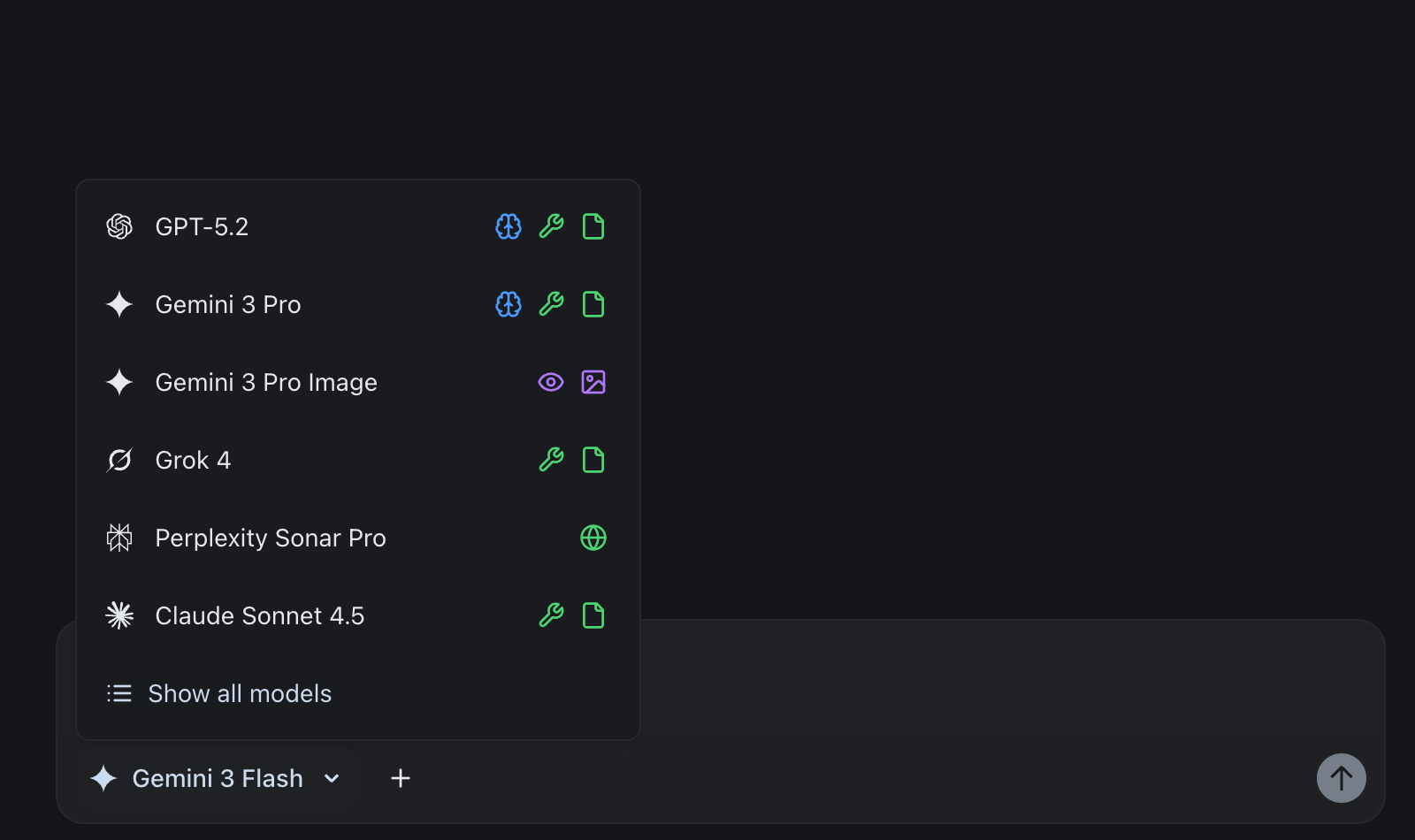
You open ChatGPT. You type a prompt. You get an answer. Rinse and repeat — for code, emails, research, brainstorming, data analysis, and everything in between.
Sound familiar?
If you're using a single AI model for every task, you're leaving massive value on the table. It's like using a Swiss Army knife when you have access to an entire workshop. Each tool in that workshop — ChatGPT, Claude, Gemini, Perplexity, Grok, DeepSeek — has been engineered with different strengths, training data, and reasoning approaches.
This guide is your playbook for building a multi-model AI workflow that leverages the best of each model. By the end, you'll know exactly which model to reach for, when, and why.
This post focuses on knowing which model to use for which task. If you already know the models and want a hands-on technique for picking the right one in real time, check out How to Use Multiple AI Models at Once — a companion guide on sending the same prompt to several models and choosing the winner in 60 seconds.
The Problem With Single-Model Dependency
Every AI model has blind spots. ChatGPT might nail a creative marketing brief but stumble on nuanced legal analysis. Claude might write beautifully structured code but miss a niche pop culture reference. Gemini might crush a complex STEM problem but produce bland ad copy.
When you rely on one model, you're inheriting all of its limitations:
- Reasoning biases — Each model has characteristic patterns in how it approaches problems. Using only one means your outputs consistently share the same blind spots.
- Knowledge gaps — Training data cutoffs and emphasis areas vary dramatically between models. What one model knows deeply, another might barely cover.
- Style monotony — If you've ever noticed all your AI-assisted writing sounds the same, that's single-model dependency showing. Each model has a distinct voice.
- Capability ceilings — Some models are better at code, others at analysis, others at creative work. A single model can't be best at everything.
The solution isn't to find the "best" AI model. It's to use multiple AI models together, strategically.
What Is a Multi-Model AI Workflow?
A multi-model AI workflow means deliberately choosing different AI models for different tasks based on their proven strengths. Instead of defaulting to one model, you route each task to the model best suited for it.
Think of it like how a professional kitchen works. You wouldn't use a bread knife to julienne vegetables, or a paring knife to carve a roast. Each knife has a purpose. AI models are the same.
A multi-model workflow typically looks like this:
- Identify the task type (research, writing, coding, analysis, creative)
- Select the optimal model based on its strengths for that task type
- Route the task to that model
- Cross-validate important outputs with a second model
- Iterate using the model that handles revisions best for that content type
This isn't theoretical. Teams and individuals using multi-model approaches consistently report better output quality, fewer errors, and more diverse creative results.
Why Each AI Model Brings Something Different
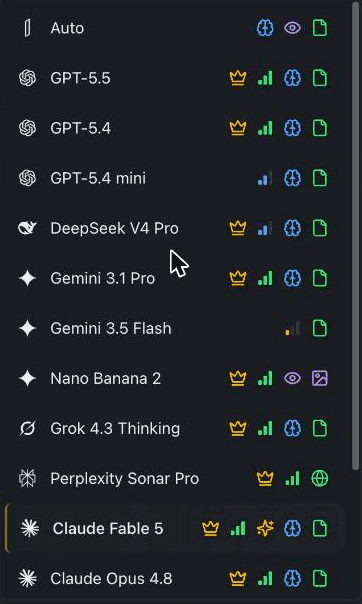
Here's a practical breakdown of what each major model does best. These aren't marketing claims — they're based on benchmark results, independent reviews, and patterns across millions of real-world interactions.
ChatGPT
Best for: Versatile general tasks, mathematical reasoning, creative writing, brainstorming
OpenAI's flagship GPT models are the ultimate generalists. They're strong at mathematical reasoning and abstract problem-solving, while excelling at understanding context, maintaining long conversations, and producing human-sounding content. When you need a first draft of anything — a blog post, an email, a product description — ChatGPT is often the fastest path to something usable. Its plugin ecosystem and custom GPTs also make it the most extensible AI platform.
Sweet spot: Initial drafts, creative ideation, math-heavy tasks, general-purpose problem solving, and anything that benefits from a broad plugin ecosystem.
Claude
Best for: Coding, professional writing, instruction following, long-document analysis
Anthropic's Claude models are widely regarded as some of the strongest for software engineering and real-world coding tasks. Claude also handles very large context windows, making it ideal for analyzing entire codebases, contracts, or research papers without losing coherence.
What sets Claude apart is its precision in following detailed instructions and producing writing that matches a given style. Many users find that Claude captures tone and voice especially well, making it a go-to for professional and technical writing.
Sweet spot: Code generation and review, technical documentation, long-document analysis, professional writing, and any task where precision and instruction adherence matter.
Gemini
Best for: Scientific reasoning, multimodal tasks, extremely long documents, Google ecosystem workflows
Google's Gemini models are known for strong performance on complex reasoning, math, and science problems.
Gemini's standout feature is its very large context window — among the biggest of any major model. Combined with native multimodal design (text, images, audio, and video in a single model), it's uniquely suited for analyzing massive documents, processing visual data, and scientific research. The Flash variants offer blazing-fast responses for rapid queries.
Sweet spot: Scientific and mathematical research, processing extremely long documents, multimodal tasks (images, charts, video), education, and workflows integrated with Google Workspace.
Perplexity
Best for: Real-time research, fact-checking, sourced information
Perplexity isn't a traditional chatbot — it's an AI-powered answer engine. Every response includes inline source citations linking directly to original content, which makes it uniquely trustworthy for research. It searches the web in real time, synthesizes information from multiple sources, and can analyze uploaded PDFs and spreadsheets alongside live research.
Perplexity Pro also gives you access to other leading models within its interface, along with a "Best" auto-routing mode that selects the ideal model for each query.
Sweet spot: Real-time research, academic work requiring cited sources, competitive intelligence, fact verification, and news monitoring.
Grok
Best for: STEM reasoning, real-time social media analysis, financial analysis
xAI's Grok models are strong at mathematical reasoning and graduate-level physics. What makes Grok unique is its native integration with X (Twitter) data — it can surface trending topics, analyze social sentiment, and provide commentary grounded in real-time social signals.
Grok also offers one of the largest context windows of any major model and performs well on financial analysis tasks.
Sweet spot: STEM problem-solving, social media and trend analysis, financial analysis, processing extremely long documents, and tasks benefiting from unfiltered, direct responses.
DeepSeek
Best for: Cost-efficient AI at scale, open-source deployments, complex reasoning
DeepSeek is the disruptor. It delivers near-frontier performance at a fraction of the cost of comparable models. The models are open-source, so organizations can self-host them.
DeepSeek's reasoning models use reinforcement learning for chain-of-thought reasoning that rivals leading closed-source models, while its efficient Mixture-of-Experts architecture keeps inference costs low.
Sweet spot: Budget-conscious deployments, self-hosted/on-premises AI, mathematical and logical reasoning, software development, and organizations needing frontier-class AI without frontier-class budgets.
How to Build Your Multi-Model AI Workflow
Here's a step-by-step approach to building your own multi-model workflow:
Step 1: Audit Your Current AI Usage
Start by listing every type of task you currently use AI for. Group them into categories:
- Research & fact-finding
- Writing & content creation
- Coding & technical work
- Analysis & decision-making
- Creative ideation & brainstorming
Step 2: Map Tasks to Models
Using the model strengths outlined above, assign your primary model for each task category. For example:
| Task Category | Primary Model | Backup Model |
|---|---|---|
| Market research | Perplexity | Gemini |
| Blog writing | ChatGPT | Claude |
| Code development | Claude | DeepSeek |
| Data analysis | Gemini | ChatGPT |
| Brainstorming | ChatGPT | Grok |
| Fact-checking | Perplexity | Gemini |
| Technical docs | Claude | ChatGPT |
| STEM problems | Gemini | Grok |
Step 3: Establish a Cross-Validation Habit
For any high-stakes output, run it through a second model. This catches errors, biases, and blind spots that a single model would miss. Some practical patterns:
- Draft in ChatGPT, refine in Claude — ChatGPT produces fast, creative drafts; Claude polishes with precision and instruction adherence
- Research in Perplexity, synthesize in Claude — Perplexity gathers sourced facts; Claude structures them into coherent analysis
- Code in Claude, review in DeepSeek — Claude writes clean production code; DeepSeek's chain-of-thought reasoning catches logical errors at a fraction of the cost
For a faster alternative to cross-validation — where you compare models before committing to one — see How to Use Multiple AI Models at Once.
Step 4: Start Small, Expand Gradually
Don't try to optimize every task at once. Pick your two or three most common task types and experiment with different models for those. Track which models produce better results and iterate.
The Cost Problem — and the Solution
Here's where most people hit a wall. Using multiple AI models means multiple subscriptions. ChatGPT, Claude, Gemini, Perplexity, and Grok each charge $20–30/month for their premium tiers, and while ChatGPT has since added a lighter Go tier at about $6/month, the plans people actually stack are the $20 ones. Stack just four or five of them and you're looking at $80–$110/month — and that's before adding DeepSeek API access.
The pattern is hard to miss: plenty of people now pay for several AI tools at once, many feel they can't justify all the ones they'd like, and most would happily trade a stack of separate bills for a single combined one.
The subscription fatigue is real. You shouldn't need five logins and five credit card charges to use AI effectively.
This is exactly the problem we built izzedo chat to solve.
With izzedo chat, you get access to ChatGPT, Claude, Gemini, Perplexity, Grok, DeepSeek, and more — all in one interface, starting at just $6/month. Switch between models mid-conversation. No separate logins. No separate billing. One all-in-one AI subscription covers every model you need. The metering is the honest kind, too: a flat monthly price with fair use handled in the background on a short rolling window, with a weekly pool behind it — no per-model point costs to weigh before you hit send, and nothing to prepay.
Check out our pricing plans to see how much you could save compared to individual subscriptions.
Real-World Multi-Model Workflow Examples
These are workflows you can run inside a single conversation — just switch models as you go. For full step-by-step tutorials with exact prompts, see 4 Tasks That Take 3 Hours With One AI — and 20 Minutes With Three.
Blog Post Workflow
- Perplexity → Research — Finds trending topics and reliable sources from the web
- Claude → Write — Crafts a compelling, nuanced long-form draft
- ChatGPT → Format — Structures the output with clean headings, lists, and SEO tags
Brainstorm Idea Workflow
- Grok → Spark — Generates unexpected, unconventional angles
- Gemini → Expand — Evaluates feasibility and builds on the strongest ideas
- Claude → Refine — Organizes the best concepts into a clear action plan
Market Research Workflow
- Perplexity → Gather — Pulls live data, stats, and reports from the web
- Claude → Analyze — Finds patterns and synthesizes into key insights
- ChatGPT → Report — Formats findings into structured tables and summaries
Strategy Doc Workflow
- ChatGPT → Outline — Creates a clean, structured document framework
- Gemini → Enrich — Adds depth with reasoning and alternative scenarios
- Claude → Polish — Refines language and ensures strategic coherence
Getting Started Today
The multi-model approach isn't just for power users or enterprises. Anyone can start using multiple AI models more effectively right now.
Here's your action plan:
- Identify your top 3 AI tasks — What do you use AI for most often?
- Experiment with model routing — Try sending the same task to different models and compare results
- Build your personal playbook — Document which models work best for your specific needs
- Consolidate access — Use an AI aggregator platform like izzedo chat to access all models in one place
The era of single-model AI usage is ending. The future belongs to those who can orchestrate multiple AI models into a seamless workflow — and the tools to do it are more accessible and affordable than ever.
Next up: Now that you know which model is best for which task, learn how to use multiple AI models at once — a hands-on technique for sending the same prompt to several models and picking the winner in 60 seconds.
Ready to access every leading AI model in one place? Start using izzedo chat for free — no credit card required.
Topics
- multi-model AI
- AI workflow
- productivity
- ChatGPT vs Claude vs Gemini
Start on the free plan. Pay when you want the premium models.
Free
$0
Claude Haiku, Gemini Flash, Grok and more, with agent mode and 50+ connectors
Hobby
$6/mo
Every chat and image model
Pro
$12/mo
Higher limits, 400k context and more video models
Max
from $50/mo
5x or 10x Pro's usage, and every video model
Frequently asked questions
Should I use more than one AI model?
Yes — each model has different strengths. Using ChatGPT, Claude, Gemini, and Perplexity for the tasks they are best at produces better results than relying on one model for everything.
Do I need a separate subscription for each AI model?
Not necessarily. Separate subscriptions add up to $100+ a month. Multi-model workspaces like izzedo chat give you all the leading models under one subscription starting at $6 a month.
Which AI model is best?
There is no single best model. ChatGPT is a strong generalist, Claude excels at coding and long documents, Gemini handles huge context, and Perplexity is built for sourced research — the best results come from matching the model to the task.
What is a multi-model AI workflow?
It means routing each task to the AI model best suited for it — researching with one, drafting with another, reviewing with a third — instead of defaulting to a single model.