Stop Paying for Multiple AI Subscriptions: The 2026 Math
Nobody decides to spend $80 a month on AI — it accrues one $20 at a time. Here's a five-minute audit of your own bill, the subscriptions you're already paying for twice, how to cancel without losing anything, and the one-bill alternative.
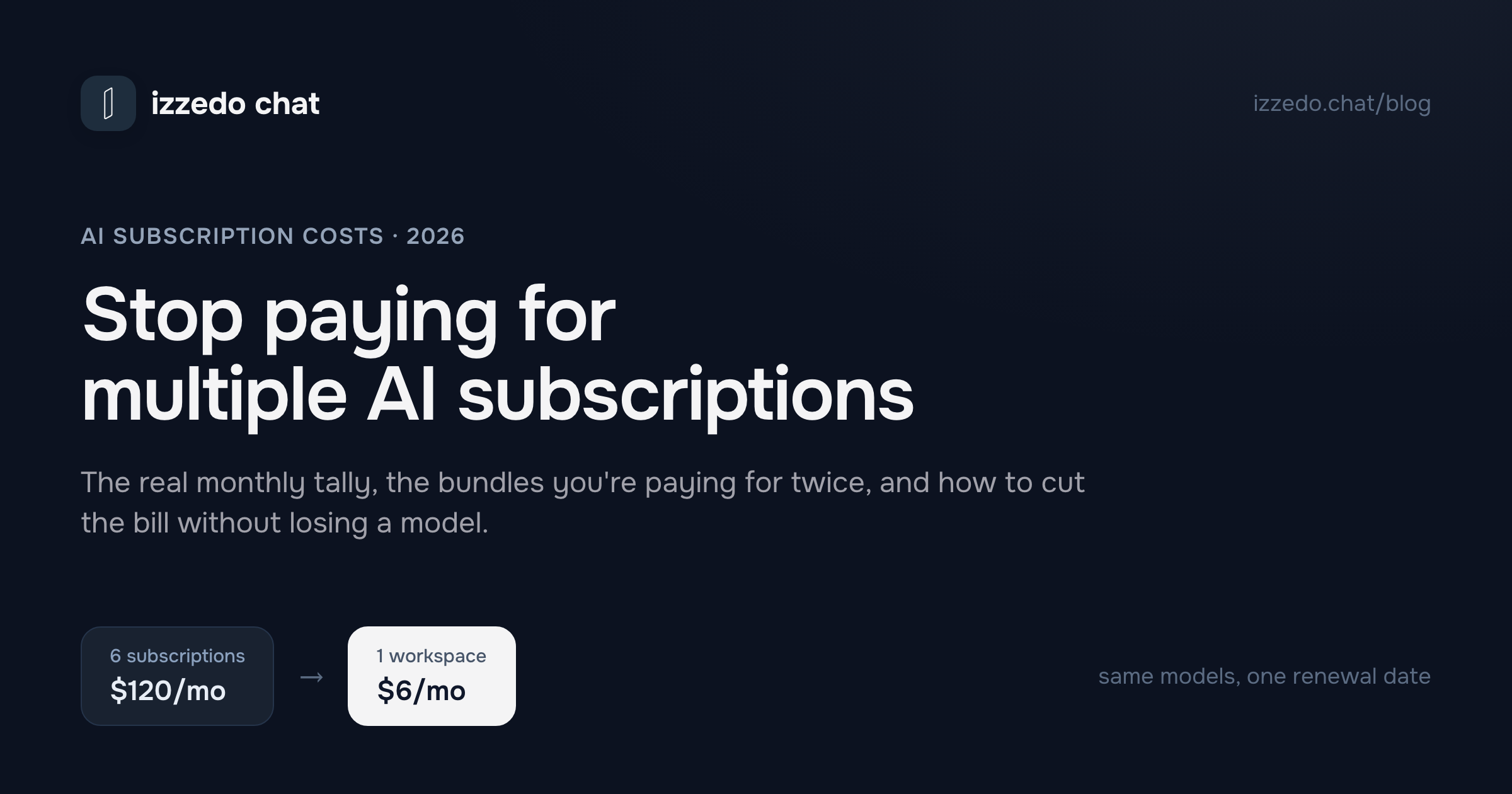
Nobody sits down and decides to spend $80 a month on AI. It accrues. One $20 subscription for a deadline in January, another because a colleague swore by it, a third because the first one couldn't browse the web properly. Six months later, four charges land in the same week and none of them feels cancellable, because each one is the best at something.
This is the post I'd want at that moment: what the stack actually costs, how to audit your own in about five minutes, which of those charges you're already paying twice, how to cancel without losing your work — and the arithmetic that makes most of the stack unnecessary in the first place.
What an AI Stack Actually Costs in 2026
Here's the sticker price of covering the field the normal way — one subscription per company. US figures at the time of writing; these change often, so treat it as a dated snapshot.
| Tool | Monthly | Annual | What it's usually bought for |
|---|---|---|---|
| ChatGPT Plus | $20 | ~$240 | The default generalist |
| Claude Pro | $20 (~$17 billed yearly) | ~$204 | Long-form writing, careful reasoning |
| Google AI Pro | $19.99 | $199.99 | Long documents, Google apps, storage |
| Perplexity Pro | $20 | ~$200 | Sourced answers, live research |
| SuperGrok | $30 | $300 | Real-time posts, math, blunt takes |
| DeepSeek | $0 | $0 | Free frontier reasoning |
| Six-model stack | ~$110 | ~$1,144 |
The full $110 is the maximalist version, and almost nobody pays it. The realistic damage is smaller and more embarrassing: two subscriptions is $40 a month, or $480 a year. Three is $60, or $720. Those are the numbers that actually show up on people's cards, and they're big enough to matter and small enough to never get reviewed.
Notice what the annual column does, too. Every vendor on that list would rather you commit for a year, and the discount is real — but so is the lock-in, which becomes the reason a subscription you stopped using in March is still being charged in September.
The Five-Minute Subscription Audit
Before deciding what to cancel, find out what you're paying. Most people are wrong about their own total, usually low, because AI charges arrive from three different places.
1. Check all three billing surfaces. Your card statement catches the web subscriptions. Your Apple account (Settings → your name → Subscriptions) and Google Play account (Play Store → profile → Payments & subscriptions) catch the ones you started inside a phone app — and those are exactly the ones people forget, because they never appear in the AI tool's own billing page. Search your inbox for "receipt" plus the tool name to catch the rest.
2. Write down the renewal date and the term. Monthly or annual changes what you can do today. An annual plan bought in March isn't a decision you get to make again until March; the useful action there is a calendar reminder a week before renewal, not a cancellation now.
3. Do the cost-per-use math. Open each tool's conversation history and count the days you actually used it in the last month. Then divide. A $20 subscription you opened four times cost you $5 a session — and that's the honest price of that tool, not the $20 on the invoice.
4. Label each one. In practice they land in three buckets:
- Daily driver — you'd notice within an hour if it vanished.
- Lane — you keep it for one job. Research. Long PDFs. Second opinions. It's excellent at that job and idle the rest of the month.
- Ghost — bought for a project that ended. Still renewing.
5. Act on the labels. Ghosts get cancelled today; that's found money and there's no argument to have with yourself. The daily driver stays, for now. The lanes are the actual question — and they're where nearly all the waste lives, because a lane subscription charges you a full month's rent for a room you enter twice.
The Subscriptions You're Already Paying For
Before you cancel anything, check whether you're being billed twice for the same model. Three overlaps are common in 2026, and all three are easy to miss because the AI is hiding inside a line item that doesn't look like AI.
Google AI Pro is also your storage plan. The $19.99/month plan bundles higher Gemini limits and cloud storage — raised to 5TB in April 2026 at the same price. That cuts both ways: if you already pay Google for photo and Drive storage, check which tier you're on, because you may already have the paid Gemini access you were about to buy separately. And if you're planning to cancel the AI, know that the storage goes with it — this is the cancellation people most often regret, and the bill they end up re-subscribing to a week later.
X Premium+ already includes Grok. The $40/month X plan bundles Grok access at lower usage caps; SuperGrok at $30 is the standalone version with roughly ten times the headroom. Both are defensible purchases. Paying for both, which is common among people who bought X Premium+ for social features and later bought SuperGrok for the AI, means covering the same model twice.
Standalone Copilot Pro isn't a thing anymore. Microsoft stopped selling the $20 consumer plan to new customers back in October 2025 and folded its features into Microsoft 365 Premium at $19.99, alongside the Office apps and storage. Existing standalone subscriptions keep working but stop renewing after August 1, 2026 — so if that charge is on your statement, it's about to become a decision whether you make one or not. And if you already pay for Microsoft 365, check your tier before buying AI anywhere else.
The general rule: an AI charge bundled with storage, social or office software is rarely just an AI charge. Audit those before the standalone ones, because cancelling them costs you more than the model.
One more line item worth a look while you're in there: bundlers that resell many models on a points system. The monthly charge is predictable; what it buys isn't, because different models burn points at different rates. That's the trade I unpacked in the best Poe alternatives.
What You're Actually Paying For
Here's the part the pricing pages obscure. When you hold four AI subscriptions, you aren't buying four tools. You're buying availability — the right to open the best model for a job on the day that job appears.
That's a reasonable thing to want. Research days genuinely go better with a sourced-answer engine. Long documents genuinely go better with a model built for scale. A second opinion on something important is genuinely worth having, because one model is a single point of failure. The problem isn't the desire to have the right model. It's the price structure underneath it: each vendor sells access to its own models only, so covering four jobs means four accounts, four renewal dates and four monthly charges — of which, on any given day, you're using one. And the four accounts don't only cost money. When OpenAI discontinued Sora, everyone whose workflow ran through that one subscription had to go shopping; the replacement market turned out to be cheaper per clip, which is not the point. The point is that they had no choice about going.
Every stack of AI subscriptions is really one product with four bills attached. Which is why the fix isn't "use less AI." It's to stop paying per vendor.
How to Cancel Without Losing Anything
Cancelling AI subscriptions goes wrong in predictable ways. The mechanics, in the order that matters:
1. Cancel where you bought it, not where you use it. If you subscribed on the web, the vendor's own settings handle it: ChatGPT under Settings → Subscription, Claude under Settings → Billing, Perplexity under Settings → Subscription, Google AI plans at one.google.com. But if you subscribed inside an iOS or Android app, none of those pages can stop the billing — Apple or Google is the merchant, and you cancel in Apple's Subscriptions screen or the Play Store's Subscriptions list. Cancelling in the wrong place is the number one reason people get charged after they were sure they'd stopped.
2. Do it at least 24 hours before the renewal date. Cancellations processed on the day of renewal usually land after the charge, and the charge is not coming back.
3. Expect to keep access, not to get money back. The standard policy across these vendors is the same: cancelling ends the next renewal, and you keep the plan until the current period runs out. There's no prorated refund for the unused part of a month, and annual plans run their full twelve months — so on an annual plan, "cancel" really means "don't renew," and the only mistake is forgetting to set the reminder. Refunds do exist for genuine billing errors and accidental purchases reported quickly, and cooling-off rights apply in some regions, but they're the exception.
4. Take your history with you first. Chat archives, saved memories and custom instructions don't all survive a cancellation, and they don't all live in the same export. I've written the step-by-step version of this in how to leave ChatGPT without losing your history — do that part before the billing part, because some exports take days to generate and the download links expire fast.
5. Don't go dark on the same day. Have the replacement running on real work before the old plan lapses. The failure mode isn't picking the wrong tool; it's a Tuesday deadline arriving during a gap you created yourself.
The One-Bill Version
The premise worth attacking is that each model needs its own account. It doesn't. izzedo chat puts ChatGPT, Claude, Gemini, Grok, Perplexity, DeepSeek, Qwen, Llama and more — plus image models — behind one login for $6/month, which is less than a third of any single one of those subscriptions.
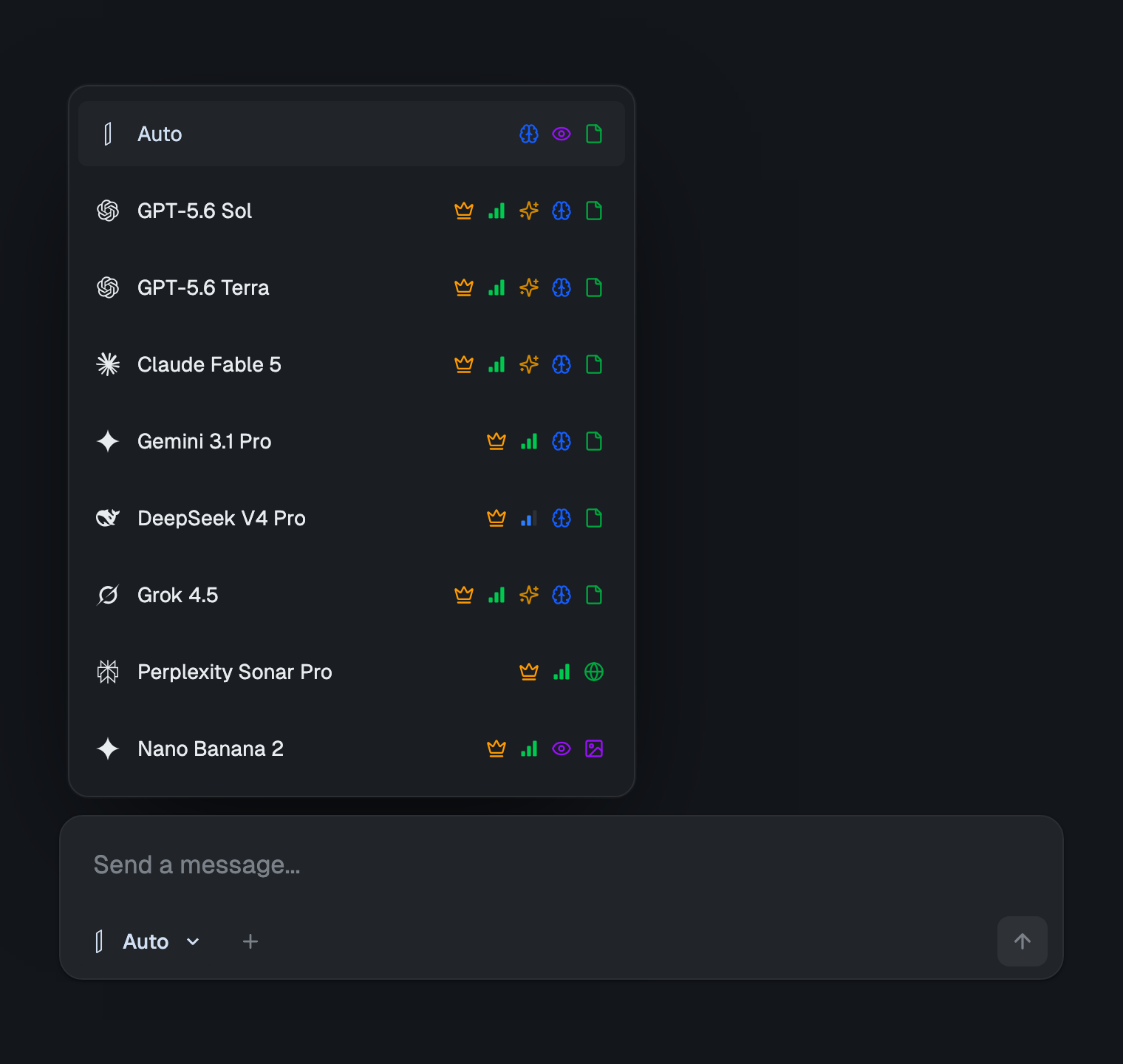
Put it against the audit you just ran. The daily driver stays available. Every lane you were renting by the month is included — research, long documents, reasoning, second opinions — and you can switch models inside the same conversation, so the "which tool do I open for this" question stops being a purchasing decision and becomes a dropdown. Four renewal dates become one line item.
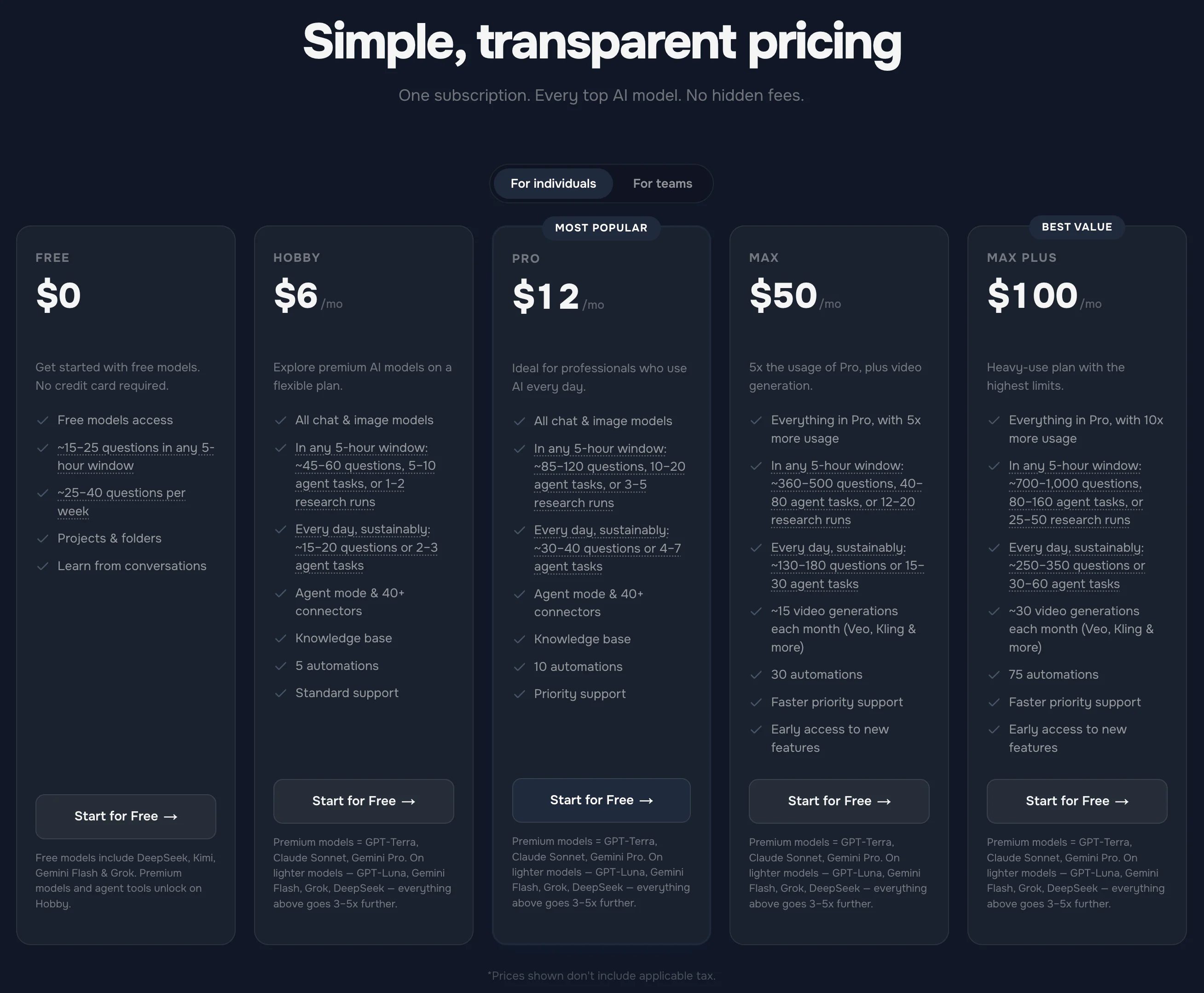
Since this is a post about honest bills, here's ours. Running the expensive models costs real money, so usage isn't infinite anywhere, including here — what differs is the shape of the limit. There are no credits to buy, no points to ration and no top-up prompts; fair use is measured quietly on a short rolling window that clears within hours, with a weekly pool behind it, so a heavy afternoon means a brief pause and a heavy week a longer one — never a surprise on next month's invoice. The current numbers live on the pricing page, and there's a free plan with no credit card — the free models included — if you'd rather test the workflow before moving any money.
It's also a workspace rather than a switcher: projects with their own standing instructions, a knowledge base for your own documents, scheduled automations, 50+ integrations including Notion, Google Drive and Gmail, and side-by-side answers from several models when one opinion isn't enough. It's GDPR compliant, doesn't train on your inputs, and keeps nothing you don't save. If the whole idea is new, here's how running multiple models in one place actually works.
When Consolidating Is the Wrong Move
Three cases where the honest answer is to keep paying what you're paying:
- The subscription isn't really about AI. If your Google plan is holding 4TB of photos, or your X Premium+ is doing a job on the social side, or Microsoft 365 is running your documents, the AI is a bonus inside something you'd buy anyway. Cancelling to save $20 and re-buying storage at $10 is not a win.
- You're mid-term on an annual plan. There's nothing to save this month — the money is spent. Set the reminder, decide at renewal.
- You genuinely only use one model. If your whole workload is one kind of task and one tool covers it, a single $20 subscription is a perfectly sensible purchase. Worth checking whether the free tier or a cheaper rung covers you first — I went through the whole ladder in is ChatGPT Plus worth it? and how much ChatGPT actually costs. And if the shortlist is down to the two big $20 plans, ChatGPT Plus vs Claude Pro settles that one plan against plan.
Everyone else — anyone with two or more AI charges landing every month — is paying vendor tax on a problem that has a cheaper shape.
The Bottom Line
- Audit before you cancel. Check all three billing surfaces, note the renewal terms, and work out cost per use. The number is almost always higher than you think.
- Kill the ghosts today. Anything from a finished project is free money back.
- Check the bundles. Storage, social and office plans quietly include AI you might be buying twice.
- Cancel where you bought it, 24 hours ahead, expecting access-until-period-end rather than a refund — and export your history first.
- Consolidate the lanes. They're the expensive part: full price for occasional access.
The stack costs $40, $60, sometimes $110 a month because every vendor sells only its own models. Pay for the workspace instead of the vendors and the same lineup costs $6 — with one renewal date to remember, and a free plan to try before any of it.
Want the whole lineup on one line item — and the other five renewal dates off your calendar? Try izzedo chat free — no credit card required.
Frequently asked questions
How much should I be spending on AI per month?
For most individuals, somewhere between $0 and $20 covers real daily work — and the honest ceiling is one subscription's worth. Once your total passes $40 you're usually paying for availability rather than use: two or three tools kept alive for one job each. Either cut back to the one you open daily, or move the whole lineup onto a single multi-model plan and stop paying per vendor.
Do I really need more than one AI subscription?
You need more than one model — no single model leads at writing, research, live facts and reasoning at the same time. You don't need more than one bill. The reason people end up with several subscriptions is that each vendor sells access to its own models only, so covering the field the normal way means one account per company.
What's the cheapest way to use ChatGPT, Claude and Gemini together?
Bought separately those three are about $60 a month. A multi-model workspace is far cheaper: izzedo chat includes ChatGPT, Claude, Gemini, Grok, Perplexity, DeepSeek and more for $6/month on one login, with a free plan (free models, no credit card) to test the workflow before you pay.
How do I cancel an AI subscription I bought inside an iPhone app?
Through Apple, not through the AI tool. If you subscribed in an iOS app, the vendor's own web settings can't cancel it — go to iPhone Settings, tap your name, open Subscriptions, select the app and cancel. Google Play works the same way for Android purchases. Cancelling only in the vendor's web account while Apple keeps billing is the single most common reason people get charged after they thought they'd stopped.
Do I get a refund if I cancel in the middle of a billing period?
Usually no. The standard policy across the major AI vendors is that cancelling stops the next renewal and you keep access until the current period ends — no prorated refund for unused time, and annual plans run to the end of the twelve months. The exceptions are genuine billing errors, accidental purchases reported quickly, and statutory cooling-off rights in places like the EU and UK.
Is an all-in-one AI subscription worth it?
It is if you use more than one model, which most people do once they notice which tool they reach for per task. One plan that covers every major vendor removes the two real costs of a stack — the duplicate bills and the friction of switching apps mid-task. It's the wrong call only when you're paying a vendor for something other than AI, such as cloud storage or office apps bundled into the same line item.
Ready to try multi-model AI workflows?
Access GPT, Claude, Gemini, Perplexity, and more — all in one place.
Start for Free →