AI Connectors: Which Assistants Reach Your Tools, and What You Actually Get
Claude's directory lists 796 connectors. Gemini publishes 59 and is the only vendor that tells you which ones you can use, and the answer on a desktop browser outside the US is ten. Here is the whole picture, plan by plan.
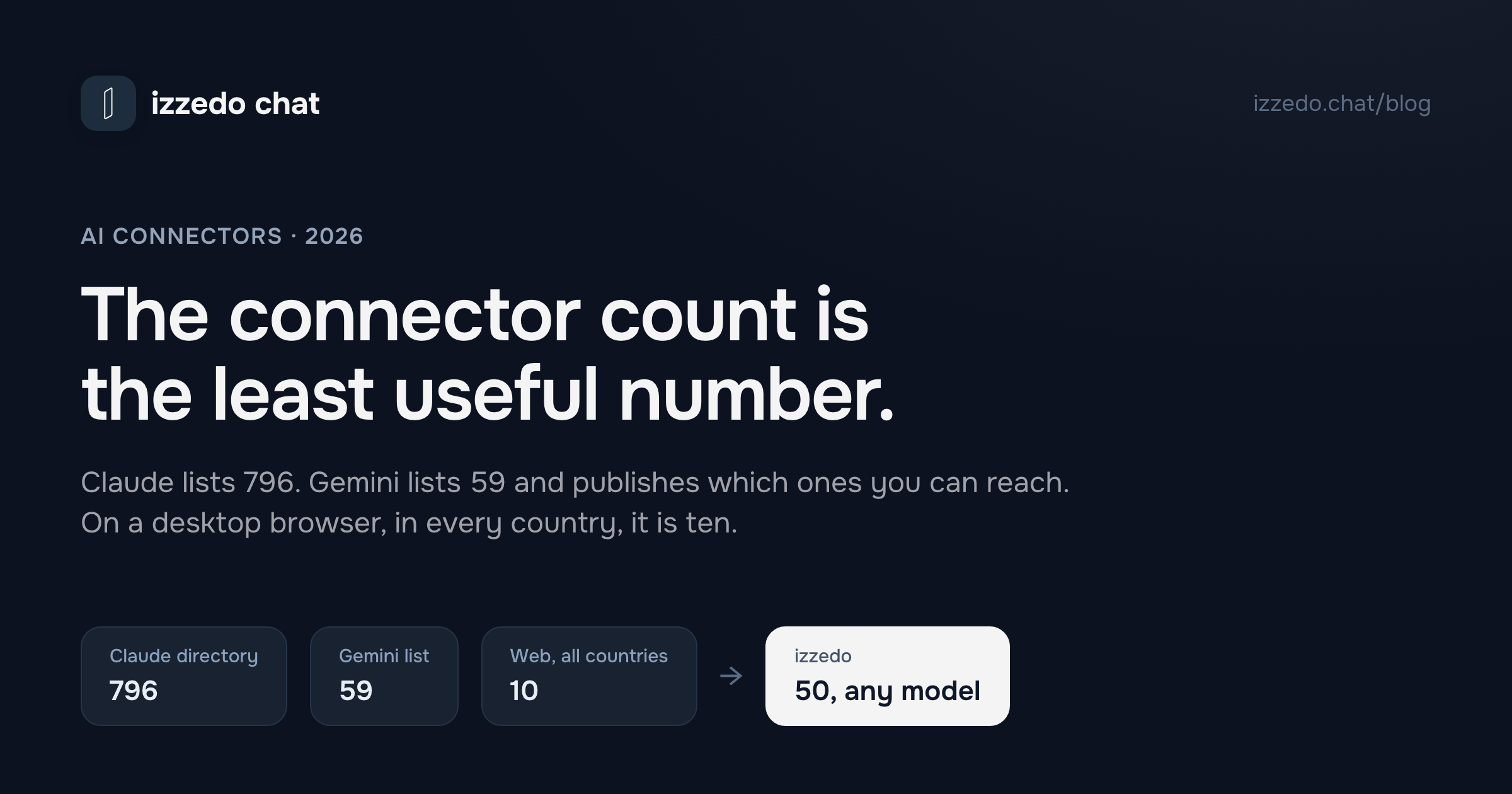
Claude's connector directory listed 796 connectors when I opened it this morning. ChatGPT's directory does not publish a total at all. Gemini's list has 59 entries and is the only one of the three that tells you which of them you can actually use.
That third fact is the one worth paying for, and it is the one nobody puts in a comparison. A connector count is a marketing number. Whether a connector works for you depends on four things the directories mostly hide: whether your plan reaches it, whether your country and your device do, whether it can write or only read, and what happens to the data once it passes through.
So I read the vendors' own pages on 10 September 2026, all six of them, and built the table the directories skip. A few things in it surprised me. One of them is that Google, of all companies, publishes the most honest availability data in the category, and that data undercuts its own list.
The Short Answer: Who Connects to What
| Assistant | What they call it | On the free plan? | Can it act, not just read? | Bring your own MCP server? |
|---|---|---|---|---|
| ChatGPT | Apps, found inside Plugins | Plugins yes, apps reaching internal tools no | Yes, with an approval step for anything meaningful | Business and Enterprise, read-only on Pro |
| Claude | Connectors | Yes, including one custom connector | Yes, limited to your own permissions | Yes, free accounts capped at one |
| Gemini | Connected Apps | Yes, if activity history is on | Yes, for some apps | Only inside Spark tasks |
| Copilot | Connectors | Yes, four services | Mostly reading and summarising | No |
| Grok | Connectors | Yes, all users | Yes | Yes |
| Perplexity | Connectors | No, paid plans only | Yes, for some connectors | Yes |
| izzedo chat | Connectors | Yes, all 50, plus agent mode | Yes, and it asks first by default | Yes, up to ten servers, plus Zapier MCP |
Update, 21 October 2026: when this post went out, the table said ChatGPT let you bring your own MCP server from Plus up. OpenAI's help page on custom MCP servers now says full MCP is "available for ChatGPT Business and Enterprise/Edu customers on ChatGPT web," and that "Pro users can connect custom MCP servers with read/fetch permissions." It doesn't list Plus, so the column above now follows that page.
Three things about that table before the detail.
Connectors are no longer a premium feature. Claude, Gemini, Copilot and Grok all put them on the free tier, and Perplexity is the only outright holdout. That is a change from a year ago and it removes the main reason people used to upgrade. What the paid tiers buy now is usage and the ability to connect something the vendor has not pre-approved.
Every vendor uses a different word. ChatGPT has renamed the feature twice. Google never called it connectors at all. This is not pedantry, it is why searching for the thing you want returns the wrong vendor's documentation, and I have given it a section of its own below.
The interesting column is the fourth one. Reading your inbox is a party trick. Sending from it is a decision with consequences, and the six vendors handle that decision very differently.
The Lists Themselves
If you came here to find out whether your tool is supported, this is the section you want. These are the integrations each vendor puts at the front of its own directory or documents by name, read on 10 September 2026.
Claude. The directory's own Top Connectors row is Google Drive, Gmail, Google Calendar, Canva, Microsoft 365, Notion, Figma, Slack, Atlassian Rovo for Jira and Confluence, HubSpot, Asana and Linear. Behind that row sit hundreds more, searchable by category, with Spotify, Shopify, Supabase, Adobe, monday.com, Gamma and Indeed all one search away.
ChatGPT. The Plugins Directory's Popular row is Gmail, GitHub, Google Drive, Slack, Outlook Email and Canva. Its Small Business category holds fourteen: Dropbox, HubSpot, Stripe, Canva, Figma, Slack, Shopify, Wix, Docusign, Mercury, PayPal, ClickUp, ZoomInfo and HoneyBook. Other categories cover analytics, developer tools, finance, healthcare, travel and, unexpectedly, chess.
Gemini. One entry covers most of what people want. The Google Workspace connected app spans Gmail, Calendar, Drive, Docs, Sheets, Slides, Keep, Tasks, Chat and Meet in a single toggle. Outside Google's own products the notable names are Canva, GitHub, Dropbox, Airtable, Otter.ai, Granola, PandaDoc, Picsart, Squarespace, Wix, Spotify, OpenTable, Instacart and Zillow, plus five Zoho apps available only in India. Notion is not on the list.
Copilot. Four services, and the shortest list here by a distance: OneDrive, Outlook.com covering email, calendar and contacts, Google Drive, and Google's Gmail, Calendar and Contacts.
Grok. Seven built-in connectors maintained by xAI: Gmail with Google Calendar, Google Drive, OneDrive, Outlook Mail and Calendar, Microsoft Teams, SharePoint and Salesforce. The wider catalogue adds Box, Canva, Gamma, GitHub, Linear, Notion, Vercel, Meltwater and S&P Global, plus your own MCP server for anything else.
Perplexity. Seventeen documented connectors, weighted towards work systems: Google Drive, Gmail with Google Calendar, Outlook.com, Microsoft 365 for SharePoint and OneDrive, Microsoft Teams, Slack, Notion, Asana, Jira, Confluence, Linear, GitHub, Box, Dropbox, HubSpot, Databricks and Snowflake.
Two patterns are worth naming. Every vendor covers the same core, which is mail, calendar, a drive and a chat tool, so nobody wins on the basics. And the long tails are shaped completely differently: Claude's runs to consumer apps and small tools, Perplexity's stops at enterprise data warehouses, and Gemini's is half phone-maker software.
What a Connector Actually Does
Underneath the branding there are four distinct capabilities, and OpenAI is the only vendor that names all four in one place.
Search. The connector looks things up on demand and pulls the result into the conversation. This is the default and it covers most of what people want: find the invoice, summarise the thread, check what is on Thursday.
Sync. Some connectors index your content in advance so answers come back faster and better. This is a meaningfully different privacy proposition from search, because a copy of your material now lives somewhere it did not before. In managed workspaces, sync is usually a separate admin decision.
Write actions. Creating or updating something in the connected service. Sending the email rather than drafting it.
Interactive experiences. Cards, maps, playlists rendered inside the chat rather than described in text. Pleasant, and the least consequential of the four.
If you are a small business owner deciding whether any of this is worth the setup time, the honest ranking is search first, write actions a distant second, and the other two as nice-to-haves. Search is where the time saving is, because the thing that actually eats your day is knowing the answer exists somewhere and not being able to find it.
The Directory Number Is the Least Useful Number on the Page
Anthropic's directory put its own total at 796 connectors when I opened it on 10 September 2026. Guides written a few months ago quote "over 200", which tells you how fast the number moves and how little it means.
Here is the part that reframes it. Anthropic's own help centre has a collection called Pre-Built Connectors, and it contains seven articles, covering Google Workspace, GitHub, Microsoft 365, 1Password and the interactive connectors. That is roughly the set Anthropic builds and supports itself. Nearly everything else in the directory is published by the tool's own vendor, using the Model Context Protocol, and listed the way apps are listed in an app store.
Which is fine. It is also worth understanding, because it changes who you call when something breaks. A connector for your invoicing tool is a product built by your invoicing tool's team. Its uptime is theirs. The scopes it asks for are theirs. Whether it requires a paid tier of their product is up to them, and several do. Anthropic's directory helpfully notes that a custom connector pointing at a domain already in the directory will appear with that service's name and branding, which is a small illustration of how loose the boundary is.
The same logic applies to ChatGPT's Plugins Directory and Grok's catalogue. Both mix first-party integrations with third-party ones and do not visually separate them.
So treat the headline number as a measure of ecosystem momentum, not of what you get. The question that matters is whether the six or seven tools you personally live in are on the list, and every one of these directories is searchable.
Which Plans Actually Get Connectors
This is where the vendors diverge most, and where the published answers are hardest to find.
Claude is the most generous and the clearest. Its pricing comparison marks Connectors as Yes on Free, Pro, Max 5x and Max 20x. The Free plan's own bullet list includes connecting Slack and Google Workspace services, and integrating any context or tool through connectors with remote MCP. The documented restriction is on custom connectors, where free users are limited to one. What Pro's $20 actually buys is usage, Research and more models, not the connector feature. On Team and Enterprise plans an owner has to add a connector before members can authenticate to it, which is the correct default for a shared account rather than a limitation.
ChatGPT's answer is split across two pages that use different words. The help article's section on capabilities by plan no longer contains a table. It is now a sentence telling you that the directory is visible across plans and that specific apps have additional plan, workspace, role, surface and regional requirements, followed by an instruction to open the directory and look. The directory listing for an app, meanwhile, shows its capabilities, developer, category and version number, and says nothing about plans at all. I checked the Gmail listing to be sure.
The only per-plan answer left is on the pricing page, filed under vocabulary nobody searches for:
| Row on OpenAI's pricing page | Free | Go | Plus | Pro |
|---|---|---|---|---|
| Plugins | Yes | Yes | Yes | Yes |
| Interactive apps | Yes | Yes | Yes | Yes |
| Apps connecting to internal tools | No | No | Yes | Yes |
| Apps for deep research | Limited | Limited | Yes | Yes |
So the plugin directory is open to everyone, connecting your own internal tools starts at Plus, and the $6 Go plan does not include it. If you are weighing Go against Plus, that row belongs in the decision alongside the model and context-window rows I went through in the plan comparison.
Perplexity is the only one that gates connectors behind payment outright. Its connector articles specify Pro and Max users plus members of Enterprise organisations, which is consistent with how the rest of Perplexity's paid tier is drawn. Some connectors, including GitHub and Linear, started life as enterprise-only features and the help centre URLs still carry the word.
Gemini, Copilot and Grok give connectors to everyone, with the caveats in the next two sections.
Google Publishes the Table Everyone Else Skips
Google maintains an availability table for all 59 connected apps, listing account type, minimum age, countries, languages and which Gemini surfaces each one works on. It is the most useful document in this entire category, and reading it carefully deflates the list it describes.
Of the 59 connected apps:
- 34 appear on the desktop web app. The other 25 exist only in the mobile app, so a person working at a computer never sees them.
- 22 of those 34 are restricted to a single country. Sixteen are US only, five are India only (the Zoho family), and one is Brazil only.
- 10 connected apps are available on the web app in all supported countries. That is the real number for someone outside the US on a laptop. One of the ten, Google Business Profile, then excludes the European Economic Area and the UK. Another, Google Classroom, requires a work or school account.
- 16 of the 59 need a specific handset. They are phone makers' own notes, calendar, gallery and reminder apps, and the table names the models: Galaxy S25 or later, OnePlus 13S or later, OPPO Find N5 or later, Xiaomi 15, TECNO POVA 7 5G, HONOR Magic V5, a Lenovo tablet, a vivo X200 FE.
- 29 are English only.
I want to be fair to Google here, because publishing this table is the opposite of hiding. Anthropic, OpenAI, Microsoft and xAI do not publish anything comparable, and their regional restrictions are real too. OpenAI's own help text admits that a Connect button may be greyed out because of geography and gives you no way to find out in advance. Google at least lets you check before you plan a workflow around something.
There is one more Gemini detail that deserves to be better known. From Google's own documentation: when Keep Activity is off, Connected Apps will not be available on gemini.google.com, on iOS devices or on smartwatches. On Android, only the device assistance, phone, messages and WhatsApp apps keep working. Turning off your chat history, which plenty of privacy-minded people do as a matter of course, also turns off your integrations. That trade is not presented as a trade anywhere in the settings.
Reading Is Cheap, Writing Is Where the Risk Lives
Every vendor lets a connector read. What separates them is what happens when the assistant wants to change something.
ChatGPT ships the most developed permission model of the six. The default setting is called Important actions. Reads happen automatically, and anything that could have a meaningful effect outside ChatGPT, expose sensitive information or be hard to undo triggers an approval card first. OpenAI's own examples of important actions are worth quoting because they are specific rather than vague. Sending or editing an email or message on your behalf. Deleting content or cancelling an appointment. Making a purchase or issuing a refund. Uploading, moving or renaming a file. Changing sharing permissions or security settings. If a single request bundles several actions, ChatGPT applies the riskiest one's rules, and hidden instructions inside app content can also force an approval prompt.
Claude's model is simpler and rests on the source system. Claude inherits each person's permissions from the connected service, so if you cannot reach a file or a channel yourself, the connector cannot reach it either. Team and Enterprise owners can additionally restrict which actions a connected service is allowed to take.
Perplexity's connectors are where I would slow down. The GitHub connector's documented permission list includes admin access to organisations and teams, admin access to organisation webhooks, write and delete on packages, read access to the audit log, and the ability to delete any repository you administer. Perplexity is asking for what GitHub's OAuth scopes make it ask for, and this is a general problem with coarse permission systems rather than a Perplexity failing. It is still a lot of authority to hand over so an assistant can search your issues.
Copilot is the most conservative. Its consumer connectors cover four services and the documented use cases are all retrieval: find the file, find the email, check the calendar, get a contact's address. Microsoft states plainly that Copilot does not store a separate copy of your data and does not expand your access.
The practical rule I would give a business owner: connect the read-only things immediately, and wait on write access until you have watched the assistant work for a week. The failure mode is not usually dramatic. It is an email that goes out at 90% right.
Where Your Data Goes After You Connect
Two vendors publish opposite defaults for the same feature, and neither puts it anywhere near the connector marketing.
OpenAI's position, from the apps help article: for ChatGPT Business, Enterprise and Edu customers, OpenAI does not use information accessed from connectors to train models by default. For Free, Go, Plus and Pro users, OpenAI may use information accessed from apps to train its models if the "Improve the model for everyone" setting is on. There is a narrower carve-out on individual listings for Google apps specifically, where OpenAI says it does not train generalised models on synced data, but the general position for personal accounts is the one above.
Microsoft's position, from the Copilot connectors page: Microsoft does not use data from connected services to train Copilot, full stop, with no plan distinction.
The difference is not an accident of wording. OpenAI's data policy says that for individual accounts it may use your content for training and that ChatGPT "improves by further training on the conversations people have with it, unless you opt out", while business products are opted out by default. Connected app data sits inside that same split.
Neither policy is hidden, exactly. Both are two clicks past the page that invites you to connect your inbox. If you run a business on a personal-tier subscription, which describes most people reading this, the setting to check is in your ChatGPT data controls, and the default is the permissive one.
Gemini's connected apps are governed by the same Gemini Apps activity settings as the rest of the product, which is the mechanism behind the Keep Activity trap above.
The Names Keep Changing, Which Is Why Your Search Fails
If searching for this topic has felt like wading through mismatched documentation, it is not you.
OpenAI has renamed the feature twice. It was connectors, then apps, and as of 9 July 2026 the app directory migrated into a Plugin directory, where a plugin can bundle apps, skills and templates. The help page still sitting at the URL ending in connectors-in-chatgpt is now titled Apps in ChatGPT. The pricing page uses a third set of words again, splitting the feature into Plugins, Interactive apps and Apps connecting to internal tools.
Google calls them Connected Apps, and in some accounts they live under a Personal Intelligence section rather than at the top level of settings.
Anthropic, Microsoft, xAI and Perplexity all say connectors. Anthropic's usage is the one that matches what people type into a search box, which is a large part of why searching for connectors tends to surface Anthropic's documentation regardless of which assistant you actually use.
Underneath all of it, the plumbing has converged. Anthropic created the Model Context Protocol, and it is now the mechanism behind custom connectors in Claude, custom apps in ChatGPT, custom connectors in Grok, MCP servers in Perplexity, and custom connected apps in Gemini Spark. One standard, five brand names. When you are searching, use the vendor's own word, then ignore it, because the underlying thing is the same.
How to Turn One On
Each vendor buries this in a different place. The current paths, as documented:
- Claude. Customize, then Connectors, then the plus button to browse the directory. You can also open it mid-chat from the plus button or by typing a slash. On Team and Enterprise, an owner has to add the connector under Organization settings first.
- ChatGPT. Open the Plugins Directory, find a plugin that includes the app you want, open its details and select Connect. Personal permission defaults live under Settings, Apps, App Preferences.
- Gemini. On the web, Settings, then Connected Apps. If it is not there, look under Personal Intelligence first. You can point Gemini at a specific app mid-prompt by typing @ and picking it.
- Copilot. Profile, then Connectors, then Connect next to the service. Note that your Copilot sign-in account must match the Microsoft account behind your OneDrive or Outlook, or nothing will resolve.
- Grok. Everything, built-in and custom, lives at grok.com/connectors behind a New Connector button.
- Perplexity. Connectors are set up from settings on a Pro, Max or Enterprise account.
If a Connect button is greyed out, the causes in rough order of likelihood are your region, your plan, and a workspace admin who has disabled it.
What a Small Business Actually Needs
I want to push back on the premise of every connector listicle, including most of the ones you will find alongside this one.
Nobody needs 796 connectors. Almost nobody needs 50. A small operation runs on an inbox, a calendar, a drive, a place where documents live, and one or two systems of record such as a CRM or a payment processor. That is the same short list I ended up with when I went through the best AI tools for business function by function. That is five or six connections, and once they are set up the count stops being interesting forever.
OpenAI's directory quietly agrees. Its Small Business category contains 14 plugins, and it is a sensible list: Dropbox, HubSpot, Stripe, Canva, Figma, Slack, Shopify, Wix, Docusign, Mercury, PayPal, ClickUp, ZoomInfo, HoneyBook. That is the real shape of the need, and it fits on one screen.
So the question to take into a directory is not how many connectors there are. It is whether the specific handful you use are there, whether they can do more than read, and whether they will still be there next quarter. On the last point, the vendor-published third-party connector is a slightly newer and less proven thing than the vendor's own, and it is worth a moment's thought before it becomes load-bearing in how you work.
The Same Connectors, Whatever Model Is Answering
There is an assumption running underneath everything above, which is that you pick an assistant and the tools you connect then belong to that assistant. Connect Gmail to Claude and you have connected it to Claude.
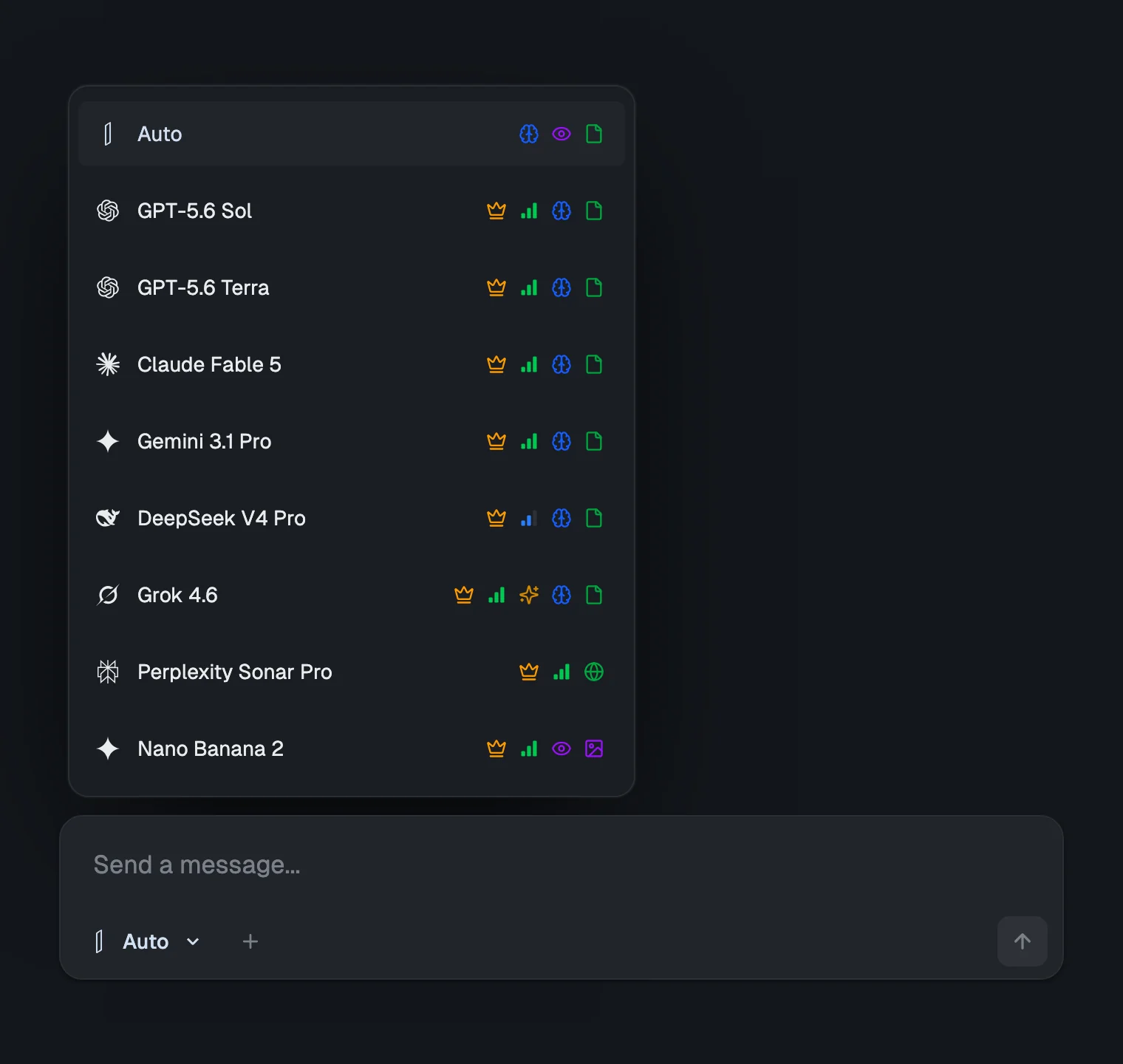
izzedo chat takes the other approach. Connectors sit at the workspace level rather than the model level, so you authorise Gmail once and every chat model in the picker can use it. There are 50 of them at the moment, including Gmail, Outlook, Google Drive, Google Calendar, Google Sheets, Docs and Slides, OneDrive, Dropbox, Notion, Slack, Microsoft Teams, Zoom, Trello, Airtable, HubSpot, Salesforce, Stripe, Zendesk, Jira, Confluence, Linear, Calendly, YouTube, Reddit, Google Analytics and Search Console. If yours is not in that list, the same screen takes a Zapier MCP connection or up to ten MCP servers of your own, so 50 is the built-in floor rather than the ceiling.
Three things follow from putting connectors a layer below the model, and they are the reason the design is worth the trouble.
Switching model mid-thread does not cost you your tools. Ask one model to pull the last three invoices out of your drive, then re-ask the same question of a different vendor's model in the same conversation, and the second one has the same access and the same context. That is the second-opinion habit applied to work that touches real data, which is exactly the work where a second opinion is worth having, and most of the argument for not routing everything through one vendor.
You are not re-authorising the same inbox for every assistant you try. The alternative to a shared workspace is a Google consent screen per vendor, which is both tedious and a genuinely worse security position, because it means more places holding a token to your email.
And the tool set does not fragment across vendors. Every chat model in the picker can call connectors, 31 of them at last count, spanning the GPT, Claude, Gemini, Grok, DeepSeek, Qwen, Kimi, GLM and MiniMax families. The exceptions are honest ones and worth stating: image and video models do not call tools, and neither do the Perplexity search models, which do their own retrieval by design. Turn on agent mode and the same connectors are what the research agents reach for.
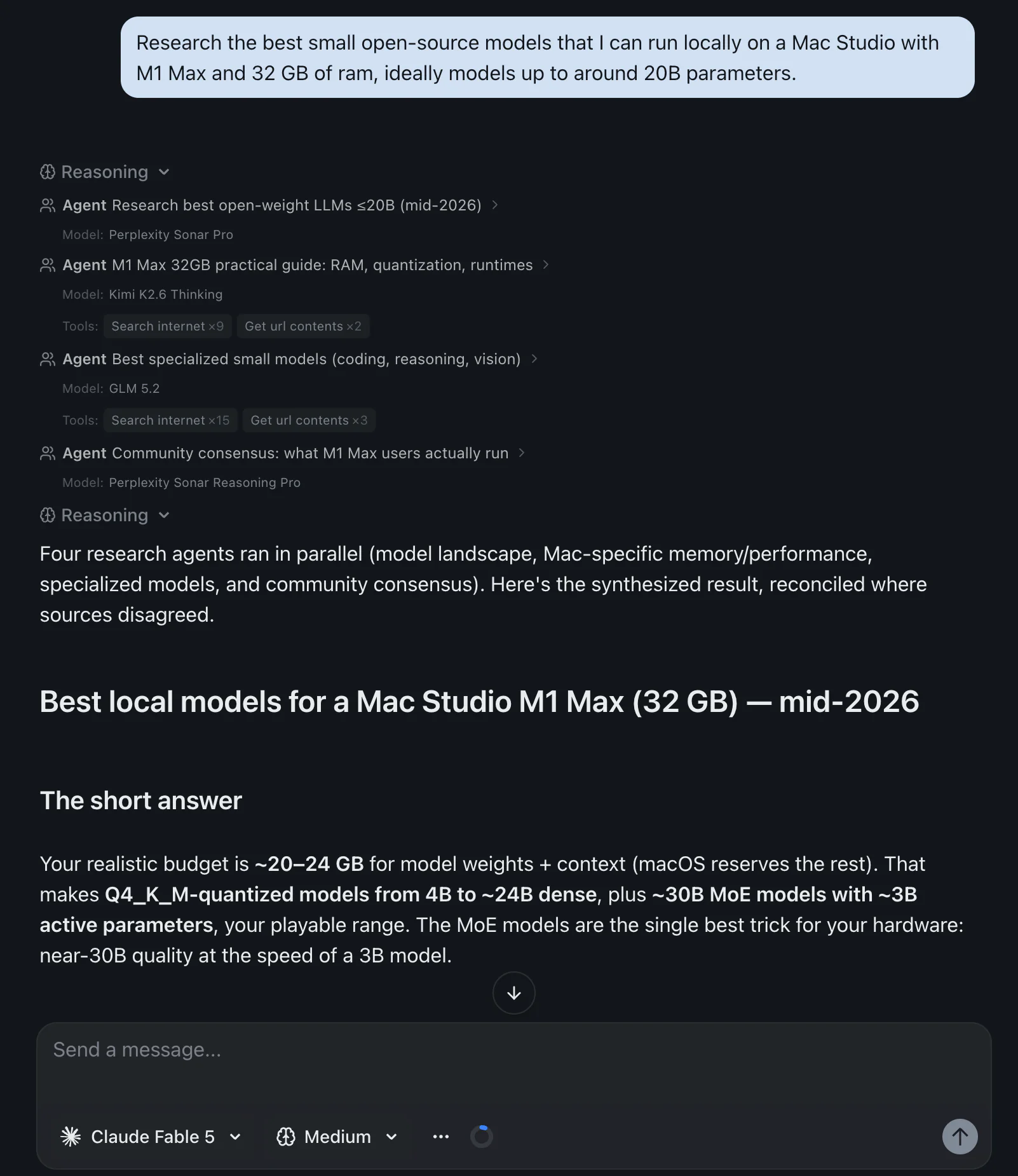
By default the workspace runs in supervised mode, which stops and asks before it runs any tool, read or write. You can switch a conversation to full access when you have seen enough and want it to stop asking. Given how much of this post has been about other people's approval models, it seems only fair to say plainly which way ours is set out of the box. It is the cautious way.
All 50 are on the free plan as well, along with agent mode, no card and not as a token gesture. Every chat model the free tier includes can call them, which currently spans the GPT, Claude, Gemini, Grok, DeepSeek, Qwen, Kimi, GLM and MiniMax families. The paid plans start at $6 a month and buy usage, the full model lineup, video generation and automations, not the connector feature itself. Buying that lineup separately, one subscription each, runs about $110 a month.
Here is the actual catalogue, rather than a number in a table:
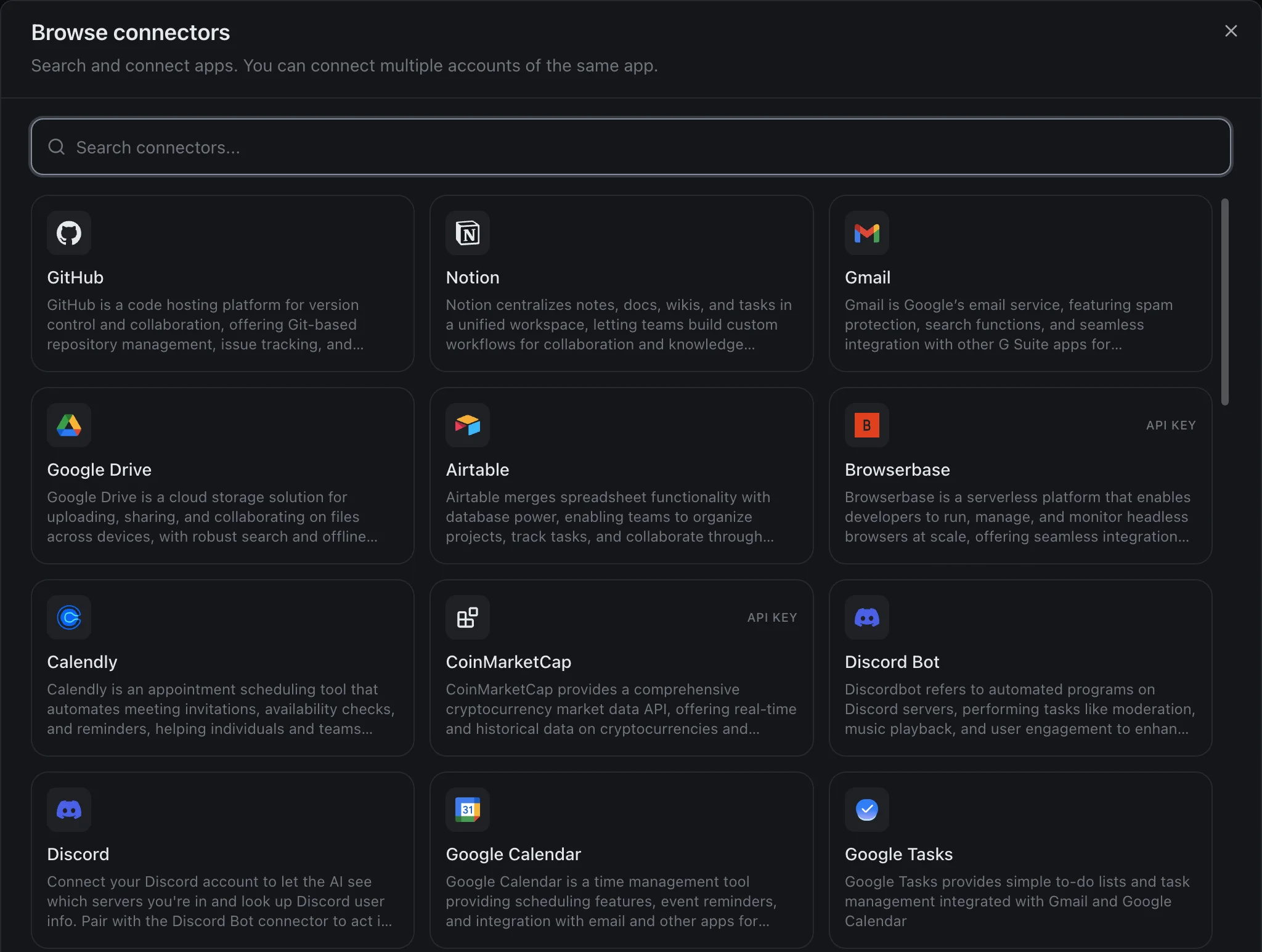
Note the API KEY badges on a couple of those cards. That is the honest version of an integration list: most connect with an account, a few want a key, and the screen tells you which before you start rather than after.
Two honest limits, having spent this whole post reading other people's fine print. Our catalogue is our own, not a mirror of Anthropic's directory, and 50 is a smaller number than 796 on purpose, because every one of them is wired up and tested rather than listed. And izzedo meters usage like everyone else, because each of these models bills real money per answer. What is different is that it is one pool across every model and every connector, rather than a separate ceiling per vendor. Current allowances live on the pricing page, where they can stay accurate.
The Bottom Line
Connectors stopped being a premium feature this year. Claude, Gemini, Copilot and Grok all hand them to free accounts, leaving Perplexity as the only outright holdout, and the paid tiers now sell usage and the right to connect something the vendor has not pre-approved.
What replaced the paywall is a subtler set of gates, and they are the ones to check before you build a habit on top of an integration. Whether it works in your country, which for Gemini's web app narrows 59 apps down to ten. Whether it works on your device, which for 16 of Gemini's apps means a named handset. Whether it can act or only read, and what it asks before acting. And whether a personal-tier subscription means your connected data feeds a training set, which is the default at one major vendor and never happens at another.
If you take one practical thing from this, take the habit of opening the authorisation screen and reading the scope list before you click Connect. It is the only screen in this entire category that tells you the truth without marketing on it.
And if the answer to "which assistant should I connect my tools to" keeps changing depending on which model you happen to trust this month, that is a sign the question is aimed one level too high. Connect them once, in a workspace where every model can reach them, and the question stops needing an answer.
Topics
- claude connectors
- chatgpt connectors
- ai connectors
- gemini connected apps
Start on the free plan. Pay when you want the premium models.
Free
$0
Claude Haiku, Gemini Flash, Grok and more, with agent mode and 50+ connectors
Hobby
$6/mo
Every chat and image model
Pro
$12/mo
Higher limits, 400k context and more video models
Max
from $50/mo
5x or 10x Pro's usage, and every video model
Frequently asked questions
Are Claude connectors free?
Yes. Anthropic's pricing comparison marks Connectors as available on Free, Pro, Max 5x and Max 20x, and the Free plan's own feature list includes connecting Slack and Google Workspace plus integrating any tool through connectors with remote MCP. The one documented cap is on custom connectors, where free accounts are limited to a single one. What Pro adds is not the connector feature itself but more usage, Research, more models, and Claude for Microsoft 365.
What is the difference between ChatGPT connectors, apps and plugins?
They are three names for roughly the same thing at three points in time. OpenAI migrated its app directory to a Plugin directory on 9 July 2026. An app is the piece that connects ChatGPT to an outside service such as Gmail or Slack. A plugin packages capabilities into a workflow and can contain one or more apps, or skills with no outside service at all. The help page still living at the connectors URL is now titled Apps in ChatGPT, which is why searching for the old word gets you confusing results.
Which AI assistant connects to Gmail and Google Drive?
All the major ones now. Claude, ChatGPT, Gemini, Copilot, Grok and Perplexity each publish a Gmail and a Drive integration, and Copilot connects to Gmail even though it is a Microsoft product. The differences are in the fine print rather than the logo grid: whether the integration can send as well as read, whether it needs a paid plan, and whether it is available in your country.
Can AI connectors change or delete my data?
Some can, which is the part worth reading before you click Connect. ChatGPT's default permission setting reads from connected apps automatically but asks before anything that has a meaningful effect outside ChatGPT, such as sending an email, deleting content or making a purchase. Claude inherits your own permissions in the source system, so it can do what your account can do. Perplexity's GitHub connector asks for admin scopes that include deleting repositories. Read the scope list on the authorisation screen, not the marketing page.
Do Gemini connected apps work outside the US?
Many do not. Google publishes an availability table for all 59 connected apps, and it is unusually honest. Thirty-four appear on the desktop web app at gemini.google.com, and 22 of those are restricted to a single country: 16 to the US, five to India and one to Brazil. Ten connected apps are available on the web app in all supported countries, and one of those ten excludes the European Economic Area and the UK.
What is MCP, and do I need to know about it?
The Model Context Protocol is an open standard Anthropic created for connecting AI apps to outside tools and data. You do not need to understand it to use a connector, but it explains why every vendor's catalogue grew so fast: once a tool publishes one MCP server, any assistant that speaks the protocol can talk to it. It also matters if you want to connect something nobody has built a connector for, because bringing your own MCP server is the escape hatch, and which plans allow it varies a lot.