Grok vs Gemini: Gemini's Google Advantage Now Has a Price
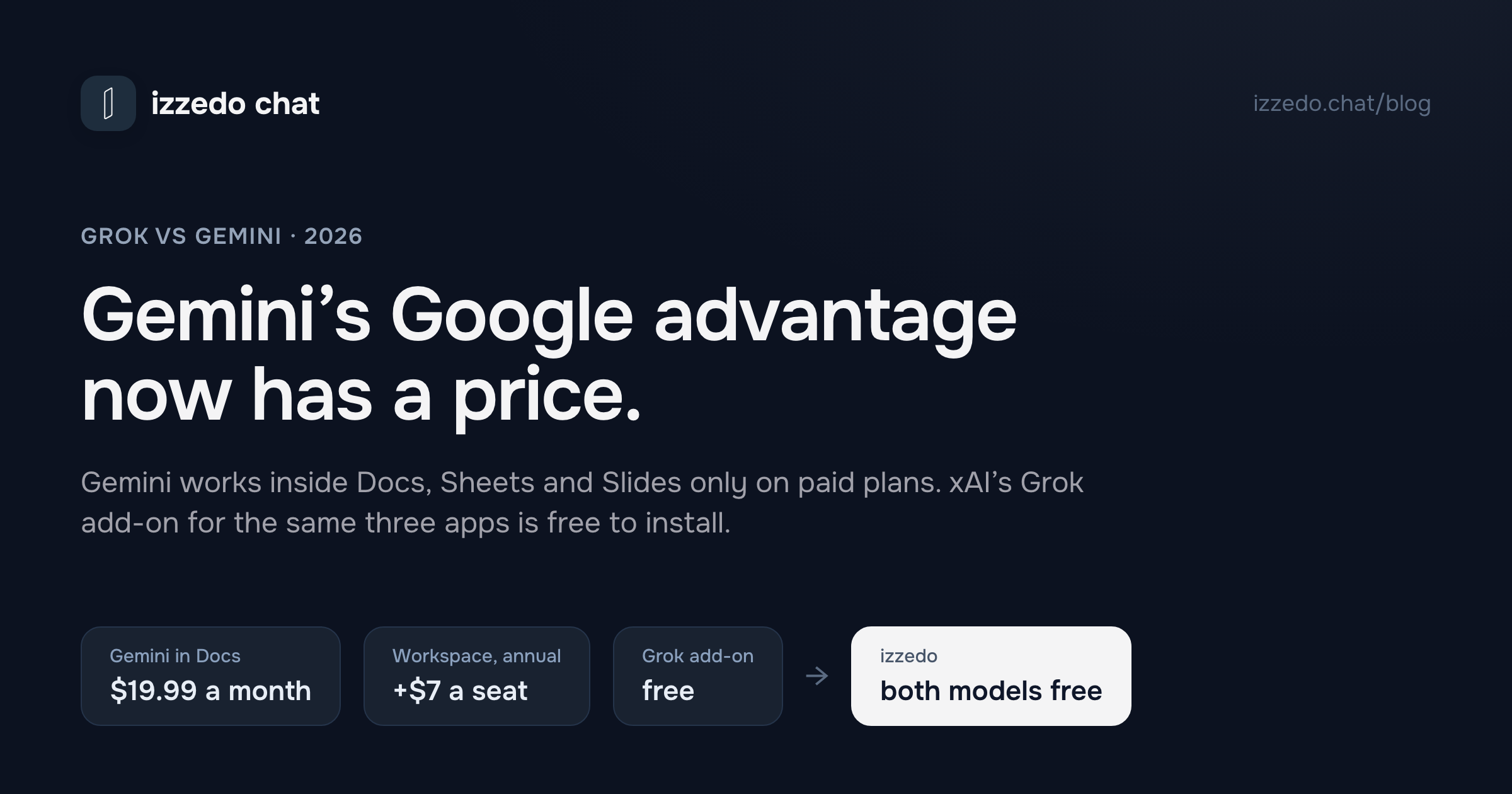
The usual verdict is to pick Gemini if you live in Google. That verdict now has a price. Gemini works inside Docs, Sheets and Slides only from Google AI Pro at $19.99 or a Workspace Business Standard seat upward, while xAI's Grok add-on for the same three apps is free to install. And since 9 October, free Gemini sends most prompts to its smallest model.
"Pick Gemini if you live in Google, pick Grok if you live on X." Most comparisons of these two end there, and the first half used to be the safe bet. Gemini is Google's assistant, so it should be the one that works in your Gmail, your Drive and the document you have open.
Two things complicate that. In July, xAI released a Grok add-on for Google Docs, Sheets and Slides, and Grok's connectors read Gmail, Google Calendar and Drive on every plan, the free one included. And Google keeps Gemini inside Docs, Sheets and Slides behind a paid plan. On a personal Google account it takes Google AI Pro at $19.99 a month. On a company Workspace account it takes Business Standard, which Google's US page lists at twice the price of Business Starter.
So the Google advantage is real, and it now has a price. For a freelancer or a small team, that price is most of the decision. Then on 9 October Google changed what its free plan runs, which tips the free comparison further toward Grok.
I read xAI's plan table, its Grok FAQ and connector docs, Google's plan page and a dozen of Google's Gemini, Gmail and Workspace help pages on 10 October 2026, and looked up the models each plan names on Artificial Analysis the same day.
The Short Answer
| If this is you | Pick | Why |
|---|---|---|
| A personal Gmail account, no paid plan, and you want AI inside your Docs | Grok's Workspace add-on | It's free to install. Gemini in Docs needs Google AI Pro at $19.99 a month |
| A team already on Workspace Business Standard or Plus | Gemini | It's in your Docs, Sheets and Slides already, under Workspace's data terms |
| A team on Workspace Business Starter | Gemini, if the docs hold client work | Business Standard adds Gemini to your documents for $7 more a seat on an annual plan, and the free Grok add-on runs under consumer terms |
| Not paying, and you mostly chat | Grok | Free Gemini now sends most prompts to Flash-Lite, which scores half what the model on xAI's free plan scores |
| Long recordings, video, or files in the hundreds of pages | Gemini, on AI Pro | A 1 million token context and three hours of audio, both published |
| What people are saying about something right now | Grok | It searches X directly, though the free plan marks that search as Limited |
| The cheapest paid plan | Google AI Plus at $4.99 | xAI shows no price for any paid plan below SuperGrok's $30 |
One more case is the one I built something for. If you want Grok and Gemini answering in the same thread, izzedo chat has both on its free plan. It isn't a sidebar inside Docs, though, so it doesn't replace either add-on. More on that further down.
Why "Pick Gemini If You Use Google" Needs a Price Now
What Gemini does inside Google's apps, plan by plan
Google keeps a table of which Gemini features work in which Google app on which plan. Gmail and Docs don't come as a pair, and that's where the cost hides.
| Your Google account | Gemini in Gmail | Gemini in Docs, Sheets, Slides and Drive | US price, Workspace on an annual plan |
|---|---|---|---|
| Personal, no plan | A few features, mostly US only | No | $0 |
| Personal, Google AI Plus | Most features | No | $4.99 a month |
| Personal, Google AI Pro | Yes | Yes | $19.99 a month |
| Personal, Google AI Ultra | Yes | Yes | $99.99 or $199.99 a month |
| Workspace Business Starter | Most features | No | $7 a user a month |
| Workspace Business Standard | Yes | Yes | $14 a user a month |
| Workspace Business Plus | Yes | Yes | $22 a user a month |
Google AI Plus gets Gemini in Gmail and in Google Vids, the video editor, but not in Docs, Sheets, Slides or Drive. Business Starter is the same on the company side, where Google's own price page marks Gemini in Workspace apps as "Limited" for Starter. The step that puts Gemini into your documents costs one person $15 a month, from Plus to Pro, and costs a team $7 a seat, from Starter to Standard. Those Workspace figures are Google's prices with a one-year commitment, and paying month to month costs more. For a four-person agency on Starter, the annual step is $28 a month, or $336 a year.
Without any plan you still get the Gemini app, and it can read your Gmail and Drive through what Google calls Connected Apps. That's the free way to get Gemini working with your Google data. On a personal account it comes with a condition, which I'll get to below.
What Grok does inside the same apps
xAI's launch post from 24 July describes one add-on that "puts Grok beside the file you have open in Sheets, Slides, and Docs." In Sheets, Grok answers "from the spreadsheet itself, citing the cells it used," writes formulas, inserts charts and reruns scenarios when an assumption changes. xAI says every change is a normal edit you can check and undo. In Slides it turns an outline into a deck, researching from the web or X, and extends an existing deck in its own theme. In Docs it turns rough notes into a draft with real headings, fixes grammar in place, and can pull from recent emails or Drive files if you've connected them.
xAI calls it "a free add-on", and Google's Marketplace lists it as "Free of charge". Neither page says which Grok plan it needs, how much it will do on a free account, or which model runs it. My guess is that it draws on your Grok account's allowance like everything else, but that's a guess. On a company Workspace account your admin decides which Marketplace add-ons you can install, so check before you plan around it.
Grok's connectors are a separate thing and work in Grok's own app on every plan. The Gmail connector searches and reads mail by default. Drafting, sending and label changes are extra permissions, which xAI's docs say an organization's admins switch on separately. The Drive connector searches and reads Docs, Sheets and Slides files and can create new Google Docs. So free Grok and free Gemini can both read your inbox and your Drive from inside their own apps. Working inside the documents is where they split. Gemini does it on paid plans, and Grok's add-on does it at no charge.
Both Will Read Your Gmail. The Terms Differ.
This is the part I'd want to know before connecting either one to a client inbox.
On a personal Google account, Gemini can't connect to Gmail, Drive or Docs unless a setting called Keep Activity is on. Google's help article says so plainly. "Gemini can't connect to Google Workspace when this setting is off." And Google's Privacy Hub says that with Keep Activity on, it uses your activity "to provide, develop, and improve its services (including training generative AI models)," with the help of human reviewers. Reviewed chats are disconnected from your account and kept for up to three years. Turn Keep Activity off and Google says it won't use your future chats to improve its models unless you send feedback, but Connected Apps stop working on the web and on iPhone.
So on a free or personal plan, the way to have Gemini read your email is also the setting that lets Google learn from those conversations. On a Workspace business account the terms are different. Google's Workspace privacy page says your content "is not human reviewed or otherwise used for Generative AI model training outside your domain without permission."
xAI splits it differently. Its connector documentation says "We do not train on your data" about Gmail, Calendar and Drive content, and that none of it is stored on xAI's servers. That covers what the connectors read, on every plan. The conversation itself is another matter. xAI's plan table has a row called "No training", and it ticks that row only for Business and Enterprise. xAI lists Business at $30 a month and sells it as per-user licences. Every consumer plan, $100 SuperGrok Plus included, goes without it.
If the inbox is a client's, the clean options cost money on both sides, a Workspace Business Standard seat for Gemini or a Grok Business licence. On the free plans, Grok at least promises not to train on what its connectors fetch. Gemini makes reading your mail conditional on the training setting.
The Free Plans Since 9 October
Google's change notice says that from 9 October, users without a plan default to a setting called Auto. In Google's words, "Most prompts will go to Flash-Lite, our fastest model. Prompts that need deeper reasoning may go to Flash or Pro." If you turn smart model selection off, every answer comes from Flash-Lite. Google's plan page names the free model as 3.5 Flash-Lite, and its limits page gives free accounts a 32,000 token context window. Google says a million tokens is about 1,500 pages, which makes 32,000 tokens roughly 48 pages. That's my arithmetic, not Google's.
xAI's plan table ticks Grok 4.6 in the Free column, the same model it lists for every paid plan. Free also gets image generation, connectors and Grok Build. It doesn't get video generation or a capability xAI labels "Expert" without defining it, and its real-time web and X search is marked "Limited".
On Artificial Analysis's intelligence index, Grok 4.6 scores 44 and Gemini 3.5 Flash-Lite scores 22, exactly half. Two caveats. Artificial Analysis tests each model at a stated thinking setting, and neither company says what setting its free tier runs. And Auto will move some of your harder prompts up to Flash or Pro, though Google doesn't say how often. Even so, the default model on free Gemini is the one Google built for speed, and the model xAI lists on free Grok is the one it sells at $30.
Google's own help pages haven't all caught up. Its limits article still shows Flash-Lite, Flash and Pro as available without a plan. The change notice is the newer page and the one that names 9 October, so it's the one I'm going by.
Free Gemini still has things free Grok's table doesn't list. Google ticks Deep Research, Canvas, Gems and Connected Apps for users without a plan, and free accounts can upload 10 minutes of audio and 5 minutes of video. If what you need for free is research reports or a lecture recording, Gemini is still the better free plan. For plain chat and drafting it now isn't.
What Each Plan Buys
| Monthly price | Gemini, personal Google account | Grok |
|---|---|---|
| $0 | Auto, mostly 3.5 Flash-Lite, 32K context | Grok 4.6, limited search, no video |
| $4.99 | Google AI Plus: 3.6 Flash, 128K context, 2x the free usage | No priced plan. SuperGrok Lite appears in xAI's table with no price |
| $19.99 | Google AI Pro: 3.8 Flash and 3.1 Pro, 1M context, 4x the free usage, Gemini in Docs, Sheets and Slides, 5 TB storage | No plan at this price |
| $30 | No plan at this price | SuperGrok: Grok 4.6, Expert, video generation, Grok Bot, higher limits |
| About $100 | Google AI Ultra: 5x AI Pro's usage | SuperGrok Plus: "significantly higher usage", 1080p video |
| $199.99 | Google AI Ultra: 20x AI Pro's usage | SuperGrok Heavy is in the table, with no price shown |
Read down each column and the two companies sell different things. Google changes the model as you pay. Its plan page names 3.5 Flash-Lite for free users, 3.6 Flash on AI Plus and 3.8 Flash on AI Pro, and Artificial Analysis scores those 22, 34 and 41. xAI lists the same Grok 4.6 in all seven columns of its table and charges for usage, video, Expert and Grok Bot. I found the same split between Grok and Claude, and against Gemini it matters most at the bottom of the ladder.
Three details on the Google side are worth knowing before you pay.
- AI Plus may or may not include Pro. Google's plan page lists "Access to 3.1 Pro" on the $4.99 plan. Google's change notice marks Pro as unavailable on AI Plus once the October change reaches your account, with the date sent by email. If Pro is why you're buying Plus, check the model menu after you subscribe.
- On AI Pro, the Flash outscores the Pro. Artificial Analysis puts 3.8 Flash at 41 and 3.1 Pro at 30, a gap I went through in detail here.
- At the limit, paid Gemini drops to Flash-Lite. Google's help says subscribers who hit their limit "can continue your conversation with Flash-Lite."
On the xAI side, Grok 4.7 came out on 21 September and scores 46 on Artificial Analysis. xAI's launch post names Cursor, Grok Build, its API and third-party platforms as the places to use it, and its plan table still lists Grok 4.6 in every column. Paid Grok plans share one weekly usage pool across chat, images, voice and Build, and when it runs out you're back on the free tier's limits for chat and voice until the reset, or you buy Extra Usage Credits from $5. The Grok limits post has the details.
So at $19.99 against $30, the models are close, 41 for Gemini's Flash against 44 for Grok, and Gemini's plan costs $10 less while adding Gemini in Docs, a 1 million token context and 5 TB of Google storage. That's Gemini's strongest rung. Grok's is the free one.
Grok vs Gemini, Task by Task
Writing in Google Docs, Sheets and Slides
If you already pay for Google AI Pro or Business Standard, use Gemini. It's built into the apps and your data stays under the terms you already have. If you don't, the Grok add-on is the only one of the two that works inside those apps without a new subscription. I haven't seen xAI publish what it can do on a free account, so try it on a document you don't mind before you rely on it.
Long documents
Gemini, once you pay. AI Pro and Ultra get a 1 million token context, which Google puts at up to 1,500 pages, and Gemini takes up to 10 files of up to 100 MB in one prompt. Free Gemini's 32,000 tokens won't hold a long contract in one go. Grok accepts files up to 150 MB, and xAI's FAQ says that on PDFs over 100 pages Grok "focuses on text and key visuals" and suggests pointing it at specific page numbers. I couldn't find a context window for the Grok app in xAI's FAQ or plan table.
Calls, meetings and other recordings
Gemini, with published limits. Free accounts can upload 10 minutes of audio and 5 minutes of video, and AI Pro raises that to 3 hours and 1 hour. Grok accepts MP3, WAV, M4A and other audio formats, plus MP4 and MOV video, but publishes no length limit, and its FAQ warns that some audio and video files "have variable transcription quality." For a client call you need transcribed accurately, I'd use Gemini.
What's happening right now
Grok, because it searches X directly, and X is where reaction shows up first. On the free plan that search is marked "Limited". Gemini answers from Google Search, which is better once a story has been written up. The three-way comparison with ChatGPT runs both against the same live question.
Images and video
Both make images for free. Gemini uses Nano Banana 2, or a lighter Nano Banana 2 Lite when Flash-Lite is the model answering, and paid plans can redo an image with Nano Banana Pro. Grok uses Imagine. Video starts on Google AI Plus at $4.99 for Gemini. For Grok, xAI's table ticks video on SuperGrok Lite, which has no published price, so the first priced Grok plan with video is SuperGrok at $30. The Nano Banana price guide covers what Google's image models cost.
Which One Should You Use? Pick by the Job
A freelancer on a personal Gmail account. Try the free Grok add-on in Docs first. If you end up wanting AI in your documents every day and work from long files or recordings, Google AI Pro at $19.99 is the better plan, and it's cheaper than SuperGrok.
A small agency on Workspace Business Starter. If your documents hold client work, moving to Business Standard is $7 a seat more on an annual plan for Gemini in Docs, Sheets and Slides under Workspace's data terms. The Grok add-on costs nothing, but it runs under xAI's consumer terms unless you also buy Grok Business licences, listed at $30 a month.
A team already on Business Standard or Plus. Use the Gemini you're paying for. Add Grok only for the X side of the job, like tracking reaction to a launch.
Someone who wants the best free chat model. Grok. Since 9 October free Gemini mostly answers with Flash-Lite.
Someone who works from long PDFs, calls or video. Gemini on AI Pro. It publishes its limits, three hours of audio, an hour of video and about 1,500 pages of context.
Where izzedo Fits
izzedo chat isn't a sidebar inside Google Docs, so if working in the document itself is what you need, one of the two add-ons above is the answer.
What it does is put both models in one thread, and let either of them reach into your Google account from the chat. Grok 4.7 and Gemini 3.8 Flash are both on the free plan at their lowest reasoning setting, and the paid plans open the higher ones. That 3.8 Flash is the one Google's plan page reserves for AI Pro and Ultra. In the thread below, Grok 4.7 drafted a client update and Gemini 3.8 Flash turned it into a table ready to paste into a Google Doc, with the whole conversation in front of it.
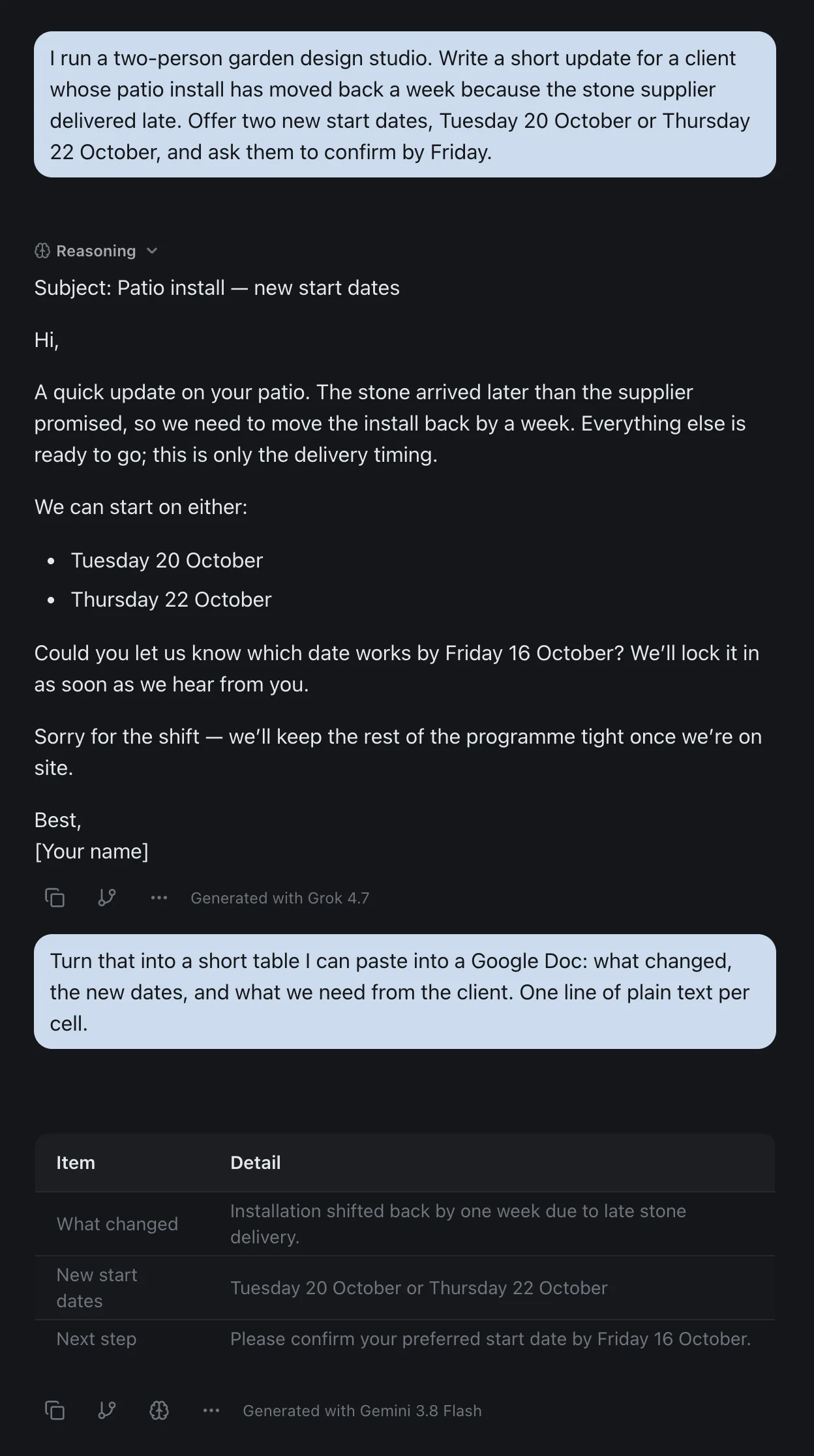
It connects to Gmail, Google Drive, Docs, Sheets, Slides and Calendar. It can search, read, draft, send and reply to email, create and edit Google Docs, read and update Sheets, build Slides from an outline, and move and upload Drive files. Unless you change the setting, it asks before each action, reads included.
The other chat models, Gemini 3.1 Pro included, come with the $6 Hobby plan. The details are on the pricing page, and every comparison I've run is on one page.
The Bottom Line
"Pick Gemini if you use Google" is still right for anyone who pays for Google AI Pro or a Business Standard seat. Gemini is built into the apps, and on Workspace, Google's business data terms apply to it.
For everyone else, the advice needs a price on it. Gemini in your documents is $19.99 a month for one person, or $7 more a seat on an annual plan for a team on Starter. Grok's add-on for the same documents is free to install, its free model scores twice what free Gemini now mostly runs, and its connectors read your Gmail and Drive without the training setting Gemini requires on personal accounts.
Google changed its free plan on 9 October, and its own help pages already disagree about what that means, so check the date on whatever comparison you read, this one included.
Want Grok and Gemini in one thread, both on the free plan? Try izzedo chat free, no credit card required.
Frequently asked questions
Is Grok better than Gemini?
On the free plans, Grok has the stronger model. xAI's plan table lists Grok 4.6 for free users, which Artificial Analysis scores 44 on its intelligence index, while free Gemini now sends most prompts to 3.5 Flash-Lite, which scores 22. At around $20 to $30 it's close on the model and Gemini wins on what comes with it. Google AI Pro is $19.99 and adds a 1 million token context, Gemini inside Docs, Sheets and Slides, and 5 TB of storage. SuperGrok is $30. Grok is the better pick for live reaction on X, Gemini for long files, recordings and Google Workspace.
Can Grok work inside Google Docs?
Yes. Since July 2026 xAI has offered Grok for Google Workspace, one add-on that puts Grok in a sidebar in Docs, Sheets and Slides. In Docs it drafts and edits in place, in Sheets it writes formulas, adds charts and answers questions citing the cells it used, and in Slides it builds or extends a deck in the existing theme. Google's Marketplace lists it as free of charge. xAI doesn't say which Grok plan it needs or how much it can do on a free account.
Is Gemini in Google Docs free?
No. Google's feature table puts Gemini in Docs, Sheets, Slides and Drive on Google AI Pro at $19.99 a month and AI Ultra for personal accounts, and on Business Standard and Business Plus for Workspace accounts. Google AI Plus at $4.99 and Workspace Business Starter get Gemini in Gmail but not in Docs. Without any plan, personal accounts get a few Gmail features, mostly in the US only, plus the separate Gemini app.
Is Gemini still free after 9 October 2026?
Yes, but the free plan changed. Google's help centre says that from 9 October, users without a plan default to Auto, which sends most prompts to Flash-Lite and may send prompts that need deeper reasoning to Flash or Pro. With smart model selection turned off, every answer comes from Flash-Lite. Google's plan page names the free model as 3.5 Flash-Lite, and free accounts have a 32,000 token context window.
Which is cheaper, Grok or Gemini?
Gemini. Its paid plans start lower. Google AI Plus costs $4.99 a month and AI Pro $19.99, while xAI's cheapest priced plan is SuperGrok at $30. xAI lists a SuperGrok Lite tier in its comparison table but shows no price for it. At the top, Google AI Ultra is $99.99 for 5x AI Pro's usage and SuperGrok Plus is $100.
Do Grok and Gemini train on my Gmail?
On a personal Google account, Gemini can only connect to Gmail, Drive and Docs if Keep Activity is on, and Google says it uses that activity to improve its services, including training generative AI models, with help from human reviewers. On a Workspace business account Google says your content isn't used for training outside your domain without permission. xAI's connector documentation says it doesn't train on Gmail, Calendar or Drive data, but its plan table ticks No training only for the Business and Enterprise plans.
Is Grok based on Gemini?
No. Grok is xAI's own model family, and xAI now trades as SpaceXAI after SpaceX acquired it. The two companies are connected the other way round. Since August 2026 Grok 4.6 has been available on Google's Gemini Enterprise Agent Platform, where Google's cloud hosts it alongside Google's own models for developers.
Grok or Gemini for long documents and recordings?
Gemini, if you pay. Google AI Pro gives a 1 million token context window, which Google describes as up to 1,500 pages, and accepts up to 3 hours of audio and 1 hour of video. The free plan drops to 32,000 tokens, 10 minutes of audio and 5 minutes of video. Grok accepts documents, images and audio up to 150 MB a file and takes MP4 and MOV video, but xAI's FAQ warns that transcription quality varies and that on PDFs over 100 pages Grok focuses on text and key visuals.
Ready to try multi-model AI workflows?
Access GPT, Claude, Gemini, Perplexity, and more — all in one place.
Start for Free →