Gemini Thinking vs Pro: Thinking Is a Setting Now, Not a Model
Thinking and Pro used to sit side by side in Gemini's model picker, and Thinking got three times Pro's daily prompts. Since 17 May 2026 the picker lists Flash-Lite, Flash and Pro, and thinking is a level you set on top of any of them. Here is what each option meant, what replaced it, and why the Flash now outscores the Pro.
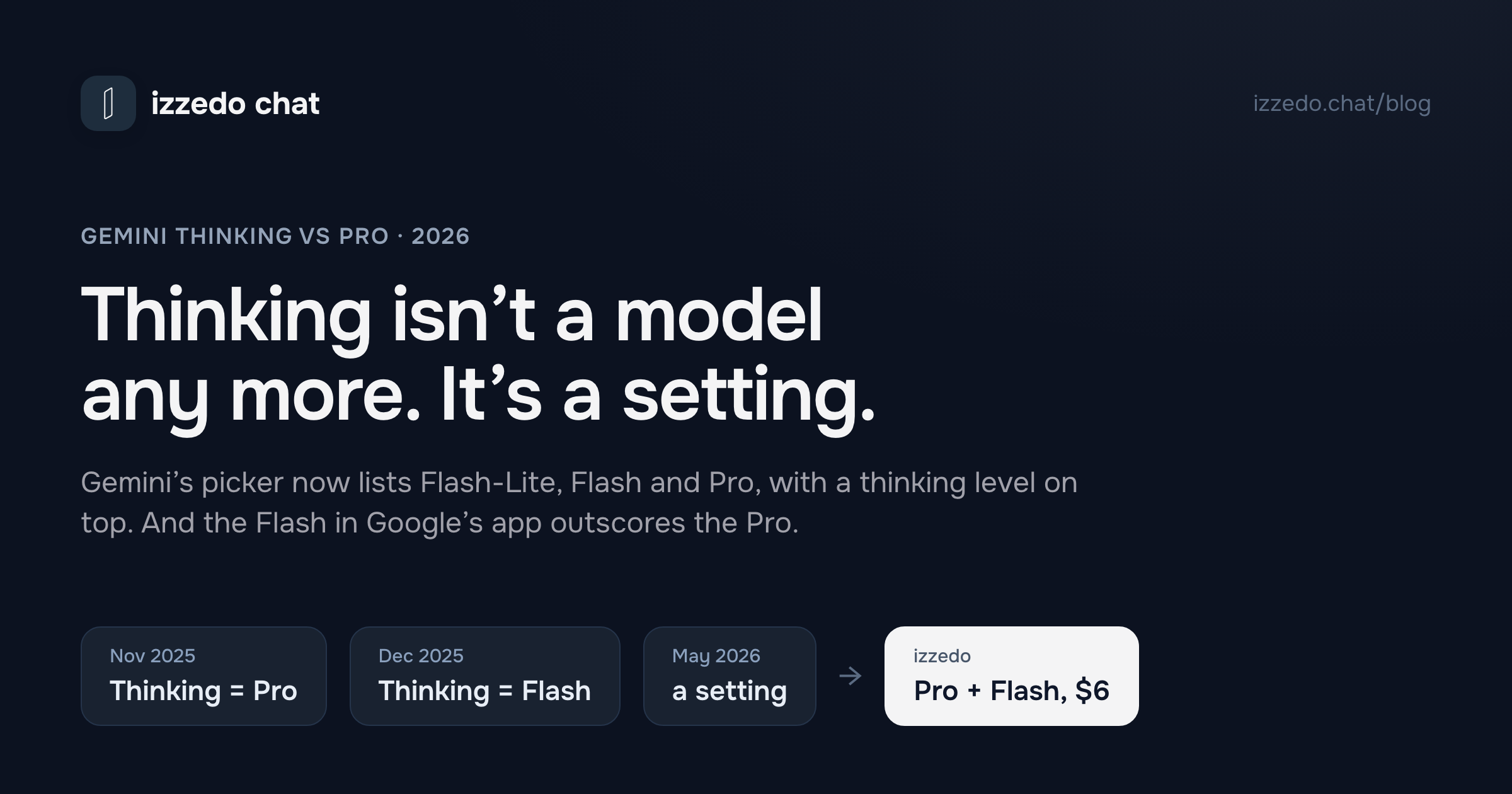
If you are trying to decide between Thinking and Pro in Gemini, the first thing to know is that Google no longer offers that choice. Starting 17 May 2026, Google took Fast and Thinking out of the model picker. Open gemini.google.com today and the picker lists three models by name, each with a two-word caption: Flash-Lite, "Fastest answers", Flash, "All-around help", and Pro, "Advanced reasoning". Thinking survived, but as a setting. It is a menu inside the picker that sets how long whichever model you chose reasons before it answers.
So the question still has an answer. It has just split in two. Which model, and how hard should it think? The finding that surprised me most is in the benchmarks. On Artificial Analysis's independent index, the Flash in Gemini's app now scores higher than the Pro, and Google's newest Flash beats the Pro even on its lowest thinking setting.
Everything below comes from Google's own help centre, its release notes, three archived copies of its limits page going back to December, its developer documentation, and Artificial Analysis's model pages, all read on 25 September 2026.
The Short Answer: Gemini Thinking vs Pro in 2026
- There is no Thinking option to pick. The old Thinking was Flash reasoning before it answered. Today that is Flash, with the thinking level set to Extended when you need it.
- Default to Flash on Standard thinking. It is the faster model, and on the independent index it outscores Pro.
- Raise the thinking level before you switch to Pro. For a maths problem, a logic puzzle or a plan with a lot of constraints, Extended on Flash is the cheaper first move.
- Pick Pro for long files, images and video, and for Pro-only features. Nano Banana Pro image redos, Video Overviews and Deep Think all need Pro selected.
- Both Pro and Extended thinking spend more of the same allowance. Gemini now meters compute over a five-hour window, not prompts per day.
If you learned the old picker, this is where each option went:
| You used to pick | Closest option today | Why |
|---|---|---|
| Fast | Flash-Lite, or Flash on Standard | Google gave Flash-Lite Fast's old description almost word for word, but Fast ran on Flash |
| Thinking | Flash, thinking level on Extended when needed | Thinking was Flash reasoning first, and its "balances speed and reasoning" line now describes Flash |
| Pro | Pro | Same model family, now with its own thinking level |
| Deep Think in the prompt bar (Ultra) | Pro, then Thinking Level, then Deep Think | Deep Think now requires the Pro model |
"Thinking" Has Meant Three Different Things in Ten Months
Most of the confusion around this question comes from the label moving twice. I pieced the timeline together from Google's release notes and archived copies of its limits page.
| Dates | What the picker offered | What "Thinking" meant |
|---|---|---|
| 18 Nov to 17 Dec 2025 | Fast and Thinking | The Pro model. Google's help centre listed it as "Thinking with 3 Pro", and its launch note said to try the new Pro "by selecting 'Thinking' in the model drop-down" |
| 17 Dec 2025 to 17 May 2026 | Fast, Thinking and Pro | Flash, reasoning before it answers. Fast was the same Flash answering straight away, and Pro got its own entry |
| 17 May 2026 to now | Flash-Lite, Flash and Pro, plus a thinking level | A setting on any model: Standard, Extended, or Deep Think on Ultra |
That first month explains a lot. Anyone who met Gemini's picker in late November learned that Thinking was the smart option, because it was literally the Pro model. Four weeks later the same word pointed at the fast model's reasoning mode, and Pro sat next to it under its own name. Anyone who searched "Thinking vs Pro" in the first half of 2026 was asking a real question about two different models. Anyone who searches it now is asking about a menu that no longer exists.
Google has not finished the rename in its own documentation either. Its Deep Research help article, read on 25 September, still says that "all users can use Thinking for their reports", four months after Thinking stopped being something you can select.
What the Old Choice Actually Came Down To
In the Fast, Thinking and Pro era, the difference you could actually see on Google's own pages was quota. Here is its limits table as archived on 10 February 2026:
| Option | No plan | Google AI Plus | Google AI Pro | Google AI Ultra |
|---|---|---|---|---|
| Pro | Basic access, "daily limits may change frequently" | Up to 30 prompts a day | Up to 100 prompts a day | Up to 500 prompts a day |
| Thinking | Basic access, "daily limits may change frequently" | Up to 90 prompts a day | Up to 300 prompts a day | Up to 1,500 prompts a day |
| Fast | General access | General access | General access | General access |
On every paid plan, Thinking got exactly three times Pro's daily prompts. That was the whole trade. A question sent to Thinking cost a third as much of your day as the same question sent to Pro, and when either ran out, Gemini let you "continue the conversation with Fast in the same chat".
None of those numbers apply any more. The daily prompt counts went out with the labels.
What Replaced It: Three Models and a Thinking Level
The model menu now has three entries, and Google's help centre describes them like this:
- Flash-Lite is "an efficient workhorse model designed for speed", which Google says is ideal for summarising and brainstorming.
- Flash is "a more powerful model that balances speed and reasoning to solve a large variety of problems, from simple to complex."
- Pro is Google's "most advanced model", with "a deeper understanding across text, files, images and videos." Google also warns that Pro responses generally take longer.
Thinking is now a second menu. You open it by clicking the model name and choosing Thinking Level, and it has three settings:
- Standard is the default, "best for most questions", and generally faster.
- Extended is "best for complex problem solving". The model "will reason over your prompt longer before responding."
- Deep Think is for Google AI Ultra subscribers only and "requires the Pro model". Google calls it "maximum parallel reasoning", and answers can take a few minutes to arrive. It also reads less than Pro normally does, with a 192 thousand token context window against the 1 million that Google AI Pro and Ultra get elsewhere in the app.
One detail from Google's developer documentation makes the old question look stranger still. Every current Gemini model reasons by default. On Google's API, Pro's default thinking level is high, and it cannot be set lower than low. Flash defaults to medium. So "Thinking vs Pro" was never thinking against no thinking. Pro always thought, and harder by default than the option labelled Thinking.
Google does not publish how the app's Standard and Extended correspond to the API's low, medium and high, so I will not guess at a mapping.
The Flash Now Outscores the Pro
This is the part I did not expect. Artificial Analysis runs the same set of evaluations against every major model and publishes a single index score, plus what each model cost to run the whole test and how many tokens it wrote doing it. Here are the Gemini models, read one page at a time on 25 September 2026:
| Model | Intelligence Index | Cost per index task | Output tokens across the index | Speed |
|---|---|---|---|---|
| Pro, released February 2026 (the Pro in Gemini's app) | 30 | $0.67 | 67M | 120 tokens/s |
| Flash, released July 2026 (the Flash in Gemini's app), high thinking | 34 | $0.93 | 90M | 196 tokens/s |
| Flash, released September 2026, high thinking | 41 | $1.24 | 170M | 288 tokens/s |
| Same September Flash, low thinking | 33 | not published | not published | not published |
Three things stand out.
The model called Pro is the old one. It came out in February. Gemini's app has shipped two new Flash models since, in May and July, and Google's API lists two more after those. The naming makes Pro sound like the top of the range, and on this index it scores below every Flash result in the table.
The thinking level moves the score a long way. The September Flash goes from 33 on low thinking to 41 on high, an eight-point swing from one setting, and even its low setting beats Pro's 30. That is the practical case for trying Extended on Flash before reaching for Pro.
One index is not the whole story. Artificial Analysis's index leans toward agentic knowledge work, research and reasoning. Google still says Pro understands files, images and video more deeply, and I found no independent measure that settles that claim either way. The scores are also for the API versions at the API's thinking settings, not the app's Standard and Extended. Treat the table as evidence that Flash is a strong default, not as proof that Pro is worse at everything.
Why Extended Flash Is Not Automatically the Cheap Option
Under the old picker, Thinking was the frugal choice by design. Under the new one, that is no longer obvious, and the API numbers show why.
Per token, Flash is far cheaper. At Google's API prices, as Artificial Analysis lists them, Flash costs $0.75 per million input tokens and $3.75 per million output tokens, against $2.00 and $12.00 for Pro. But across Artificial Analysis's whole index, the September Flash on high thinking cost $1.24 per task to Pro's $0.67. It wrote 170 million tokens where Pro wrote 67 million, and Google bills the thinking tokens along with the answer. A cheaper model that thinks for longer can cost more to get to the same answer.
That matters because Gemini's app no longer counts prompts. Its limits "factor in the complexity of your prompt, the models and features you use, and the length of your chat", and Google names "Pro Model" and "Extended thinking and Deep Think" separately in its list of things that "require more usage and may cause you to reach your limit faster." What it does not publish is the exchange rate between them. If the app's meter follows compute the way the API bill does, a long Extended-thinking session on Flash may not save you anything over a short one on Pro. That is an inference from the API, not something Google states, but it is enough to retire the old rule that picking Thinking always stretched your day.
Gemini Limits Now: Five Hours, Then a Weekly Cap
The limits people remember from the Thinking era were per day. The current system has two clocks. Your usage "refreshes every 5 hours until you reach your weekly limit", and Google sets each plan as a multiple of the free allowance rather than as a count:
| Plan | Price (US) | Usage | Context window |
|---|---|---|---|
| No plan | $0 | Standard limits | 32 thousand tokens |
| Google AI Plus | $4.99/mo | 2x standard | 128 thousand tokens |
| Google AI Pro | $19.99/mo | 4x standard | 1 million tokens |
| Google AI Ultra | $99.99/mo or $199.99/mo | 5x or 20x Google AI Pro | 1 million tokens (192 thousand in Deep Think) |
A few things follow from that table and the notes around it:
- Pro is not paywalled. Google's model table marks Flash-Lite, Flash and Pro as available on every plan, and the pricing page describes the free tier's access to Pro as "varying". What paying buys is more of the same compute, a bigger context window and extra features.
- Hitting the limit on a paid plan drops you to Flash-Lite. Google's help centre says subscribers can "continue your conversation with Flash-Lite". Without a plan, you wait or upgrade.
- You can see where you stand. On gemini.google.com it is under Settings, then Usage Limits. Google also says it will warn you when you are close and tell you when your limit refreshes.
- Google now sells top-ups. The fine print on its pricing page says you can extend your limits by purchasing AI credits.
If this shape sounds familiar, Anthropic runs Claude the same way, with a five-hour window and a weekly ceiling, and I went through how Claude's two clocks interact in a separate post. College students should also check the student offers before paying, since Google's pricing page currently advertises a free year of Google AI Pro for them.
What Pro Still Unlocks That Flash Does Not
If the benchmark gap no longer favours Pro, the case for selecting it rests on the features that only open with Pro selected. There are more of them than the picker suggests.
- Nano Banana Pro. Your model setting decides which image model Gemini uses. Flash-Lite generates with Nano Banana 2 Lite. Flash and Pro both generate with Nano Banana 2, so the image model is the same either way. Paid subscribers can then redo an image with Nano Banana Pro for more detail and better text rendering, and Google's image help article ties that option to having the Pro model selected.
- Deep Think. Ultra only, and only on Pro.
- Video Overviews and interactive images. Google's 19 May release notes say its narrated video overviews and zoomable multi-layer images appear "for specific topics when using the 'Pro' model", in English.
- Better Deep Research on paid plans. Google AI Pro and Ultra subscribers "can generate reports using Pro for even higher quality."
For a lot of people, then, Pro works less like a smarter chat model and more like a key to four features. If you never touch those, Flash is the better everyday choice on both speed and the index.
Gemini Thinking vs Pro by Job
| Job | Model | Thinking level | Why |
|---|---|---|---|
| Quick facts, short rewrites, summaries of a page | Flash-Lite or Flash | Standard | Google's own API guidance says to use minimal or low thinking "for fact retrieval or classification" |
| Writing and editing | Flash | Standard | The same guidance puts "creative reasoning" at the default level. I would not spend Extended on prose |
| Maths, logic, a plan with many constraints | Flash first, then Pro | Extended | Raising Flash's thinking added eight points on the index, and Pro scored below both settings |
| Long readings, lecture recordings, video | Pro | Standard, raise if needed | This is the one area where Google still claims Pro understands more |
| Deep Research on a paid plan | Pro | Standard | Google says Pro produces higher-quality reports |
| Images with legible text or infographics | Pro | Not relevant | Nano Banana Pro redos need Pro selected and a paid plan |
| The hardest maths and science problems | Pro | Deep Think | Ultra only, a 192 thousand token window, and answers in minutes |
For studying specifically, the model choice matters less than the upload limits, which depend on your plan rather than your model. Without a Google AI Pro or Ultra plan, Gemini accepts up to 10 minutes of audio and 5 minutes of video in total. With one, that rises to 3 hours and 1 hour. I compared what Gemini, Claude and Grok will each accept as coursework input in more detail elsewhere.
Or Take the Second Opinion From a Different Model
Here is the limit of the whole exercise. Raising the thinking level and switching to Pro are both ways of asking Google again. Anthropic makes the same argument about its own tiers, that tuning how long a model thinks often beats moving up a size, and the Gemini numbers above back it up. But when Flash on Extended gets something wrong, Pro is a second answer from the same company. Sometimes that is enough. Often the more useful check is a model somebody else built, reading the same problem.
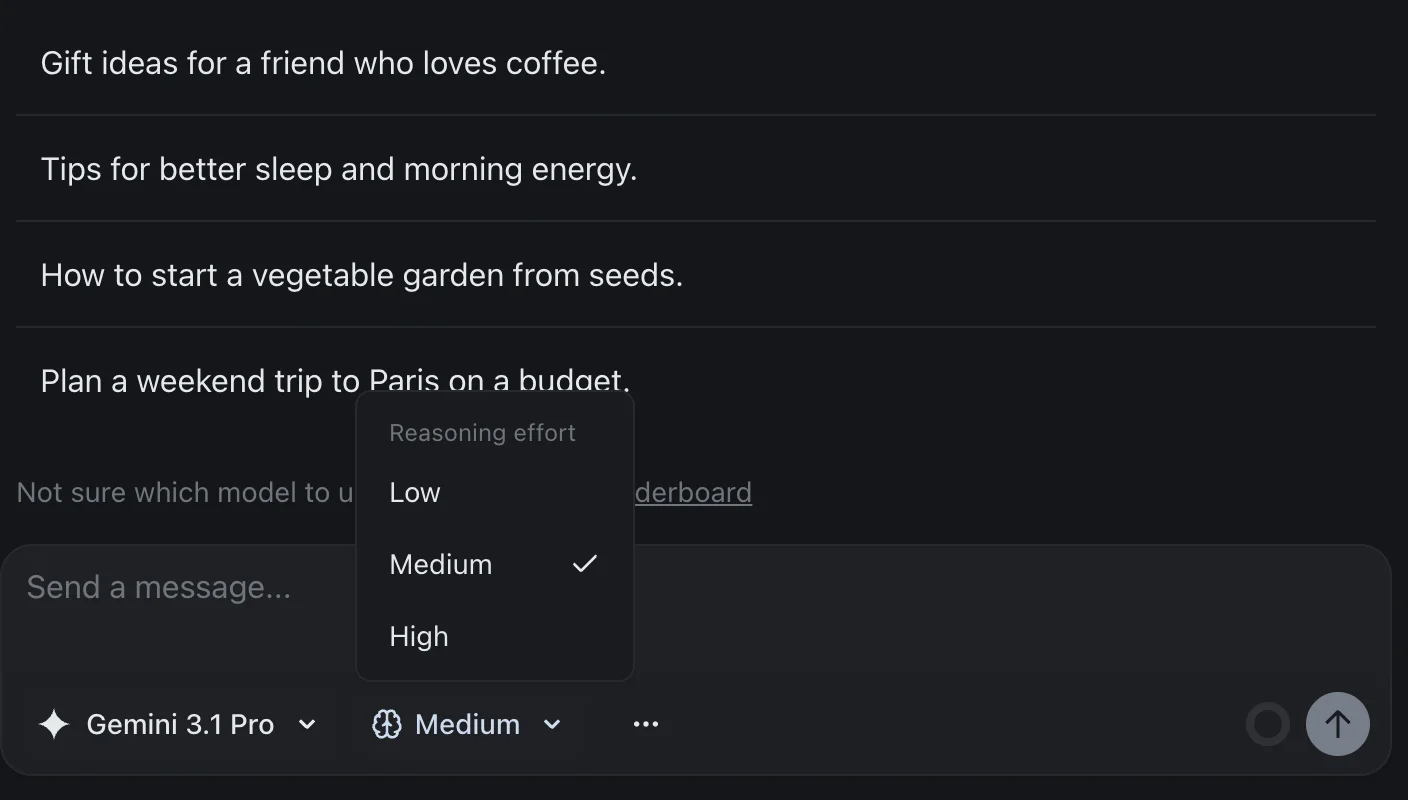
That is the setup izzedo chat is built around. Gemini Pro and Google's September Flash sit in the same picker as ChatGPT, Claude, Grok, DeepSeek and the rest, and next to the model name there is a Reasoning effort menu with Low, Medium and High, set to Medium unless you change it. It is the same two choices Google now offers, a model and a thinking level, except the model list is not limited to one vendor. Ask Gemini Flash first. If the answer looks shaky, switch the same thread to Claude or GPT and ask again, with the whole conversation carried over. When two vendors agree, you can move on. When they disagree, you know exactly which part to check. I laid out how Gemini and ChatGPT split the work in an earlier comparison.
The free plan includes Gemini Flash at the Low setting and needs no card. The $6 Hobby plan opens Gemini Pro, every reasoning level on both Gemini models, and every other chat model in the picker. izzedo has a meter as well. It counts what each answer costs against a five-hour allowance and a weekly one, so High effort uses up more of it than Low, for the same reason Extended does in Google's app. The allowances themselves are on the pricing page, which changes when they do.
The Bottom Line
"Thinking or Pro?" was a real question for five months, from mid-December to mid-May, and even then it was mostly a quota decision, since Thinking bought three times as many prompts as Pro. Before that, for a month, Thinking simply was Pro. Since 17 May it has been two separate choices, a model and a thinking level, metered against one pool of compute.
So choose in this order. Start on Flash with Standard thinking. Raise the thinking level to Extended when the problem is a chain of steps. Switch to Pro when the input is long files, images or video, or when you want one of the features only Pro opens, and accept that both moves spend your allowance faster. And when the answer matters, get a second opinion from a model that is not Gemini at all.
Frequently asked questions
Should I use Gemini Thinking or Gemini Pro?
Thinking is no longer something you can select in the Gemini app. Starting 17 May 2026, Google replaced Fast, Thinking and Pro with three models, Flash-Lite, Flash and Pro, plus a separate thinking level you set on top of the model. The old Thinking option was the Flash model reasoning before it answered, so its closest match today is Flash, with the thinking level raised to Extended when a problem needs several steps. Pick Pro for long files, images and video, and for the features that only open with Pro selected, such as Nano Banana Pro and Deep Think. On the Artificial Analysis Intelligence Index the Flash in Gemini's app scores 34 and the Pro scores 30, so Flash is the sensible default.
What happened to Gemini's Thinking mode?
Google removed it as a separate choice. From 17 December 2025 the picker offered Fast, Thinking and Pro, where Fast and Thinking were the same Flash model answering quickly or reasoning first. Starting 17 May 2026 the picker lists Flash-Lite, Flash and Pro by name, and thinking became a menu inside the picker with three levels: Standard, which is the default, Extended, and Deep Think, which needs the Pro model and a Google AI Ultra plan. For one month before December, from 18 November 2025, the label Thinking meant the Pro model itself.
What is the difference between Gemini Fast, Thinking and Pro?
In the picker Google used between December 2025 and May 2026, Fast and Thinking were both the Flash model. Fast answered straight away and Thinking reasoned through the prompt first. Pro was the larger Pro model. On Google AI Pro in February 2026, Pro allowed up to 100 prompts a day and Thinking up to 300, three times as many, while Fast had general access. Those counts no longer apply, because Gemini now meters usage by compute over a five-hour window with a weekly limit behind it.
Is Gemini Pro better than Gemini Flash?
Not on the most widely cited independent benchmark. Artificial Analysis scores the Pro model in the Gemini app at 30 on its Intelligence Index and the app's Flash at 34, and the Flash Google released in September 2026 reaches 41 with its thinking set to high. Pro is the older model, released in February 2026. Google still describes Pro as having a deeper understanding of files, images and video, and some features only work with Pro selected, including Nano Banana Pro image redos, Video Overviews and Deep Think.
Does Gemini Pro or Extended thinking use more of my limit?
Yes. Google lists the Pro model, Extended thinking and Deep Think among the things that require more usage and can make you reach your limit faster, alongside image, video and music generation and Deep Research. Limits refresh every five hours until you reach a weekly limit. Google AI Plus gives twice the free allowance, Google AI Pro four times, and Google AI Ultra five or twenty times AI Pro's. On a paid plan, hitting the limit drops you to Flash-Lite until it refreshes.
Can I use Gemini Pro for free?
Yes, within limits. Google's model table marks Flash-Lite, Flash and Pro as available on every plan including no plan at all, and its pricing page describes free access to Pro as varying. You need to be signed in to switch models. What the free tier does not get is the larger context window, which is 32 thousand tokens without a plan against 1 million on Google AI Pro, or Deep Think, which needs Google AI Ultra.
Which Gemini option is best for image generation?
The model setting picks the image model for you. With Flash-Lite selected, Gemini generates with Nano Banana 2 Lite. With Flash or Pro selected, it uses Nano Banana 2, so Flash and Pro use the same image model. The difference is Nano Banana Pro, which paid subscribers can use to redo an image for extra detail, and which Google ties to having the Pro model selected.
Ready to try multi-model AI workflows?
Access GPT, Claude, Gemini, Perplexity, and more — all in one place.
Start for Free →