Grok Bot Pricing: $30 to Start, Then a Weekly Pool xAI Doesn't Size
Grok Bot has no price of its own. It comes with the Premium, Super and Ultra plans of The X Subscription, and it spends the same weekly usage pool as Grok and Cursor. Here's what each plan gets, what happens when the pool runs out, what changed in late October, and what other agents cost.
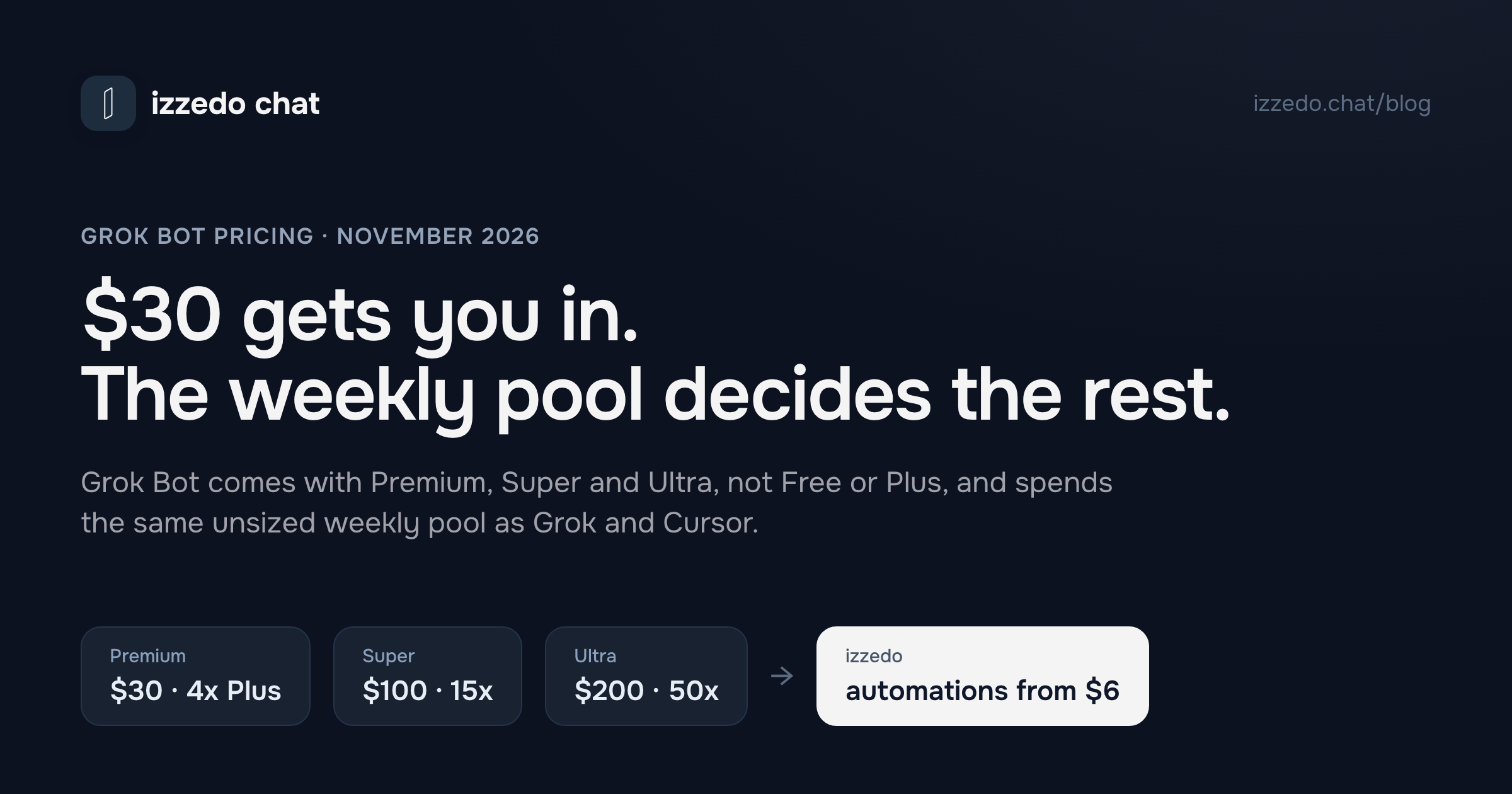
Grok Bot is xAI's agent. You give it a job, like building a deck, sorting your inbox or keeping a project page current, and it works on it on a computer xAI runs for you in the cloud, with a browser, files and a terminal. It keeps going when you close the laptop, and several Bots can pass work between them.
It has no price tag of its own. xAI sells it as part of The X Subscription, the plan that bundles Grok, Grok Bot, the coding app Cursor and X Premium. So "how much does Grok Bot cost" has two answers. The first is the plan you need, which starts at $30 a month. The second is how much work that plan buys, and that depends on a weekly allowance xAI never puts a number on, which Elon Musk said on 1 November had been costing xAI too much.
I read xAI's pricing page, its Grok Bot and X Subscription documentation, Cursor's usage help and Musk's posts on 18 November 2026. Here's what each plan gets, what happens when the allowance runs out, and what the other agents cost.
The Short Answer
| Plan | Monthly | Yearly | Grok Bot | Weekly usage pool |
|---|---|---|---|---|
| Free | $0 | $0 | No | Limited |
| Plus | $8 | $80 | No | The base amount |
| Premium | $30 | $300 | Yes | 4x Plus |
| Super | $100 | $1,000 | Yes | 15x Plus |
| Ultra | $200 | $2,000 | Yes | 50x Plus |
| Teams | $30, $100 or $200 a seat | Yes | Each seat gets its own tier's pool |
- The cheapest way to get Grok Bot is Premium at $30 a month. Plus at $8 doesn't include it.
- Grok Bot doesn't get its own allowance. It spends the same weekly pool as Grok's chat, images, video and voice, and Cursor. xAI describes each plan as a multiple of Plus and doesn't say how much Plus is.
- Past the pool, you pay from prepaid credit. Auto Top-up is off unless you turn it on.
- Grok Bot isn't on the Free plan. Some accounts get a trial credit that lasts up to seven days.
Is Grok Bot Free?
No. xAI's pricing table marks Grok Bot as unavailable on Free and on Plus, and its documentation says the same in plain words: "The Plus plan doesn't include Grok Bot. To use Grok Bot, choose Premium or higher."
There is a trial, on some accounts. If the access screen offers Start Trial, you get a usage credit and a seven-day window, and xAI says the trial "never turns into a paid plan." The credit is drawn down by "agent steps and tokens rather than the number of messages you send," so a large first task can use all of it. xAI's advice is to start small and check your usage before anything long.
One exception catches people out. A free trial started inside the iPhone app is an App Store trial, run by Apple, and it turns into a paid subscription unless you cancel it before it ends.
How Much Does Grok Bot Cost on Each Plan?
Premium, $30 a month or $300 a year. This is the plan xAI recommends "for new AI users." It adds Grok Bot, video generation, "Cloud agents & automations" in Cursor and the latest Grok models to everything in Plus, with four times Plus's usage.
Super, $100 a month or $1,000 a year. xAI recommends it "for daily agent users." It has 15 times Plus's usage, priority access at busy times, and 1080p video clips up to 15 seconds long.
Ultra, $200 a month or $2,000 a year. 50 times Plus's usage. Since Grok Bot 1.0 on 11 November, Ultra is also the only individual plan that can bring a Bot into video calls: xAI's launch post says "Meetings are available on Team, Enterprise, and Ultra plans."
Teams, from $30 a seat. Team seats come at the same three prices, and you can mix them, say three Premium seats and one Super. Each seat has its own weekly pool, and seats don't share them. The team shares one prepaid balance for extra usage. Team Bots, which everyone on a team talks to in Slack or Microsoft Teams, need a Team or Enterprise plan. Plus isn't available for teams.
Enterprise, custom. It's the only tier with xAI's "Access, network, and audit controls for Grok Bot."
Prices don't include tax. xAI's pricing page also says third-party models in Cursor are "billed separately", and its docs say they're paid from prepaid credit from the first use. That matters if you bought the plan for Cursor as well as for Bots.
The Real Price Is the Weekly Pool
The $30 gets you in. What you can do once you're in is set by the weekly pool, and three things about it make Grok Bot hard to price.
It's shared. xAI's pricing FAQ says "Within Grok, the pool covers Chat, Imagine, Voice, and Bot," and Cursor draws from the same allowance. The docs say "Bot usage draws from that seat's shared weekly usage pool, not a separate additive pool." A week of video generation in Grok leaves less for your Bots, and the other way round.
It isn't sized. Every plan is described as a multiple of Plus: 4x, 15x, 50x. Nowhere does xAI say what Plus's amount is in messages, tasks or tokens. It also says "usage costs vary by product," so one percent of the pool doesn't buy the same amount of Grok Bot as it buys of chat. I went through the same problem in Grok's chat limits. With Grok Bot it matters more, because one agent task can take many steps before it finishes.
You can't see what each task spends. Grok Bot chooses the model for every task and has no model picker. xAI's FAQ says it can be one of xAI's models or "a third-party model," that the app doesn't show which, and that your usage page records the work "as Grok Bot usage, not by provider or model name." It also says the model doesn't change what the work costs you per token: what moves your usage is "the kind of work you give Grok Bot and how much effort each task takes."
The thing that does move the bill is how often a Bot works without you. xAI's own routines guide warns: "An hourly schedule, a short interval, or a Slack trigger on a busy channel can use a week of usage in a day." Even pressing Test on a routine spends usage, because it does the work. Your current position is under Usage at grok.com/dashboard, with the date of the next reset.
What Changed in Late October
In the week before 1 November, Grok Bot users started running out of their weekly usage early. On 1 November one of them asked Musk on X: "Any chance for a Grok Bot reset, @elonmusk? Lots of people say their usage ran out really fast this week."
Musk replied: "The cost of serving Grok Bot was unsustainably high relative to revenue."
An hour later, to someone who had to wait until Wednesday for their usage to come back, he wrote: "Upgrade to higher usage plan cost increase is too high?"
TechSpot reported one user whose usage went from 56% to 100% in an hour, and that Redditors called it an "indirect rug pull." It's not clear which plans changed, and xAI hasn't published figures, before or after. What you can take from it: the amount of Grok Bot work a plan buys isn't fixed, and it went down once already. If you're deciding between Premium and Super, judge on what your Bots actually use over a week or two, not on what someone reported earlier this month.
When the Pool Runs Out: Top-Ups, Caps and Refunds
You have three options when the weekly pool is spent: wait for the reset, move to a bigger plan, or keep working on prepaid credit.
Prepaid credit works like this:
- You buy it in advance. xAI calls it "Additional Usage credits." It pays for Grok usage past your pool and for third-party models in Cursor.
- Auto Top-up is off by default. xAI's docs say it "only runs after you turn it on and save it." With it off, a Bot stops when the pool and your credit are both used up.
- You can set a monthly cap on paid extra usage, under Additional usage credits at grok.com/dashboard/billing. Adding credit doesn't raise the cap, so you can have money in the account and still be stopped. Spend alerts don't stop anything. For a hard stop, set the cap, and expect a task that's already running to go a little past it.
- Credit expires. Cursor's help, which xAI's pricing page links to for usage, says each top-up lasts "until used or until it expires (currently 365 days after purchase)."
- Spent credit isn't refundable. Grok Bot has no subscription of its own, so it has no refund path of its own either. Refunds follow The X Subscription's rules.
What xAI doesn't give is a price per Bot task. Cursor's help says extra requests are paid "at the same API rates," but xAI doesn't publish a per-task rate for Grok Bot, so you can't work out a task's cost in advance. Set the cap before you turn on Auto Top-up.
Already on SuperGrok or Cursor?
New customers start on The X Subscription. If you subscribed before The X Subscription reached you (it launched on 12 October and rolled out over the following days), your old plan carries on, and the Grok Bot rules are different:
- Cursor Pro, Pro+, Ultra and Teams include Grok Bot, metered on your Cursor account.
- You can link an individual SuperGrok, SuperGrok Plus, SuperGrok Heavy or X Premium+ plan to a Cursor account for Grok Bot. SuperGrok Lite can't be linked. A link is permanent, and you can't move it to another account yourself.
- The two don't add up. Grok Bot uses whichever plan gives more weekly usage. xAI's FAQ lines them up: Cursor Pro, SuperGrok and X Premium+ are the same tier, Pro+ matches SuperGrok Plus, and Ultra matches SuperGrok Heavy.
- They're separate meters. On a legacy account, your SuperGrok limit in the Grok app and your Grok Bot usage don't match, because Grok Bot usage lives on the Cursor account.
Switching to The X Subscription is optional, and xAI refunds unused time on the plans it cancels. It also can't be undone: "A completed unification is permanent."
Two smaller things that come with the Cursor connection. Grok Bot signs in with a Cursor account, so deleting Grok Bot means deleting that account. And its training opt-out "follows the applicable Cursor account and privacy settings."
Grok Bot vs Claude, Muse and ChatGPT: What Each Agent Costs
Every big AI company now sells an agent that works while you're away. Here's what it takes to get one, as of 18 November.
| Agent | Cheapest way in | Monthly price | Runs while your device is off |
|---|---|---|---|
| Grok Bot | The X Subscription Premium | $30 | Yes, on its own cloud computer |
| Meta Muse | Free, up to a weekly limit (US, Canada, Singapore, Australia) | $0, Power $20 | Yes, on its own cloud computer |
| Gemini Task mode | Free since 17 November (US, Canada, Japan, Korea, Australia, India) | $0 | Works in the background, in an isolated cloud machine |
| Claude Cowork | Claude Pro | $20 | Yes, scheduled tasks run in the cloud |
| ChatGPT dots | ChatGPT Pro (not in the EEA, UK or Switzerland) | from $100 | Yes, on their own cloud computer |
| izzedo agent mode | Free plan, automations from $6 | $0 / $6 | Automations, on the paid plans |
The big change is Google's. On 17 November it made Gemini's Task mode free in six countries. Google's post says Gemini "can now make the calls, pay the bills, and finish your tasks." The free version runs on its new Gemini 4 Hydrogen model, and some advanced features start in the US only. If your Bot jobs are household admin, check that before paying $30.
Grok Bot vs Muse
Muse is the cheapest serious agent to start with. It's free up to a weekly limit, which Mark Zuckerberg put at 100 million "Muse tokens" at launch, with Power at $20 and Maximum at $100 for more, but only in the US, Canada, Singapore and, since 17 November, Australia. The two meter work the same opaque way: Meta doesn't say how many tokens a task takes, and xAI doesn't say how big its pool is. The difference is in the bundle. $30 of Grok Bot also buys Grok's video, Cursor and X Premium benefits, while Muse's plans buy Muse usage and nothing else. If you live anywhere else, Muse isn't on offer yet. How the two differ on permissions, countries and your data is in Grok Bot vs Muse vs ChatGPT dots.
Grok Bot vs Claude
Claude Cowork comes with Claude's $20 Pro plan and, by Anthropic's account, keeps working in the cloud when your laptop is closed. It's $10 a month cheaper than Grok Bot's entry plan. Grok Bot's case is the team setup: Bots that hand work to each other, Team Bots in Slack and Microsoft Teams, and a Bot in your video calls on Ultra. Both meter usage against a weekly limit, and Claude's runs out the same way Grok's does, as I covered in Claude's limits. If you already pay for Claude Pro, Cowork is included. Grok Bot is a separate app that needs Premium or higher, even if you already pay for Grok Plus.
Is Grok Bot Worth $30?
It's worth it if you'll use the bundle. Premium is a good price for someone who wants Grok's video generation, Cursor and a Bot that works while they sleep, and who's fine with not knowing exactly how much Bot work a week buys.
It's a weaker deal in three cases:
- You mostly chat with Grok. Plus at $8 covers chat, images, voice and Build. Grok Bot is the main thing you'd pay the extra $22 for.
- Your Bot jobs are decks, inbox work and scheduled summaries. Most of xAI's own examples are of this kind: build a deck, sort the overnight email, write a Monday plan from the calendar, post the day's action items to Slack, update a Notion page each Friday. They need connectors, a way to make files and a schedule more than a cloud computer, and there are cheaper ways to get all three.
- You need to know your monthly cost. A pool with no published size, a cut in late October that Musk confirmed on 1 November, and top-ups with no per-task price make Grok Bot hard to budget. Set the monthly cap on day one if you go ahead.
Grok Bot earns its price when the job really needs a computer: signing in to a website with no connector, working through files in a terminal, or a team of Bots splitting a campaign. That's what the $30 pays for.
Where izzedo Fits
Go back to xAI's own examples: build a deck, sort the overnight email, post the day's action items to Slack, update a Notion page each Friday. None of them needs a computer of its own. They need three things: a way to make files, access to the apps your work lives in, and a schedule. izzedo chat has all three, on the model you pick, and only the schedule needs a paid plan.
1,400+ Connectors for Your Apps
Grok Bot does its work in apps like Slack, Notion and Google Drive. izzedo's agent mode can use more than 1,400 apps, those three included, along with Gmail, Google Calendar, Google Sheets, Outlook and HubSpot. Connect your account and the agent can read your inbox and draft replies in the thread, pull figures from a sheet, update a Notion page or post a summary to a Slack channel. Connectors work with every chat model that can use tools, including Grok, Claude, GPT, Gemini and DeepSeek. For an app that isn't in the catalogue, you can add your own MCP server.
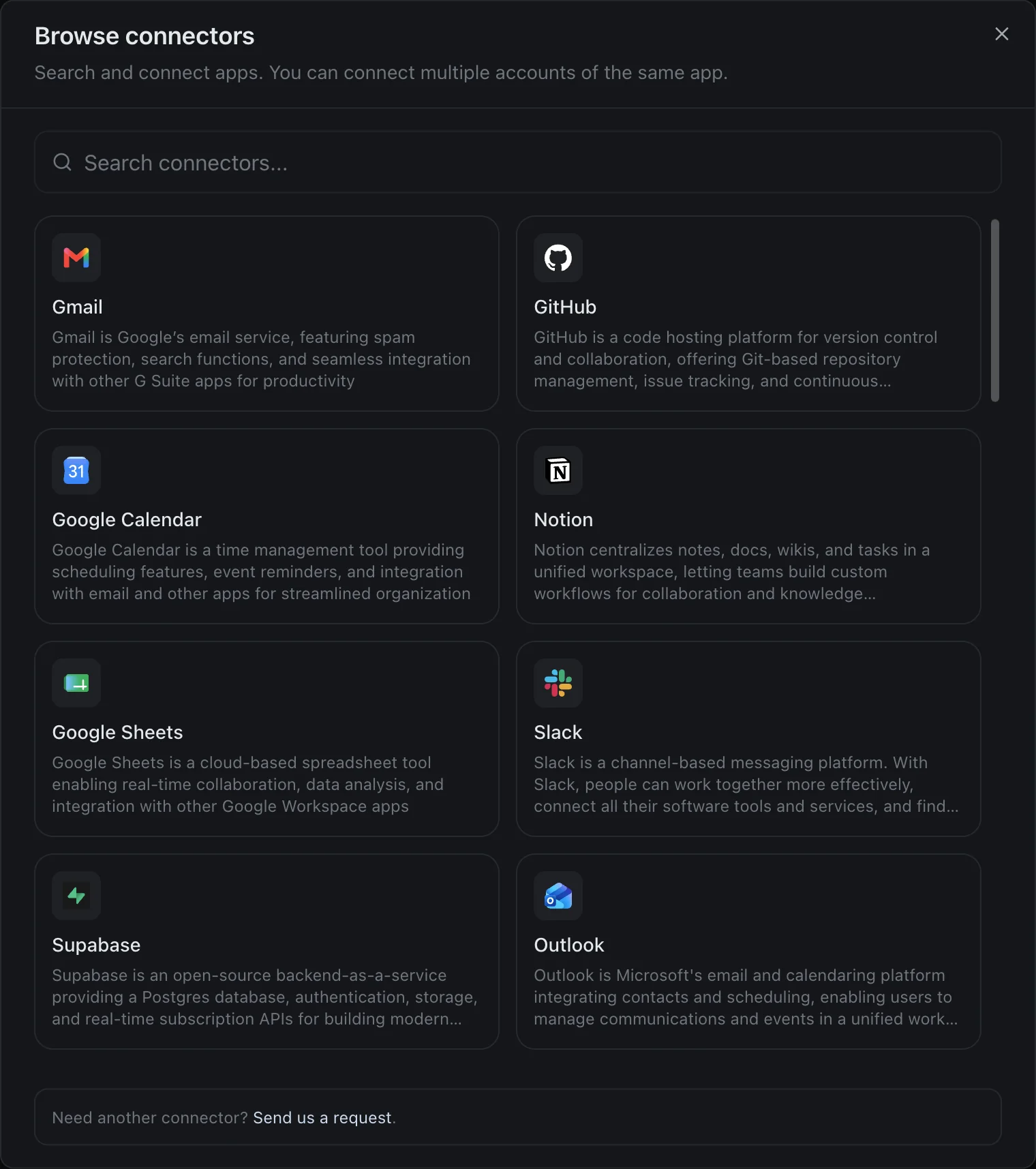
The window shows the 30 most used apps. You find the rest with the search box.
Decks, Documents and Spreadsheets
Building a deck is one of xAI's own examples for Grok Bot. In izzedo, agent mode makes the file itself: a PowerPoint deck, a Word document, an Excel spreadsheet or a PDF, with a download link in the chat. Ask for a six-slide deck from your notes for Thursday's supplier meeting and a .pptx comes back, ready to open in PowerPoint. It works with the connectors too, so the agent can read last week's orders from a Google Sheet and turn them into a one-page PDF report.
Automations on the Model You Pick
If your Bot jobs are the scheduled kind, izzedo's automations do them on the model you choose. Inside a project, you set up an automation with a prompt, a schedule and the tools it may use, such as web search or connectors like Gmail, Google Calendar, Slack or Notion, and pick the model it runs on: Grok, Claude, GPT, Gemini or another. Each run opens as a new chat you can read afterwards, with any file it made.
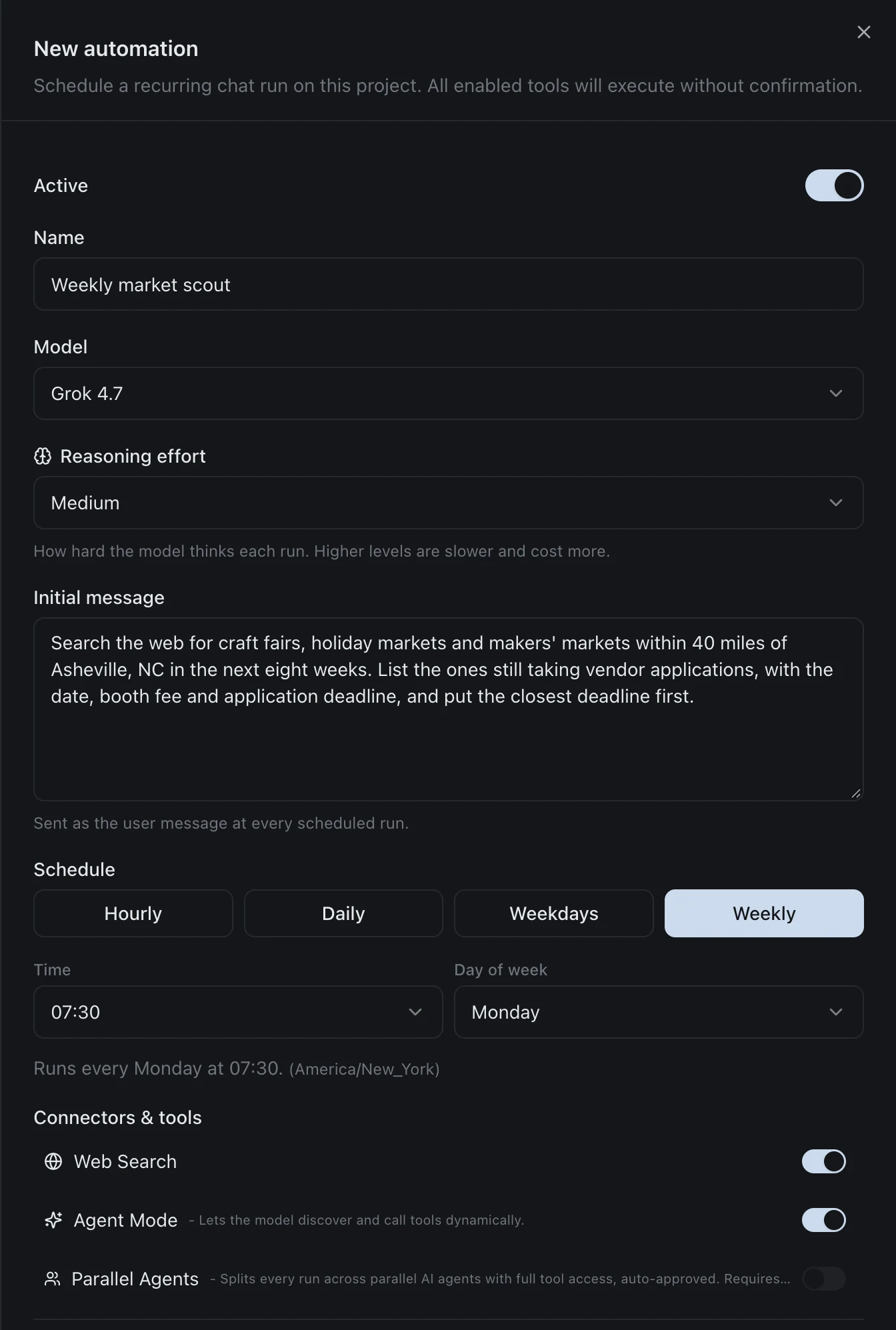
That one is a job a craft shop might give a Bot: every Monday morning, search for markets still taking vendors and list them by deadline. It runs on Grok 4.7 with web search, and nothing in it needs a computer of its own.
Grok 4.7 is on izzedo's free plan, and so are agent mode, the connectors and the files, so you can try a job by hand before you schedule it. Automations start on the $6 plan, where every chat model is available. Like xAI's plans, izzedo's run on a usage allowance, with a 5-hour and a weekly window that the pricing page sets out. The difference is that you pick the model for each automation, so a daily inbox summary can run on a fast, cheap model and a weekly report on a stronger one.
The Bottom Line
Grok Bot costs $30 a month to start, on The X Subscription's Premium plan, or $100 and $200 for Super and Ultra. Free and Plus don't include it. That price buys a share of a weekly pool that also pays for Grok's chat, images, video and Cursor, and xAI doesn't say how big the pool is, doesn't show what each task spends, and cut how far it goes in late October.
So treat the plan price as the entry fee. Watch the Usage page for the first two weeks, set a monthly cap before you turn on Auto Top-up, and upgrade only once your Bots keep running out before the reset. If what you want is a deck, work done in your apps or a scheduled summary rather than a Bot with its own computer, that's cheaper elsewhere.
Prices and plan details here are from xAI's pricing page and documentation, read on 18 November 2026. xAI has changed Grok's plans and limits several times since June, so check x.ai/pricing before you buy.
Want an agent that works in 1,400+ apps and makes Word, PowerPoint and Excel files on a free plan, with automations on any chat model from $6? Try izzedo chat free, no credit card required.
Topics
- grok bot pricing
- grok bot cost
- is grok bot free
- grok bot vs muse
Frequently asked questions
How much does Grok Bot cost?
Grok Bot isn't sold on its own. It comes with three plans of The X Subscription: Premium at $30 a month ($300 a year), Super at $100 ($1,000 a year) and Ultra at $200 ($2,000 a year). Team seats cost the same per person. Free and Plus ($8) don't include it. Each plan's Grok Bot usage comes out of one weekly pool shared with the Grok apps and Cursor, and anything past the pool is paid from prepaid credit you buy separately.
Is Grok Bot free?
No. xAI's docs say Free and Plus don't include Grok Bot. Some accounts see a Start Trial button: the trial is a usage credit with a seven-day window, and it never turns into a paid plan, though one big task can use all of it. A free trial started through the App Store in the iPhone app is different, because Apple runs it and it becomes a paid subscription unless you cancel.
Is Grok Bot included with SuperGrok?
Only on older accounts. New customers start on The X Subscription, where Grok Bot needs Premium or higher. On a legacy Cursor account, Grok Bot comes with Cursor Pro, Pro+, Ultra and Teams, and you can link an individual SuperGrok, SuperGrok Plus, SuperGrok Heavy or X Premium+ subscription to it. A linked plan and a Cursor plan don't add together: Grok Bot uses whichever grants more weekly usage.
Why does my Grok Bot usage run out so fast?
Three reasons. The weekly pool is shared, so Grok chat, image and video generation and Cursor all spend the same allowance. Routines run without you, and xAI's docs warn that an hourly schedule or a busy Slack trigger "can use a week of usage in a day." And on 1 November, after a user asked for a usage reset because "lots of people say their usage ran out really fast this week," Elon Musk replied: "The cost of serving Grok Bot was unsustainably high relative to revenue." Check the Usage page at grok.com/dashboard to see what's left and when it resets.
What happens when Grok Bot runs out of usage?
You can wait for the weekly reset, upgrade to a bigger plan, or keep going on prepaid credit. Auto Top-up is off until you turn it on, and you can set a monthly limit on paid extra usage. Cursor's help says prepaid credit expires 365 days after purchase, and xAI says credit you've already spent isn't refundable.
Can I choose which model Grok Bot uses?
No. xAI's FAQ says Grok Bot picks the model for each task and has no model picker. It can be an xAI model or a third-party one, the app doesn't show which, and your usage page records it all as Grok Bot usage.
Is Grok Bot better than Claude?
They're priced differently more than they're built differently. Grok Bot starts at $30 a month and works on its own cloud computer with a browser, files and a terminal. Claude's agent, Cowork, comes with the $20 Pro plan and also runs in the cloud with your laptop closed. Grok Bot is the one built for teams of Bots that hand work to each other and sit in Slack.
Is Grok Bot better than Meta Muse?
Muse is cheaper to start: it's free up to a weekly limit (Mark Zuckerberg put it at 100 million Muse tokens at launch), with Power at $20 and Maximum at $100 for more, but only in the US, Canada, Singapore and Australia. Grok Bot starts at $30 and comes bundled with Grok's other features and Cursor. Both work on a cloud computer of their own, and both meter usage in units their makers don't translate into tasks.